Working with Arduino
This chapter includes the following sections. Please read as needed:
Hardware Connection
The following uses the uno_r4 project in the example package. Connect the LCD module to the Arduino UNO R4. The pin correspondence is as follows:
| LCD | Arduino UNO R4 |
|---|---|
| VCC | 5 V |
| GND | GND |
| DIN | D11 |
| CLK | D13 |
| CS1 | D6 |
| CS2 | D10 |
| DC | D7 |
| RST1 | D5 |
| RST2 | D8 |
| BL1 | NC |
| BL2 | NC |
Installing Dependent Libraries
Download and extract the 0.71inch DualEye LCD Module example package from the Example section of the Resources and Documents page.
This example requires offline installation of the TFT_eSPI library located in the uno_r4/libraries directory.
| Library Name | Description | Installation Method |
|---|---|---|
| TFT_eSPI | LCD driver library | Offline installation |
Check the sketchbook location in Arduino IDE under File > Preferences, copy the TFT_eSPI folder from the package to the libraries directory of that sketchbook location, and then reopen Arduino IDE.
Running the Example
-
In the extracted
uno_r4/maindirectory, openmain.inowith Arduino IDE. -
Select the board and port corresponding to the actual UNO R4 model in use, then compile and upload the program.
-
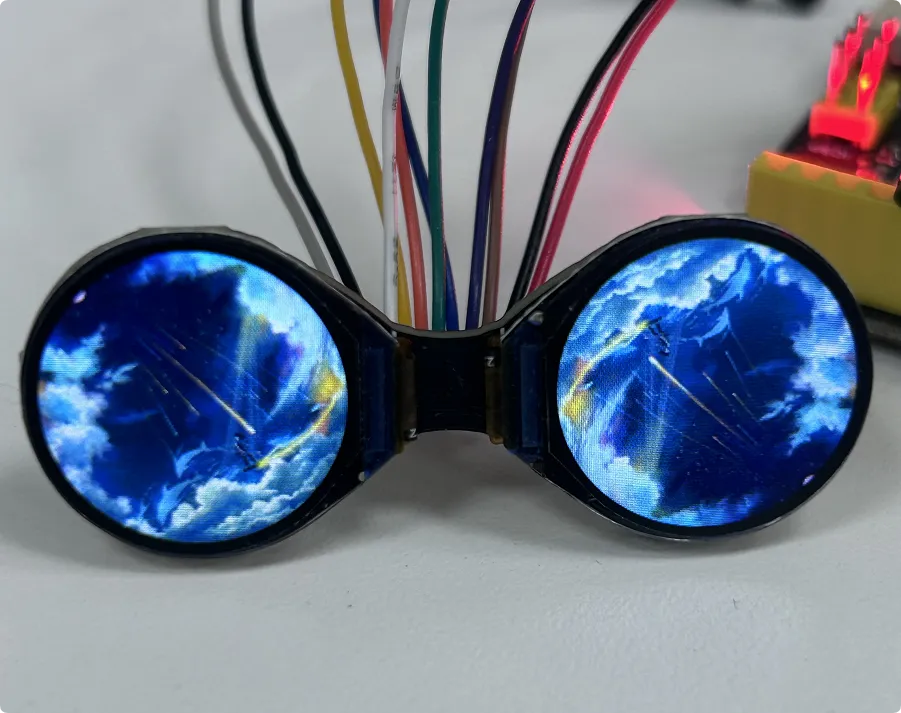
After uploading is complete, the screen displays the example image with the following effect: