STM32
Example
Transparent_Test
Example Description
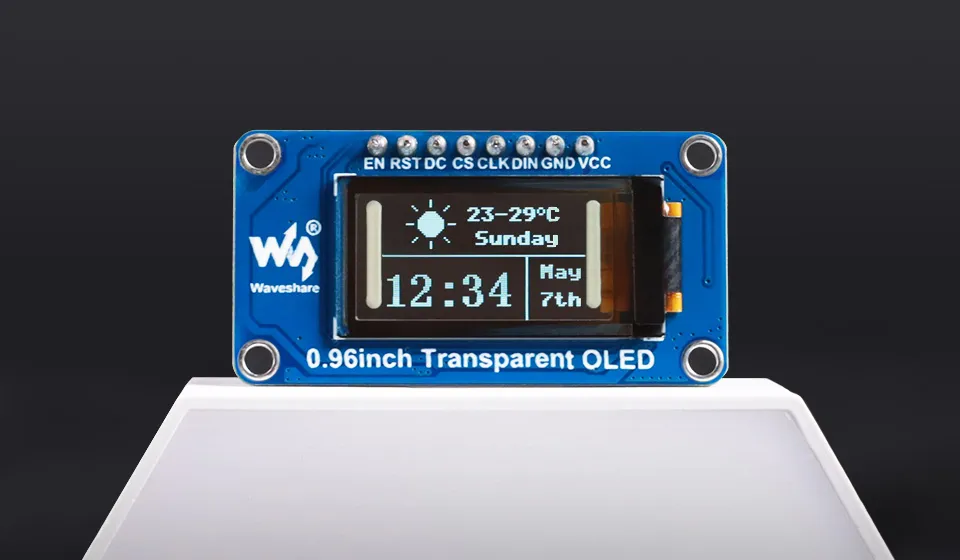
- This example uses the STM32F103ZET6 to drive a 128 × 64 SSD1312 OLED via a 4-wire SPI interface. The project is based on the STM32Cube HAL and provides a Keil MDK project file.
- The system clock is multiplied from an 8 MHz external crystal to 72 MHz. The OLED uses SPI1 by default, operating in SPI mode 0 with a clock frequency of 2.25 MHz. It only sends data to the screen, so MISO does not need to be connected.
- The SSD1312 driver provides display interfaces for clearing the screen, refreshing, pixels, lines, rectangles, circles, English characters, Chinese dot-matrix characters, and BMP dot-matrix images. The framebuffer size is 1024 bytes, organized as 128 columns × 8 pages, with each page corresponding to 8 rows of pixels.
- By default,
OLED_DemoRun()runs, demonstrating in sequence an English string, Chinese dot-matrix characters, a BMP dot-matrix image, a line art scene, and a gauge dot-matrix image. The project also provides a rotating wireframe cube example, which can be switched inCore/Src/main.c. - The project also reserves an I2C1 driver, with a speed of 400 kHz and a default 7-bit address of
0x3C. The module must be switched to I2C mode via solder pads before using this interface.
Hardware Connection
The OLED operating voltage is 3.3 V. Do not connect VCC to a 5 V power supply.
The default 4-wire SPI wiring is as follows:
| 0.96inch Transparent OLED | STM32F103ZET6 |
|---|---|
| VCC | 3.3 V |
| GND | GND |
| DIN | PA7 / SPI1_MOSI |
| CLK | PA5 / SPI1_SCK |
| CS | PA4 |
| DC | PA3 |
| RST | PA2 |
| EN | Not connected |
The module's EN pin is enabled by default, and this example does not use it. The OLED only receives SPI data, so MISO does not need to be connected. After wiring, connect the ST-Link to the board's SWD interface, where SWDIO corresponds to PA13 and SWCLK corresponds to PA14, and also connect 3.3 V and GND.
To use I2C, first switch the OLED module's hardware interface solder pads to I2C, then wire according to the table below:
| 0.96inch Transparent OLED | STM32F103ZET6 |
|---|---|
| VCC | 3.3 V |
| GND | GND |
| DIN / SDA | PB7 / I2C1_SDA |
| CLK / SCL | PB6 / I2C1_SCL |
| RST | PA2 |
| EN | Not connected |
Also modify App/Inc/oled_config.h to ensure only one communication interface is enabled:
#define OLED_USE_SPI 0
#define OLED_USE_I2C 1
The I2C SCL and SDA require pull-up resistors; if the module does not have integrated pull-up resistors, external appropriate pull-up resistors are needed.
Code Analysis
main(): Initializes HAL, the 72 MHz system clock, GPIO, SPI1, and I2C1, then callsOLED_Init()to initialize the screen. On initialization failure, it entersError_Handler(); on success, it runs the currently selected example program.OLED_Init(): Performs a hardware reset of the OLED via PA2, sends SSD1312 initialization commands, clears the framebuffer, and turns on the display.OLED_Show(): Writes the 128 × 64 framebuffer to the OLED in 8 pages, transmitting 128 bytes of display data per page.OLED_Pixel(),OLED_Line(),OLED_Rect(), andOLED_Circle(): Draw basic graphics in the framebuffer; the screen is only updated after callingOLED_Show().OLED_ShowString(),OLED_DrawChinese(), andOLED_DrawBitmap(): Used to display English strings, Chinese dot-matrix characters, and BMP dot-matrix images, respectively.OLED_DemoRun(): Cycles through displaying the English wordWaveshare, Chinese "微雪", a BMP dot-matrix image, a night scene line drawing, and a gauge dot-matrix image.Cube_DemoRun(): Rotates and perspective-projects the cube's 8 vertices, then draws a continuously rotating wireframe cube using 12 edges.
Both OLED_DemoRun() and Cube_DemoRun() contain internally continuous loops, so only one can be selected at a time. In Core/Src/main.c, keep the function you want to run and comment out the other:
OLED_DemoRun();
/* Cube_DemoRun(); */
To run the rotating cube example, change it to:
/* OLED_DemoRun(); */
Cube_DemoRun();
Build and Run
- Install Keil MDK 5, and install
Keil::STM32F1xx_DFP2.3.0 or a newer version in the Pack Installer. The project is currently configured to use Arm Compiler 5. - Open
MDK-ARM/Transparent_STM32F103ZE.uvprojx. - Click Build or press
F7to compile the project.Transparent_STM32F103ZE.hexwill be generated in theMDK-ARM/Objectsdirectory. - In Options for Target → Debug, select ST-Link Debugger, then click Download to flash the program to the board.
- After flashing is complete, reset or power cycle the board, and the OLED will start running the example program.
The project is configured for an 8 MHz external crystal by default. If the board uses a crystal with a different frequency, modify SystemClock_Config() in Core/Src/main.c accordingly.
Expected Behavior
After the default program starts, the OLED cycles through the following displays in order:
| Order | Display Content | Duration |
|---|---|---|
| 1 | English word Waveshare | 2 sec |
| 2 | Chinese characters "微雪" | 2 sec |
| 3 | Built-in 128 × 64 BMP dot-matrix image | 2 sec |
| 4 | Stars, crescent moon, mountain peaks, and pine tree line art | 3 sec |
| 5 | Built-in 128 × 64 gauge dot-matrix image | 5 sec |
After switching to Cube_DemoRun(), the OLED continuously displays a wireframe cube rotating around the vertical axis, with the program drawing and refreshing a frame every 20 ms.