Working with STM32
Hardware Connection
Use a 9PIN cable to connect, please refer to the pin corresponding table below:
STM32 Pin Mapping
| e-Paper | STM32 |
|---|---|
| VCC | 3.3V |
| GND | GND |
| DIN | PA7 |
| CLK | PA5 |
| CS | PA4 |
| DC | PA2 |
| RST | PA1 |
| BUSY | PA3 |
| PWR | PA6 |
Running the Program
- Select a download source from the 1.54inch_e-Paper_E Example, then extract and enter the
1.54inch_e-Paper_Edirectory to see the following content.
- Use Keil to open epd-demo.uvprojx in the 1.54inch_e-Paper_E/example/STM32-F103ZET6/MDK-ARM.
- Open the Keil compile toolbar (usually already open):
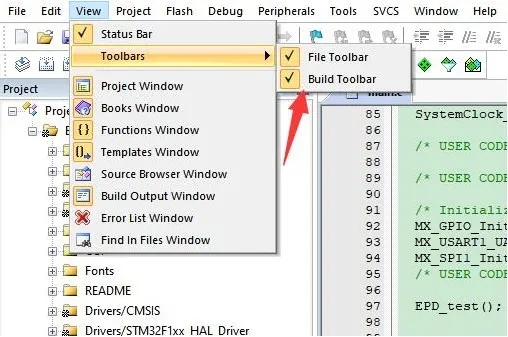
- Click Build.

- Ensure a suitable programmer is connected, then click Load to download the program to the microcontroller.