Working with ESP32-P4 Screens
Hardware Connection
Note
Using ESP32-P4-Module-DEV-KIT as an example
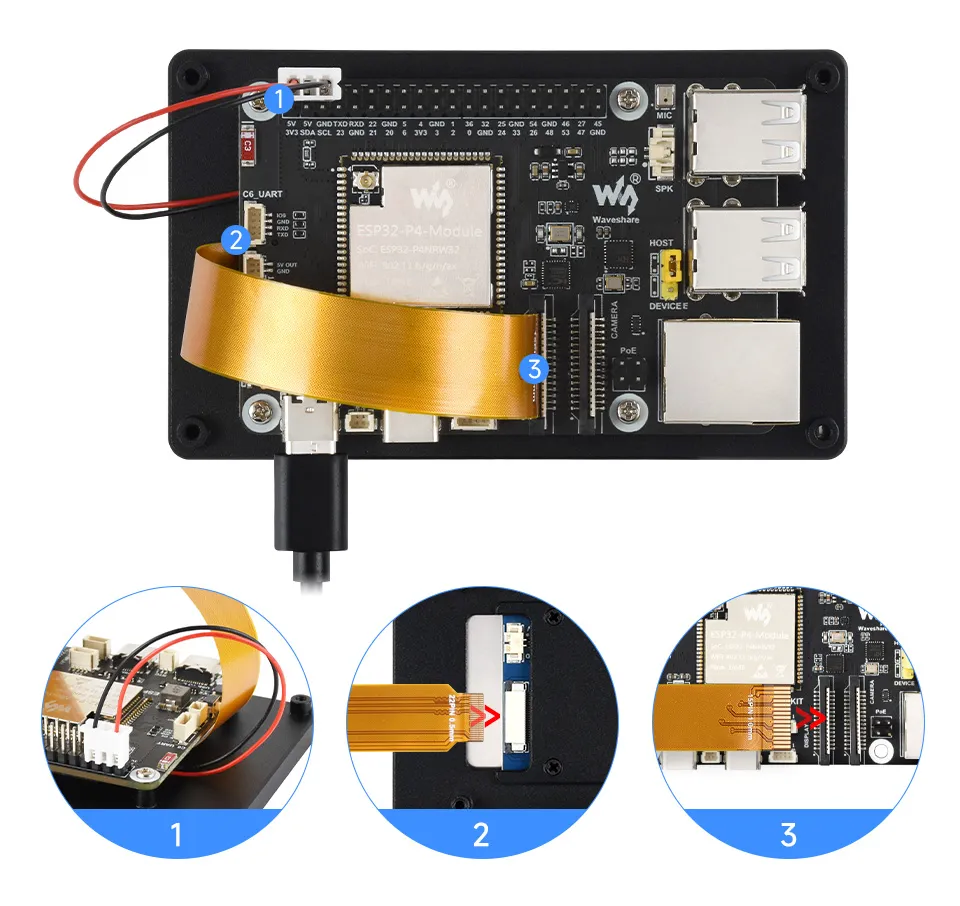
Screen Driver
ESP32-P4-Module-DEV-KIT drives this screen via MIPI 2-lane
The screen driver has been packaged as a component and is driven via BSP. The component is available at ESP Component Registry
Use idf.py add-dependency "waveshare/esp32_p4_platform" to add the component to your ESP-IDF project.
Backlight Control
After connecting the matching FPC cable and power cable to the ESP32-P4-Module-DEV-KIT, you can control the backlight by writing 0x00 to 0xFF (full brightness) via I2C of the ESP32-P4-Module-DEV-KIT to register 0x96 of device 0x45 on the screen.
If using the ESP32-P4-Module-DEV-KIT BSP component, you can directly control it using the following functions:
bsp_display_brightness_init();   // Initialize the backlight

bsp_display_backlight_on();      // Turn on the backlight, default full brightness

bsp_display_backlight_off();     // Turn off the backlight

bsp_display_brightness_set(95);  // Set the specific backlight brightness, 0-100