5inch e-Paper
- 5inch e-Paper (Raw display only)
- 5inch e-Paper HAT (with driver HAT)
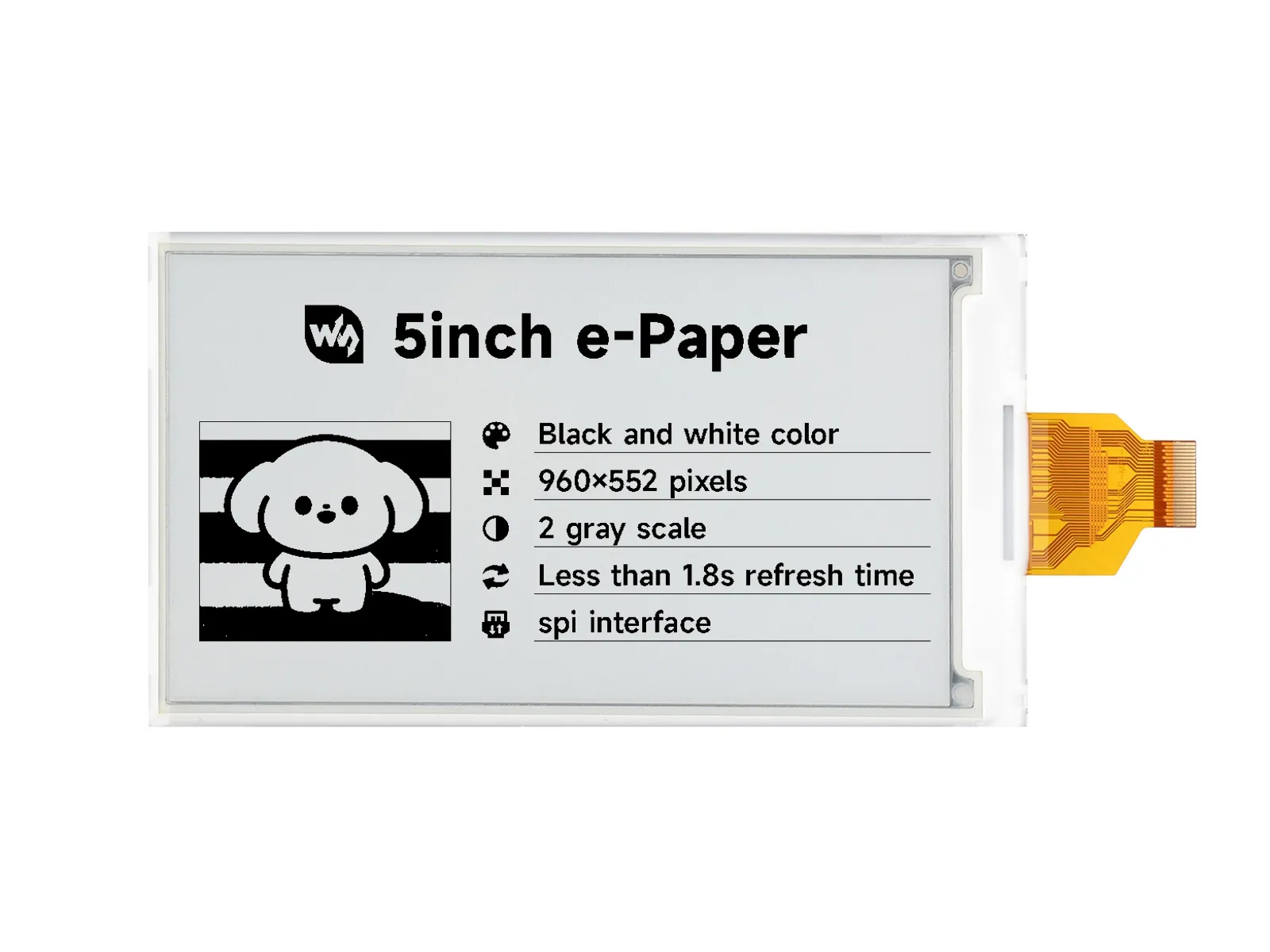
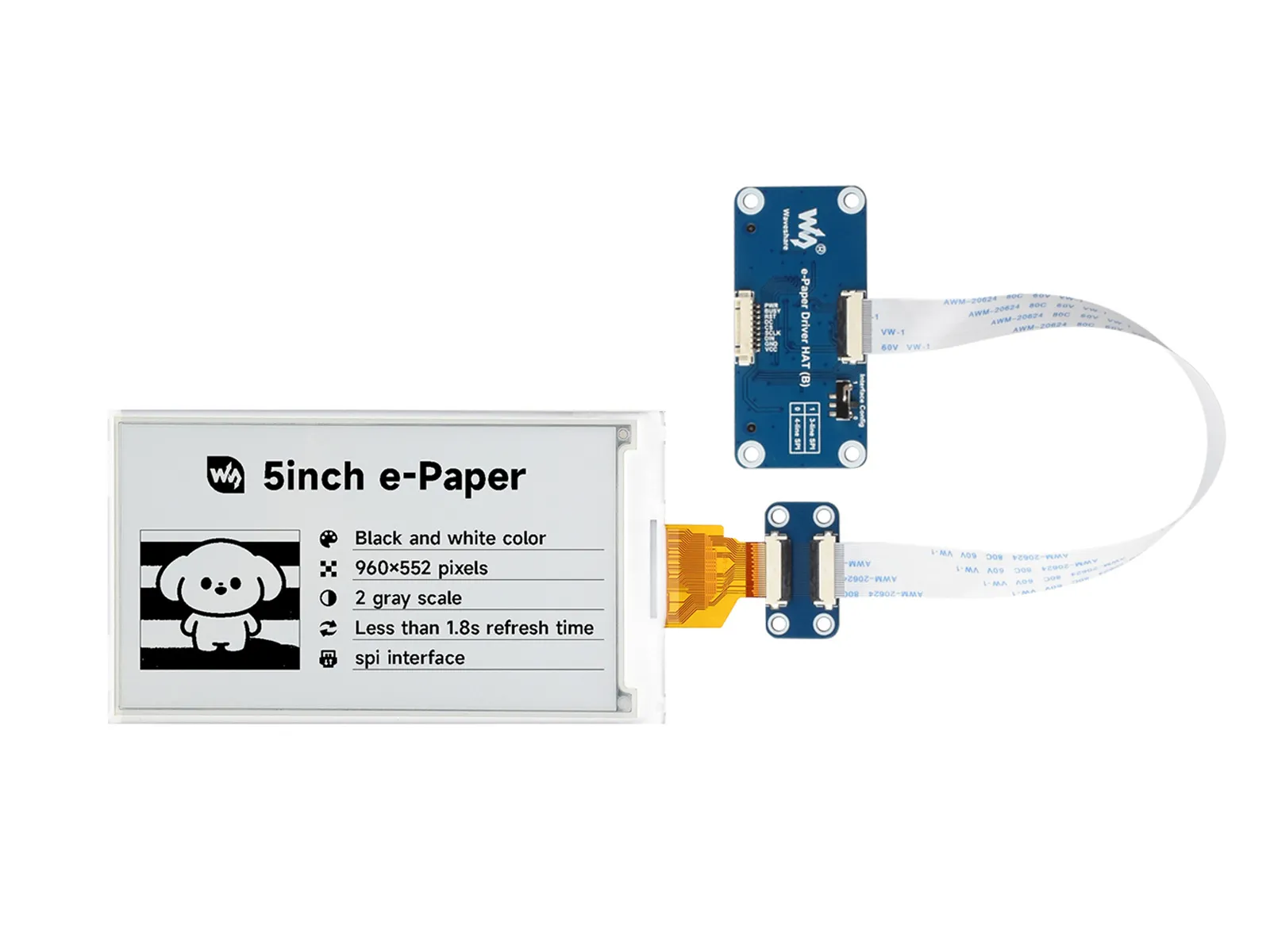
| SKU | Product |
|---|---|
| 34057 | 5inch e-Paper |
| 34058 | 5inch e-Paper HAT |
Features
- No backlight required; can retain the last displayed content for a long time after power-off
- Very low power consumption, mainly only consumes power during refresh
- Provides comprehensive supporting documentation: driver board schematic, Raspberry Pi / Jetson Nano / Arduino / STM32 / ESP32 example programs, etc.
-
The following applies only to the module version (with driver HAT)
- Designed based on the Raspberry Pi 40PIN GPIO interface, suitable for Raspberry Pi, Jetson Nano
- Reserved SPI communication interface for easy connection to master controllers such as Raspberry Pi / Arduino / STM32 / ESP32
- Onboard level shifter chip, compatible with 3.3V and 5V logic levels
Specifications
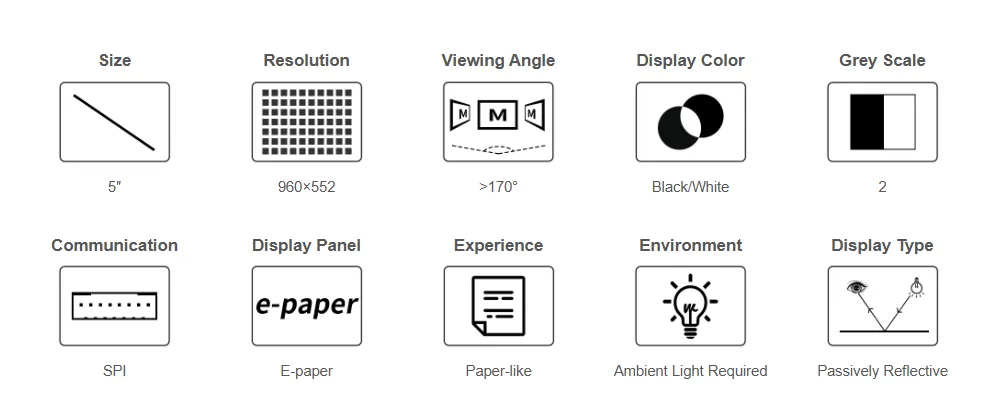
| Parameter | Value |
|---|---|
| Operating Voltage | Raw Screen Version: 3.3V Module Version: 3.3V/5V |
| Communication Interface | 3-wire SPI, 4-wire SPI |
| Physical Dimensions | Raw Screen Version: 126.38 × 71.19 × 0.795 (mm) Module Version: 30.5 × 65 (mm) |
| Active Area | 110.592 × 62.652 (mm) |
| Dot Pitch | 0.1833 × 0.1833 (mm) |
| Resolution | 960 × 552 pixels |
| Display Color | Black, White |
| Gray Scale | 2 |
| Partial Refresh Time | 0.7 |
| Full Refresh Time | 1.8s |
| Refresh Power Consumption | < 50mW |
| Sleep Current | < 0.01uA (near 0) |
| Viewing Angle | > 170° |
| Operating Temperature | 0 ~ 50 ℃ |
| Storage Temperature | -25 ~ 60 ℃ |
- Refresh Time: The refresh time is based on experimental test data. The actual refresh time may vary; please refer to the actual performance. Flickering during the full refresh process is normal.
- Refresh Power Consumption: Power consumption data is based on experimental test data. Actual power consumption may vary due to the presence of the driver board and different usage conditions; please refer to the actual performance.
- Refreshing in low-temperature environments may cause color shift. The screen should be left stationary for 6 hours at 25°C before refreshing.
Communication Interface
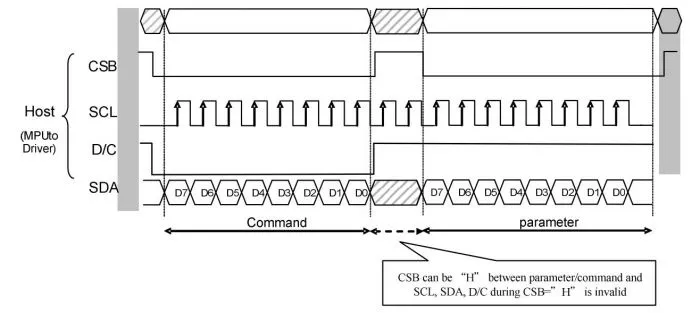
- CSB (CS): Slave chip select signal, active low. The chip is enabled when this signal is low.
- SCL (SCK/SCLK): Serial clock signal.
- D/C (DC): Data/Command control signal. A low level indicates a command is being written; a high level indicates data/parameters are being written.
- SDA (DIN): Serial data signal.
- Timing: CPOL=0, CPHA=0, i.e., SPI mode 0.
- Note: For specific information regarding SPI communication, you can search online for more details.
Working Principle
The e-Paper used in this product employs "Microencapsulated Electrophoretic Display" technology for image display. The basic principle involves charged nanoparticles suspended in a liquid migrating under the influence of an electric field. The e-Paper display relies on reflecting ambient light to show patterns and does not require a backlight. Under ambient light, the e-Paper display is clearly visible, with a viewing angle approaching 180°. Therefore, e-Paper displays are ideal for reading.
Programming Principle
- For black and white images, we can define black as 0 and white as 1. Thus, we have a way to represent colors:
- White: □, corresponds to 1
- Black: ■: corresponds to 0
- A point on an image is generally called a pixel. Since the color is either 1 or 0, 1 bit can represent a pixel: 1 Pixel = 1 bit. Therefore, one byte contains 8 pixels.
- Take 16 pixels as an example. Suppose the first 8 pixels are black and the last 8 pixels are white. We can consider pixels 1-16 correspond to bits 0 to 15, where 0 represents black and 1 represents white:
For computers, data storage is typically Most Significant Bit (MSB) first, and one byte consists of only 8 bits. So, there is a slight adjustment:
 In this way, only 2 bytes are required to represent 16 pixels.
Precautions
Note
- Avoid powering the screen for extended periods. When the screen is not refreshing, set it to sleep mode or power it off. Otherwise, prolonged exposure to high voltage can damage the film and is irreparable.
- When using the e-Paper, it is recommended to set a refresh interval of at least 180 seconds and perform a refresh at least once every 24 hours. If the e-Paper will not be used for a long time, store it with a white image displayed. (Refer to the datasheet for specific storage environment requirements.)
- The FPC cable of the screen is delicate. Please note: Do not bend the cable perpendicular to the screen to avoid tearing; do not repeatedly bend the cable excessively to avoid breakage; do not bend the cable towards the front of the screen to avoid disconnecting the cable from the panel. It is recommended to secure the cable during development and debugging.
- The e-Paper screen is relatively fragile. Avoid dropping, impact, or pressing forcefully.
warning
- After the screen enters sleep mode, any image data sent will be ignored. Only re-initialization can restore normal refresh functionality.
- If the generated image data displays incorrectly on the screen, check if the image size settings are correct. Try swapping the width and height settings and test again.
- The operating voltage required for the e-Paper is 3.3V. If you purchased the raw screen and need to integrate it into a 5V environment when designing the circuit, it is recommended to implement level shifting.
tip
We recommend that customers test the screen using the example programs we provide with the corresponding development board upon receiving it.