Hardware Connection
- Connect using the 9PIN cable. Refer to the pin mapping table below:
- STM32 Pin Mapping
| e-Paper | STM32 |
|---|
| VCC | 3.3V |
| GND | GND |
| DIN | PA7 |
| CLK | PA5 |
| CS | PA4 |
| DC | PA2 |
| RST | PA1 |
| BUSY | PA3 |
| PWR | PA6 |
Running the Program
- In the Resources section download the example package, then unzip it and enter the
5inch_e-Paper directory to see the following contents:
- Use Keil to open epd-demo.uvprojx in the 5inch_e-Paper\STM32-F103ZET6\MDK-ARM directory
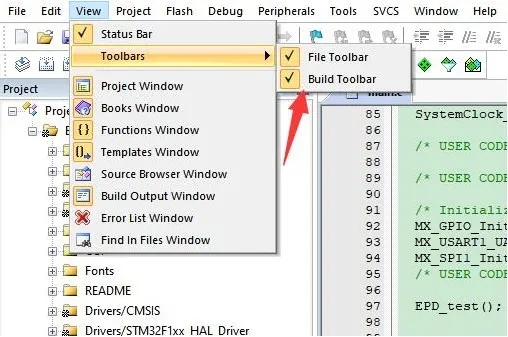
- Open the Keil compile toolbar (usually already open):
- Click Build.
- Ensure a suitable programmer is connected, then click Load to download the program to the microcontroller.