Working with Raspberry Pi
This chapter contains the following sections. Please read as needed:
Setting Up Development Environment
1. Installation and Configuration
- For Raspberry Pi system installation and usage, please refer to this link
- After successful booting, configure the Raspberry Pi environment
2. Download Example
sudo apt install cmake -y
sudo apt install -y liblgpio-dev
cd ~
# Download from github
git clone https://github.com/waveshareteam/core2021-xf.git
cd core2021-xf/examples/raspberrypi
3. Enable Raspberry Pi SPI Interface
- Enter the following command in the Raspberry Pi terminal:
sudo raspi-config nonint do_spi 0
Hardware Connection
Connect according to the table below.
| Core2021-XF | Raspberry Pi (BCM) |
|---|---|
| CLK | 11 |
| MISO | 9 |
| MOSI | 10 |
| CS | 25 |
| DIO11 | 17 |
| RESET | 22 |
| BUSY | 24 |
Example
- Raspberry Pi example programs are located in the
core2021-xf/examples/raspberrypidirectory of the example package. - Examples 01, 02, and 03 require two Core2021-XF modules: one for transmission and one for reception.
| Example | Basic Description | Dependency Library |
|---|---|---|
| 01_lr2021_tx | LR2021 Transmit | RadioLib |
| 02_lr2021_rx | LR2021 Receive | RadioLib |
| 03_lr2021_pingpong | LR2021 Ping-Pong | RadioLib |
| 04_lr2021_tx_cw | LR2021 CW Mode Transmit | RadioLib |
| 05_lr2021_LoRaWAN | LoRaWAN | RadioLib |
01_lr2021_tx
Example Description
- Based on the Raspberry Pi + Core2021-XF module, implements periodic LoRa packet transmission using interrupts.
- Dedicated hardware pin configuration to match the Raspberry Pi SPI and GPIO interfaces.
- Uses non-blocking transmission mechanism, efficient and stable.
- Automatically sends one packet of test data with sequence number every 1 second, suitable for long-term stable operation.
Script Description
build.sh: Build script that automatically creates a build directory, generates a Makefile, compiles the project, and outputs the executable file.clean.sh: Clean script that quickly removes generated files and restores the project directory.
Code Analysis
PiHal* hal = new PiHal(0, SPI_FREQ_HZ): Raspberry Pi hardware initialization, configures SPI bus and clock.radio.irqDioNum = 11: Configures the LR2021 interrupt mapping pin.radio.XTAL = true: Enables the external crystal oscillator to ensure communication frequency accuracy.setFlag(void): Interrupt callback function that automatically sets a flag when transmission is complete.radio.setPacketSentAction(setFlag): Binds the transmit-complete interrupt.radio.startTransmit(): Starts asynchronous LoRa packet transmission.radio.finishTransmit(): Turns off the RF circuit after transmission to ensure stable low-power operation.- Main loop: Check transmission complete → print log → delay → send next packet.
** Program Usage**
- Go to the
lr2021_txdirectory and execute the following commands:
cd ~/core2021-xf/examples/raspberrypi/lr2021_tx
chmod +x *
./build.sh
./build/01_lr2021_tx
Operation Result
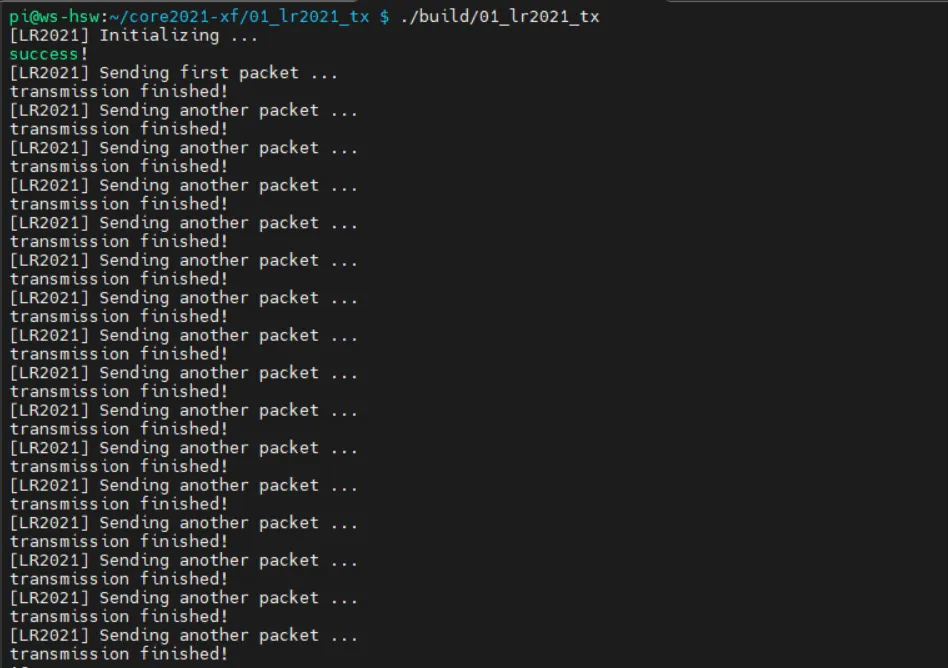
- After compilation and execution, the terminal prints the transmission status and packet sequence number in real time. Can be paired with a receiving module for communication testing.
02_lr2021_rx
Example Description
- Based on the Raspberry Pi + Core2021-XF module, implements wireless LoRa packet reception using interrupts.
- Dedicated hardware pin configuration to match the Raspberry Pi SPI and GPIO interfaces.
- Uses non-blocking listening mode, receives data in real time, efficient and stable.
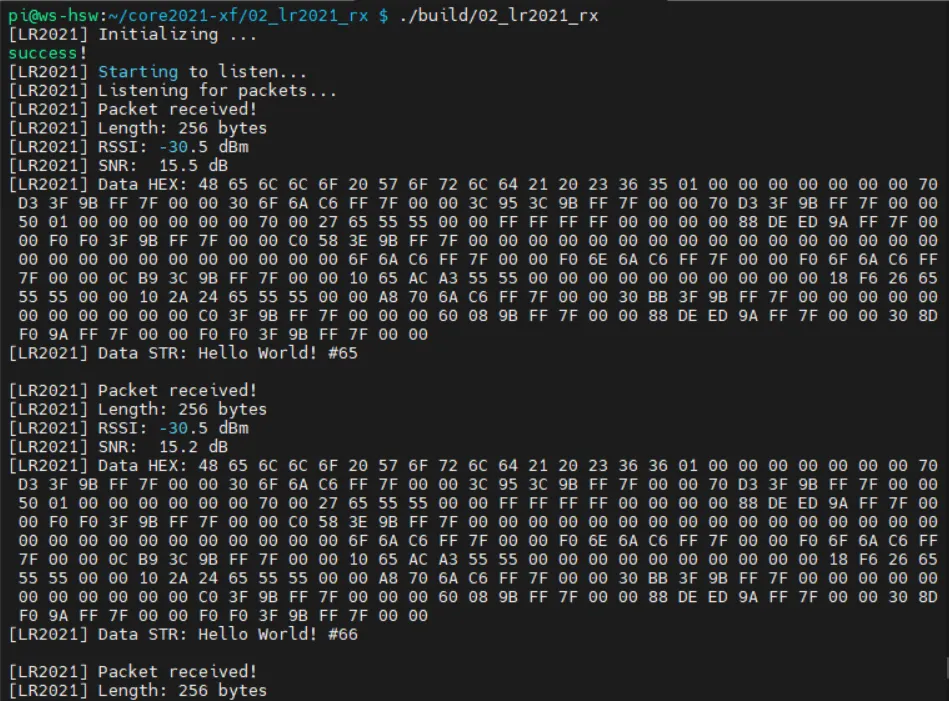
- After successful reception, automatically prints the data length, RSSI, SNR, HEX format, and string format for easy debugging.
Script Description
build.sh: Build script that automatically creates a build directory, generates a Makefile, compiles the project, and outputs the executable file.clean.sh: Clean script that quickly removes generated files and restores the project directory.
Code Analysis
PiHal* hal = new PiHal(0, SPI_FREQ_HZ): Raspberry Pi hardware initialization, configures SPI bus and clock.radio.irqDioNum = 11: Configures the LR2021 interrupt mapping pin.radio.XTAL = true: Enables the external crystal oscillator to ensure communication frequency accuracy.setFlag(void): Interrupt callback function that automatically sets a flag when reception is complete.radio.setPacketReceivedAction(setFlag): Binds the receive-complete interrupt.radio.startReceive(): Starts asynchronous LoRa listening mode.radio.readData(): Reads the received packet, supports HEX and string parsing.radio.getRSSI() / radio.getSNR(): Retrieves signal quality parameters.- Main loop: Check reception complete → parse data → print information → restart listening.
** Program Usage**
- Go to the
lr2021_rxdirectory and execute the following commands:
cd ~/core2021-xf/examples/raspberrypi/lr2021_rx
chmod +x *
./build.sh
./build/02_lr2021_rx
Operation Result
- After compilation and execution, the terminal prints the reception status, data content, and signal quality in real time. Can be paired with a transmitting module for complete communication testing.
03_lr2021_pingpong
Example Description
- Based on the Raspberry Pi + Core2021-XF module, implements LoRa automatic ping-pong (question-answer) two-way communication.
- Dedicated hardware pin configuration to match the Raspberry Pi SPI and GPIO interfaces.
- Interrupt-driven non-blocking mode, automatically switches between transmit and receive states.
- Two devices can send and receive to each other without manual control, suitable for bidirectional link verification.
Script Description
build.sh: Build script that automatically creates a build directory, generates a Makefile, compiles the project, and outputs the executable file.clean.sh: Clean script that quickly removes generated files and restores the project directory.
Code Analysis
PiHal* hal = new PiHal(0, SPI_FREQ_HZ): Raspberry Pi hardware initialization, configures SPI bus and clock.radio.irqDioNum = 11: Configures the LR2021 interrupt mapping pin.radio.XTAL = true: Enables the external crystal oscillator to ensure communication frequency accuracy.setFlag(void): Common interrupt callback triggered on either transmit or receive completion.INITIATING_NODE: Macro to distinguish the initiating node.radio.startTransmit(): Starts packet transmission.radio.startReceive(): Switches the module to listening mode.radio.readData(): Reads the received LoRa packet and parses it.- Main logic: Send complete → enter receive; receive complete → delay reply → send again.
** Program Usage**
- Go to the
lr2021_pingpongdirectory and execute the following commands:
cd ~/core2021-xf/examples/raspberrypi/lr2021_pingpong
chmod +x *
./build.sh
./build/03_lr2021_pingpong
Operation Result
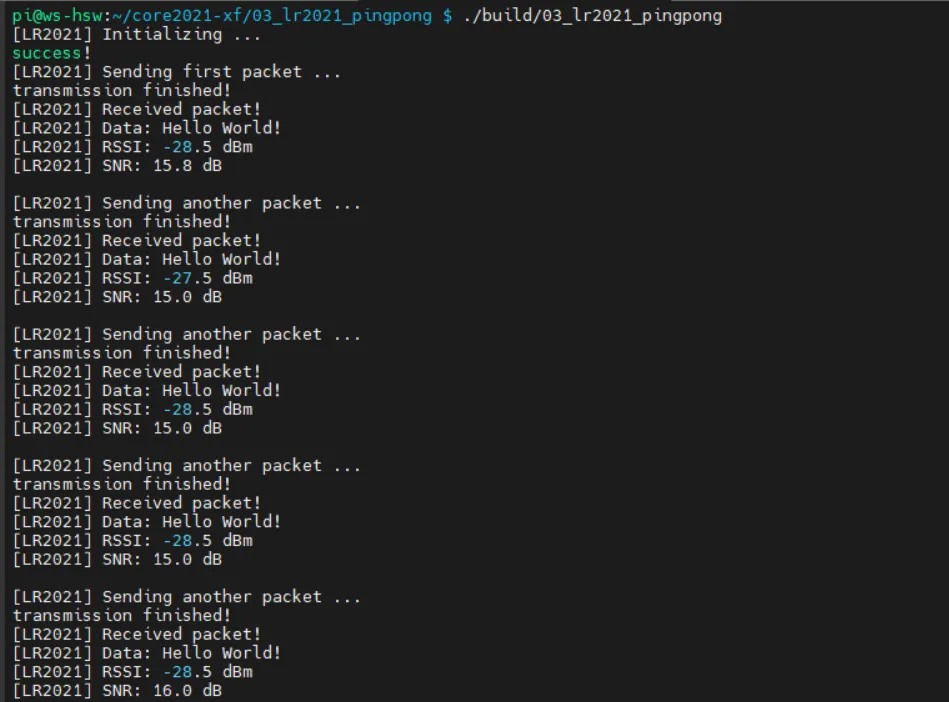
- Two Raspberry Pi devices automatically send and receive to each other; the terminal prints the send/receive status, data, RSSI, and SNR in real time.
04_lr2021_tx_cw
Example Description
- Based on the Raspberry Pi + Core2021-XF module, implements LoRa fixed-frequency continuous wave (CW) transmission.
- Dedicated hardware pin configuration to match the Raspberry Pi SPI and GPIO interfaces.
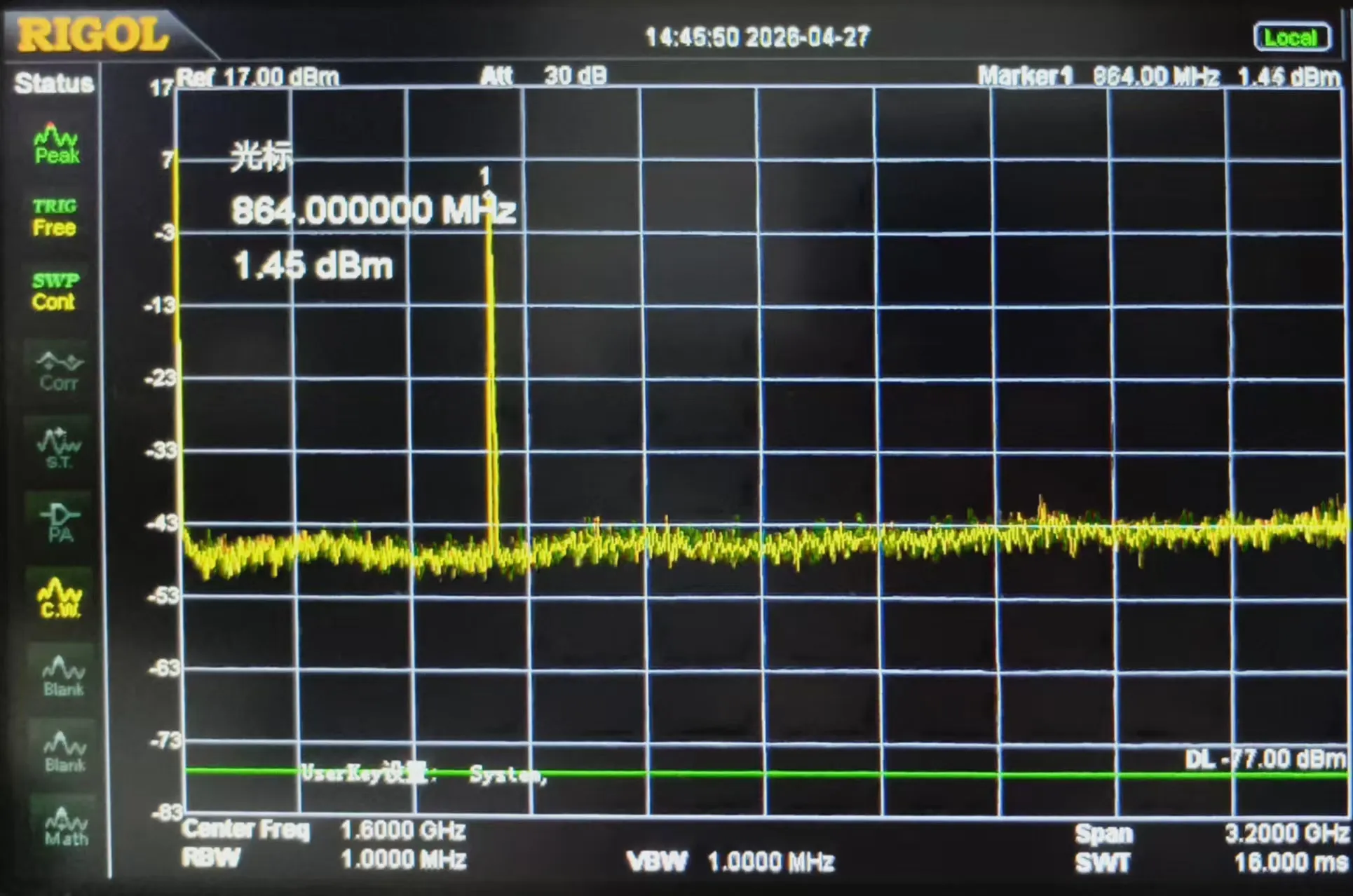
- Outputs a clean continuous RF signal without packet formatting, used for instrument calibration, band testing, and signal detection.
- Transmission frequency: 868 MHz, transmit power: 22 dBm.
- Immediately starts continuous transmission after power-on; the program runs stably with no additional operations.
Script Description
build.sh: Build script that automatically creates a build directory, generates a Makefile, compiles the project, and outputs the executable file.clean.sh: Clean script that quickly removes generated files and restores the project directory.
Code Analysis
PiHal* hal = new PiHal(0, SPI_FREQ_HZ): Raspberry Pi hardware initialization, configures SPI bus and clock.radio.XTAL = true: Enables the external crystal oscillator to ensure carrier frequency accuracy.OUT_HZ 868000000UL: Defines the continuous transmit frequency (868 MHz).radio.setOutputPower(22): Sets the transmit power to 22 dBm.radio.transmitDirect(OUT_HZ): Enters continuous direct transmission mode, outputting a fixed-frequency carrier.
** Program Usage**
- Go to the
04_lr2021_tx_cwdirectory and execute the following commands:
cd ~/core2021-xf/examples/raspberrypi/04_lr2021_tx_cw
chmod +x *
./build.sh
./build/04_lr2021_tx_cw
Operation Result
- After the program runs, the module immediately outputs a fixed-frequency continuous carrier signal. A spectrum analyzer or receiving device can detect the stable RF signal.
05_lr2021_LoRaWAN
Example Description
- Based on the Raspberry Pi + Core2021-XF module, implements LoRaWAN OTAA join + periodic uplink + downlink reception.
- Uses the file
lorawan_state.binto persistently store session information, allowing fast reconnection after power-off reboot without re-joining. - Dedicated hardware pin configuration perfectly adapted to Raspberry Pi SPI/GPIO interfaces.
- Automatically uploads random test data every 5 minutes, supports downlink command parsing.
- Prints join status, signal quality, and uplink/downlink data in real time for easy debugging and deployment.
Script Description
build.sh: Build script that automatically creates a build directory, generates a Makefile, compiles the project, and outputs the executable file.clean.sh: Clean script that quickly removes generated files and restores the project directory.
Code Analysis
PiHal* hal = new PiHal(0, SPI_FREQ_HZ): Raspberry Pi hardware initialization, SPI0 + 8 MHz clock.radio.irqDioNum = 11: Configures the LR2021 interrupt mapping to ensure stable communication.radio.XTAL = true: Enables the external crystal oscillator to ensure LoRaWAN frequency accuracy.saveLoRaWANState(): Saves session data to a local file for persistence.restoreLoRaWANState(): Recovers session from the file, supports fast reconnection.node.beginOTAA()/node.activateOTAA(): OTAA join key functions.node.sendReceive(): Sends uplink data and listens for server downlink messages.printHex / printAscii: Formats and prints downlink data.
** Program Usage**
- Go to the
05_lr2021_LoRaWANdirectory and execute the following commands:
cd ~/core2021-xf/examples/raspberrypi/05_lr2021_LoRaWAN
chmod +x *
./build.sh
./build/05_lr2021_LoRaWAN
Operation Result
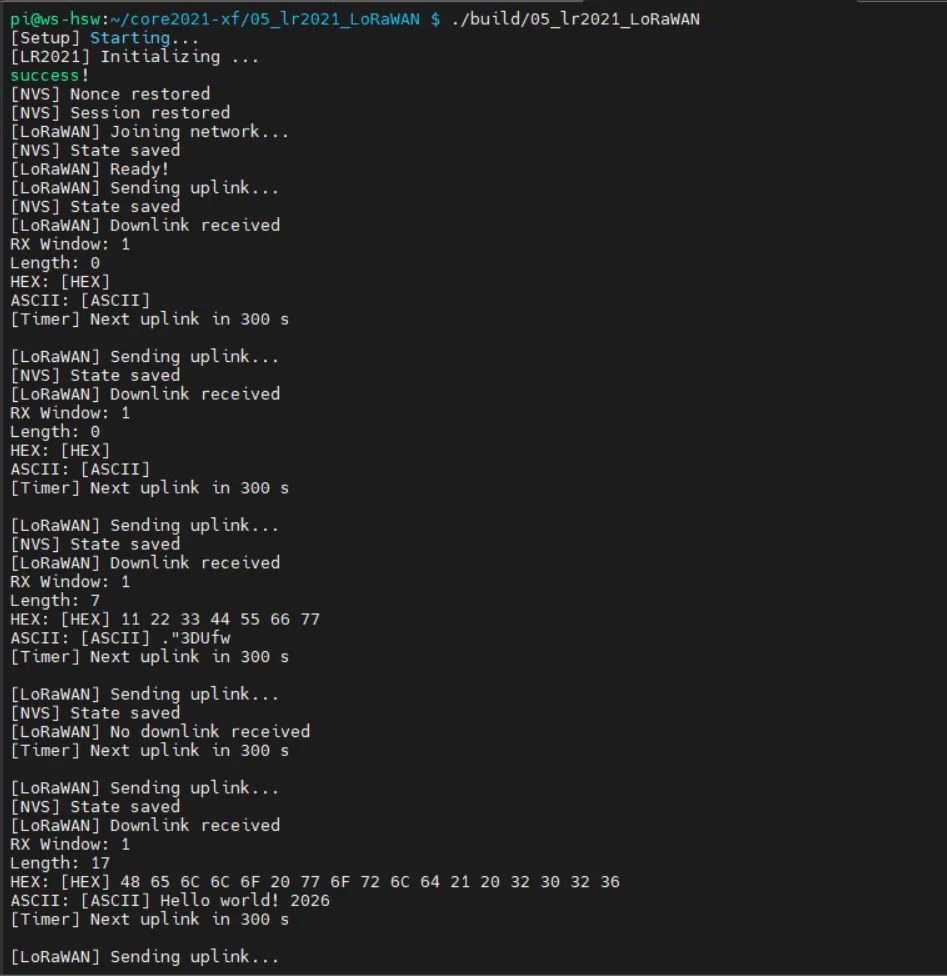
- After the program runs, it automatically completes OTAA join, periodically reports data, and listens for server downlink messages.
- The terminal prints join status, upload records, signal quality, and downlink content in real time, running stably and reliably.