ESP32-C3-LCD-0.71
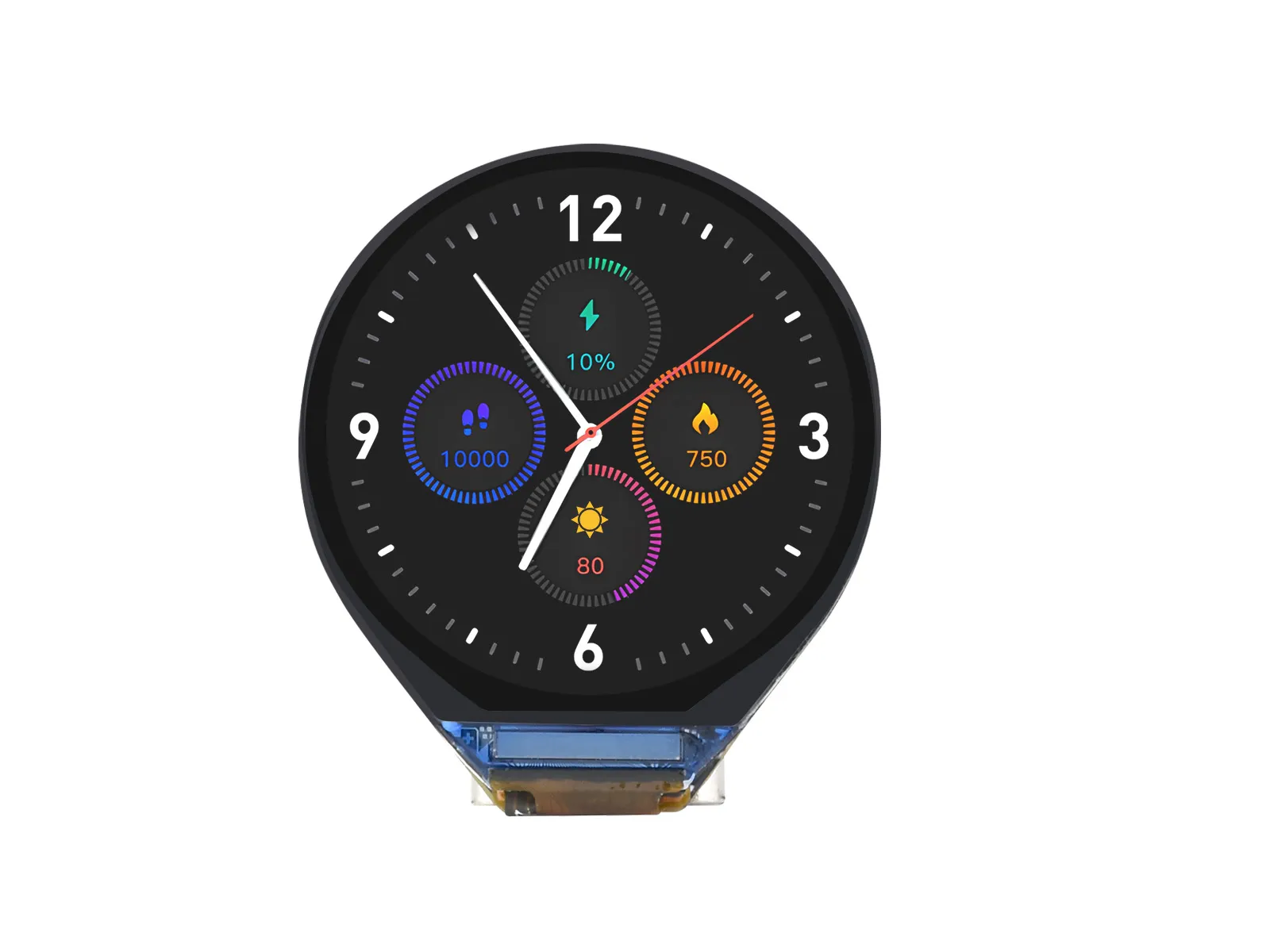
ESP32-C3-LCD-0.71 is a microcontroller development board that supports 2.4GHz WiFi and BLE 5. It features an onboard 0.71inch LCD screen capable of running GUI programs like LVGL smoothly. Combined with various peripheral interfaces, it enables rapid development of low-power AI simulation eyes, watches, and other HMI applications based on the ESP32-C3.
| SKU | Product |
|---|---|
| 29327 | ESP32-C3-LCD-0.71 |
| 29512 | ESP32-C3-LCD-0.71-B |
Features
- Low-power SoC equipped with a RISC-V 32-bit single-core processor, operating at up to 160 MHz.
- Supports 2.4 GHz Wi-Fi (802.11 b/g/n) and Bluetooth 5 (LE)
- Built‑in 400 KB SRAM and 384 KB ROM, with stacked 4 MB Flash
- Onboard 0.71-inch LCD screen, 160×160 resolution, IPS panel
- Built-in battery charging management circuit with reserved VBAT pads for external lithium battery connection
- Part of GPIO interface pins are broken out via pads for external expansion applications
- Supports flexible clock and independent power settings for the module, enabling multiple low-power modes for various scenarios
Onboard Resources
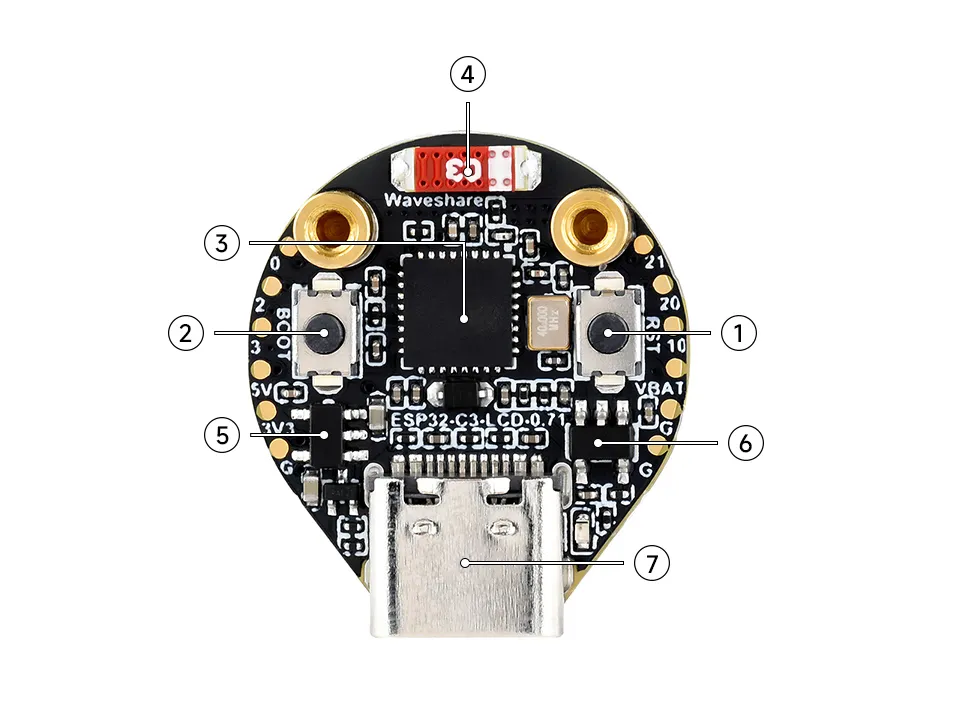
- RESET button Reset button
- BOOT button Press, then press Reset to enter download mode
- ESP32-C3FH4c processor Operating frequency up to 160Mhz, 4MB Flash storage
- Onboard ceramic antenna
- ME6217C33M5G Low-dropout LDO, max current 800mA
- PL4054 Lithium battery charging IC, full charge 4.2V
- Type-C port Power supply, programming, and download
Display-Related Pins
| Pin No. | LCD | ESP32C3 |
|---|---|---|
| 1 | MOSI | GPIO7 |
| 2 | SCLK | GPIO6 |
| 3 | CS | GPIO5 |
| 4 | DC | GPIO4 |
| 5 | RST | GPIO8 |
Dimensions
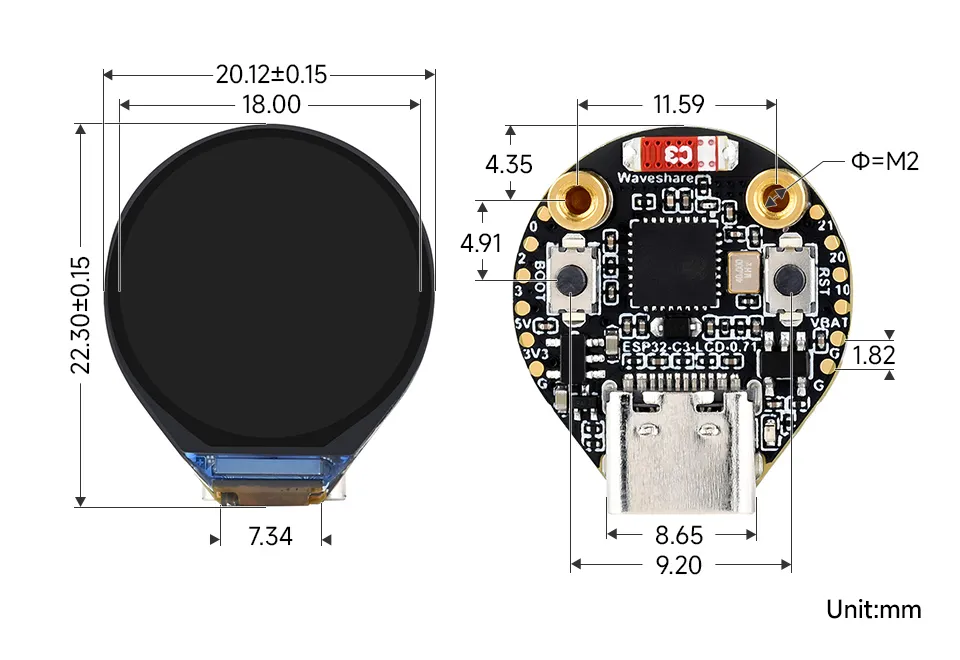
Development Methods
The ESP32-C3-LCD-0.71 currently provides the Arduino IDE development tools and framework, offering flexible development options. You can choose the appropriate development tool based on your project requirements and personal preferences.
- Arduino IDE is a convenient, flexible, and easy-to-use open-source electronics prototyping platform. It requires minimal foundational knowledge, allowing for rapid development after a short learning period. Arduino has a huge global user community, providing a vast amount of open-source code, project examples, and tutorials, as well as a rich library ecosystem that encapsulates complex functions, enabling developers to implement various features rapidly. You can refer to the Working with Arduino to complete the initial setup, and the tutorial also provides related example programs for reference.