ESP32-C6-LCD-1.47
- ESP32-C6-LCD-1.47
- ESP32-C6-LCD-1.47-M (With pin header)
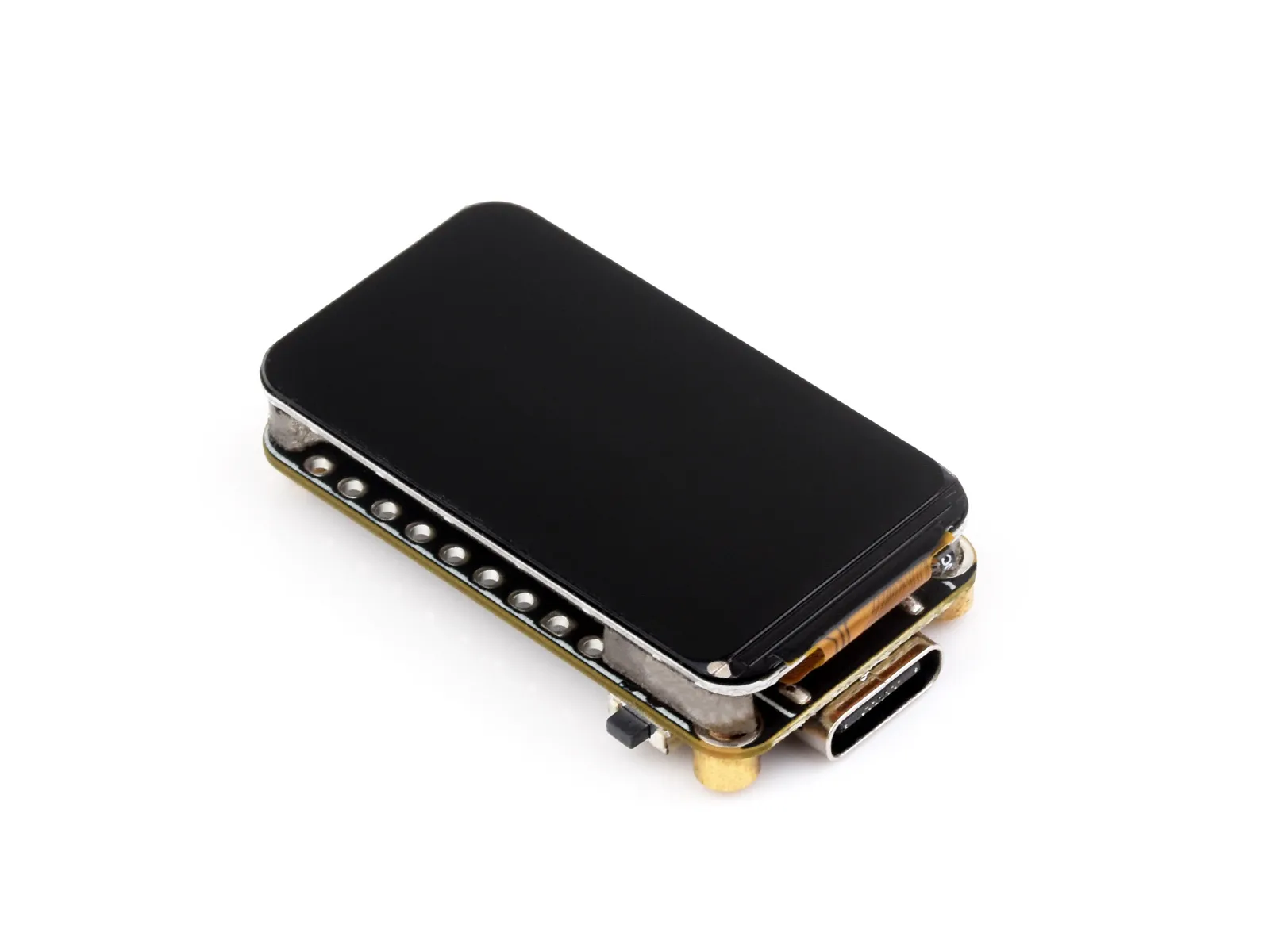
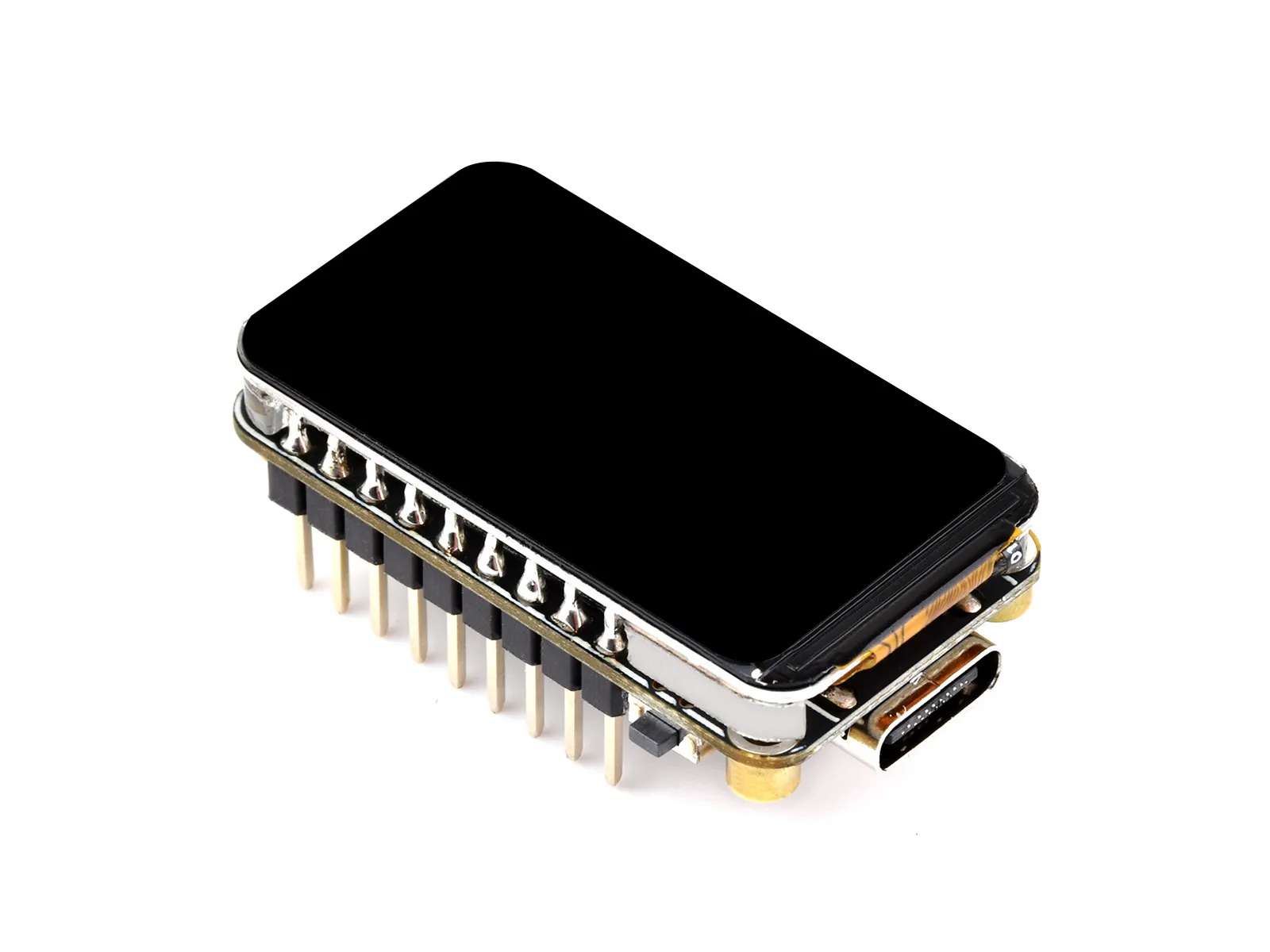
Please note: Do not remove the screen when soldering the pin headers; solder directly with the soldering iron at an angle!!!!
Product Overview
The ESP32-C6-LCD-1.47 is a microcontroller development board that supports 2.4GHz Wi-Fi 6 and BLE 5. It integrates 4MB Flash and has onboard 1.47inch LCD screen, can smoothly run GUI programs such as LVGL. Combined with various peripheral interfaces, it is suitable for the quick development of the HMI and other ESP32-C6 applications.
| SKU | Product |
|---|---|
| 28563 | ESP32-C6-LCD-1.47 |
| 30381 | ESP32-C6-LCD-1.47-M |
Features
- Equipped with a high‑performance RISC‑V 32‑bit processor and a low‑power RISC‑V 32‑bit processor; the high‑performance processor clock is up to 160 MHz and the low‑power processor clock is up to 20 MHz
- Supports 2.4 GHz Wi-Fi 6 (802.11 ax/b/g/n) and Bluetooth 5 (BLE), with onboard antenna
- Onboard 320KB ROM, 512KB HP SRAM, 4MB LP SRAM, and 16MB flash
- Onboard 1.47inch LCD screen, 172 × 320 resolution, 262K colors
- Adapting most GPIOs, integrates full-speed USB serial port
- Onboard TF card slot for external TF card storage of images or files
- Supports flexible clock control and various power modes for low-power scenarios
- Onboard RGB color light beads, which together with transparent acrylic interlayer for cool lighting effects
Onboard Resources
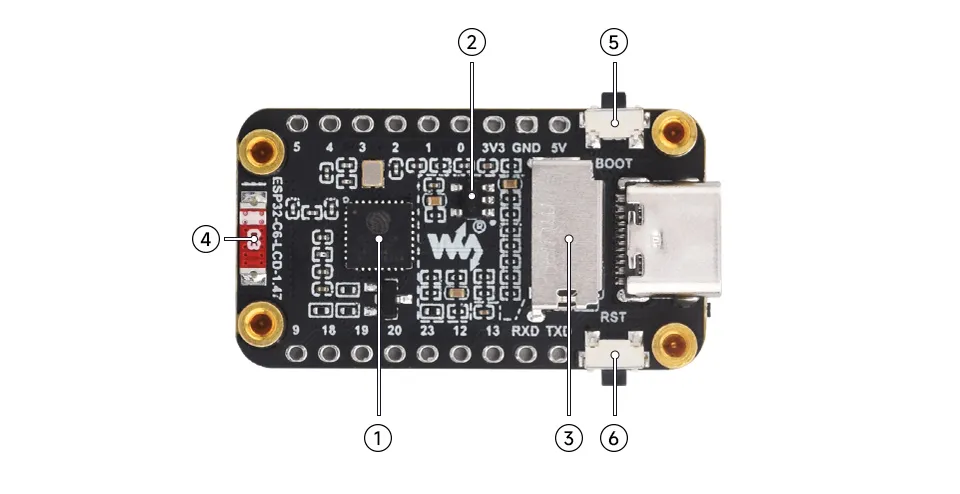
- ESP32-C6FH4
- ME6217C33M5G Low dropout LDO, current (Max) 800mA
- TF card slot
- Onboard ceramic antenna
- BOOT button
- RESET Button
Interface Introduction
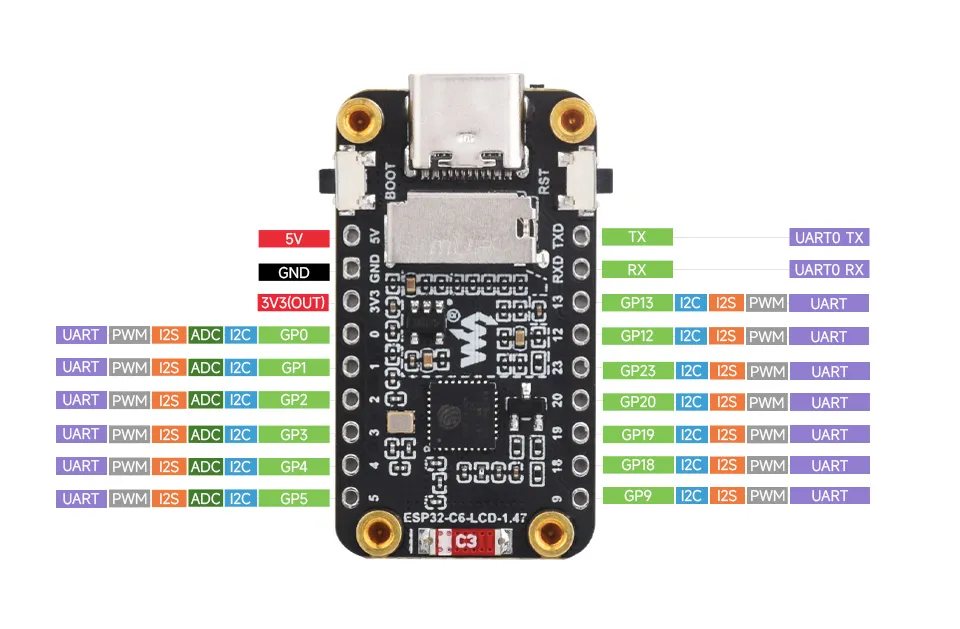
-
LCD
LCD Pin ESP32C6 MOSI GPIO6 SCLK GPIO7 LCD_CS GPIO14 LCD_DC GPIO15 LCD_RST GPIO21 LCD_BL GPIO22 -
RGB LED beads
RGB LED ESP32C6 RGB_Control GPIO8 -
TF Card
TF Card ESP32C6 MISO GPIO5 MOSI GPIO6 SCLK GPIO7 CS GPIO4 SD_D1 NC SD_D2 NC
Dimensions
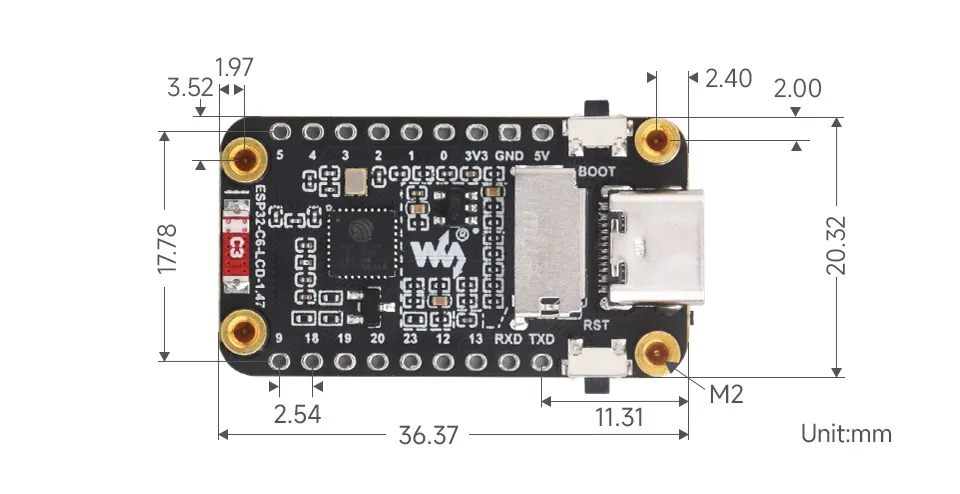
Specifications
| Parameter | Value |
|---|---|
| Interface | USB Type‑C |
| Main Controller | ESP32-C6 |
| Screen Type | TFT |
| Screen Controller | Display: ST7789 |
| Onboard Device | Micro SD |
Development Methods
The ESP32-C6-LCD-1.47 supports two development frameworks: Arduino IDE and ESP-IDF, offering flexibility for developers. You can choose the appropriate development tool based on project requirements and personal preference.
Both development methods have their own advantages. Developers can choose based on their needs and skill levels. Arduino is simple to learn and quick to start, suitable for beginners and non-professionals. ESP-IDF provides more advanced development tools and stronger control capabilities, suitable for developers with professional backgrounds or higher performance requirements, and is more appropriate for complex project development.
-
Arduino IDE is a convenient, flexible, and easy-to-use open-source electronics prototyping platform. It requires minimal foundational knowledge, allowing for rapid development after a short learning period. Arduino has a huge global user community, providing a vast amount of open-source code, project examples, and tutorials, as well as a rich library ecosystem that encapsulates complex functions, enabling developers to implement various features rapidly. You can refer to the Working with Arduino to complete the initial setup, and the tutorial also provides related example programs for reference.
-
ESP-IDF, short for Espressif IoT Development Framework, is a professional development framework launched by Espressif Systems for its ESP series of chips. It is based on C language development and includes compilers, debuggers, flashing tools, etc. It supports development via command line or integrated development environments (such as Visual Studio Code with the Espressif IDF plugin), which provides features like code navigation, project management, and debugging. We recommend using VS Code for development. For the specific configuration process, please refer to the Working with ESP-IDF. The tutorial also provides relevant example programs for reference.