ESP32-C6-LCD-2.73 Factory Firmware Instructions
This section describes how to use the factory firmware for the ESP32-C6-LCD-2.73. The factory firmware corresponds to the ESP-IDF example program 01_factory, which includes the Main Interface, Settings, Sensor, Photo, and Weather pages.
Hardware Preparation
- ESP32-C6-LCD-2.73 development board x1
- USB cable x1
- TF card x1 (required only for the Photo page)
- Wi-Fi hotspot with internet access (required only for the Weather page)
Firmware Description
- The factory firmware is located in the
Firmwaredirectory of the example package. - The source code for the factory firmware is located in the
code/idf/01_factorydirectory of the example program package. - Upon startup, the example initializes NVS, TF, CH32V003 IO expansion, PCF85063 RTC, LCD, LVGL, and the application menu.
- The status bar displays the time and Wi-Fi status, with the time synchronized from the RTC.
USB Download Notes
If the port cannot be recognized, please enter Boot mode:
- Press and hold the BOOT button.
- Connect the USB to the computer.
- Release the BOOT button.
After the download is complete, power cycle the board to run the program.
Main Interface and Pages
Upon startup, the LCD displays the factory firmware main interface. Use the onboard buttons to select and enter each page.
| Main Page | Settings Page |
|---|---|
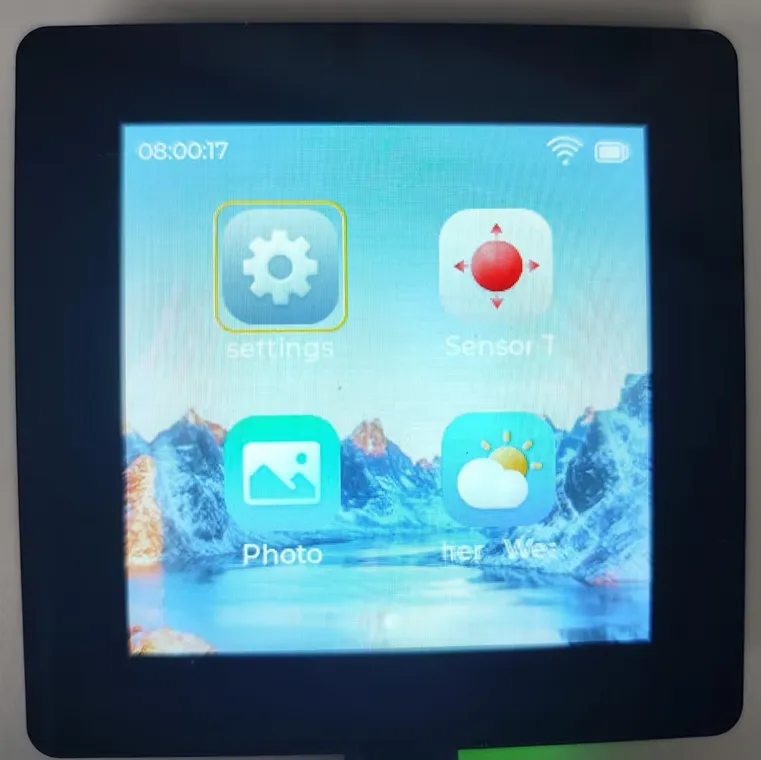 | 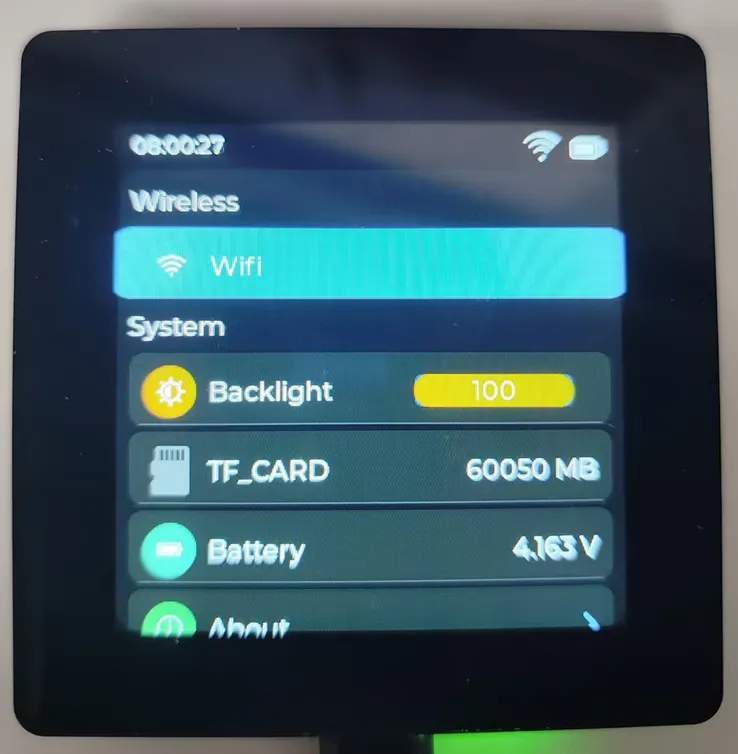 |
| Sensor Page | Weather Page |
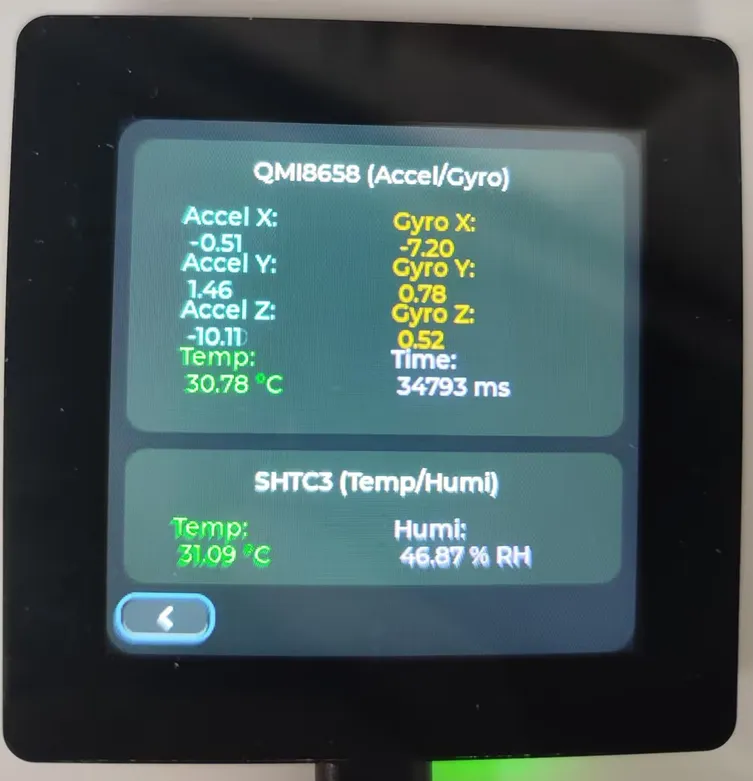 | 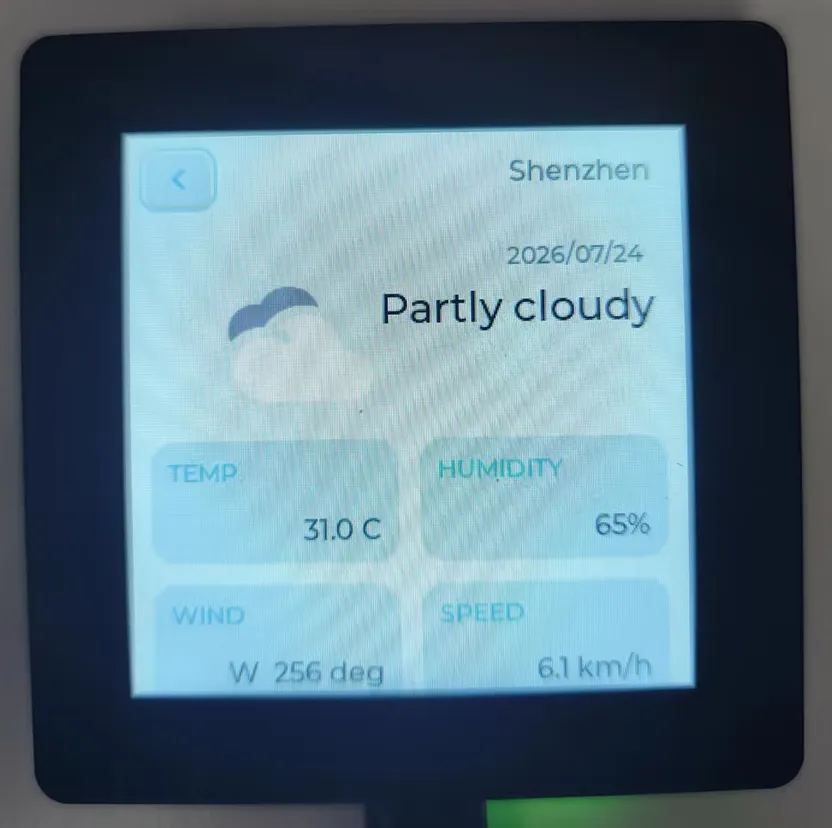 |
| Photo Page | |
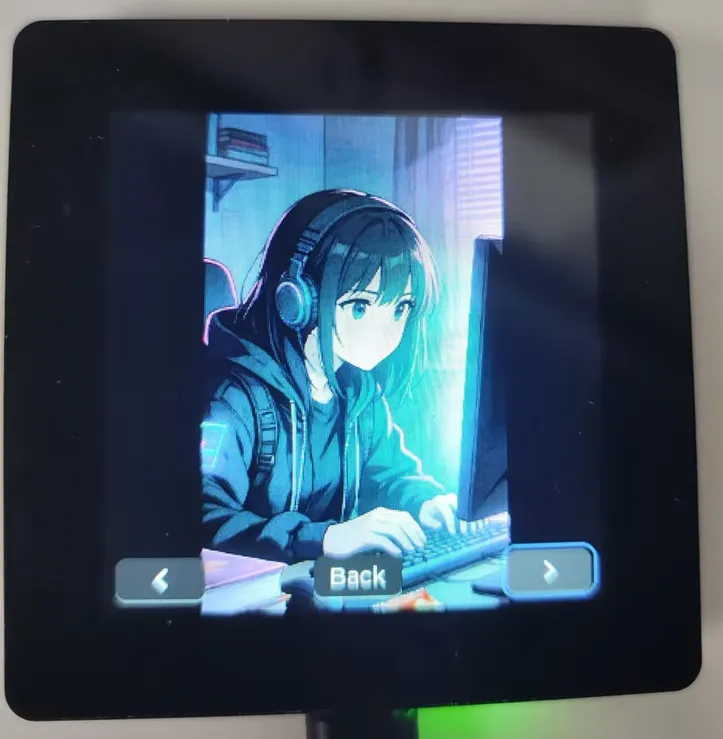 |
Settings Page
The Settings page is used to view and configure onboard functions:
- Configure Wi-Fi.
- Adjust LCD backlight.
- View TF card capacity.
- View battery information.
- View About information.
For the Weather page to function, Wi-Fi must first be configured in the Settings page.
Sensor Page
The Sensor page displays onboard sensor data:
- QMI8658 accelerometer data.
- QMI8658 gyroscope data.
- SHTC3 temperature and humidity data.
When the development board is slightly tilted or rotated, the accelerometer and gyroscope data will change accordingly.
Photo Page
The Photo page reads image files from the TF card:
- Supports
.jpgand.jpegimages in the/sdcard/photodirectory. - The page provides Previous, Next, and Back controls.
- Before use, insert a TF card formatted as FAT or FAT32 into the development board and create a
photodirectory on the card.
Weather Page
The Weather page is used to display weather information. Before use, configure Wi-Fi with internet access in the Settings page.
Troubleshooting
| Symptom | Possible Cause | Action |
|---|---|---|
| Screen stays off | Power supply abnormal, LCD reset failure, or backlight not turned on | Reconnect the USB and restart; for program troubleshooting, refer to the ESP-IDF 02_lvgl_demo and 07_exio examples |
| Weather page shows no data | Wi-Fi not connected or network unavailable | Configure Wi-Fi in the Settings page and confirm the hotspot can access the internet |
| Photo page shows no images | TF card not mounted, directory does not exist, or image format mismatch | Confirm the /photo directory exists on the TF card and place .jpg or .jpeg images inside |
| Sensor page shows no data | I2C peripheral initialization failure | Refer to the ESP-IDF 04_qmi8658, 06_shtc3, and 07_exio examples for troubleshooting |