ESPHome Getting Started
Welcome to the Waveshare ESPHome Getting Started tutorial.
This tutorial covers how to set up the Home Assistant environment and use ESPHome to integrate ESP32 development boards into a smart home system.
Hardware: This tutorial uses the Waveshare ESP32-S3-Zero (Product Documentation) as the introductory example board, and the Waveshare ESP32-S3-RLCD-4.2 (Product Documentation) as the comprehensive reference example board. If you are using a different ESP32 board, adjust the board type and pin configuration accordingly.
Software: This tutorial is based on Home Assistant OS 17.3 and ESPHome App 2026.5.1. Both Home Assistant and ESPHome iterate frequently — menu locations, configuration syntax, and UI details may change across versions. Always refer to the Home Assistant Official Documentation and ESPHome Official Documentation for the most up-to-date information.
Home Assistant and ESPHome
Home Assistant (hereafter referred to as HA) is an open-source home automation platform that serves as a central hub to unify smart devices across brands, providing dashboards, automations, voice assistants, and more. HA does not directly control hardware — it connects to various devices through "Integrations." ESPHome is one such integration that allows HA to discover and control ESP32 devices running ESPHome firmware.
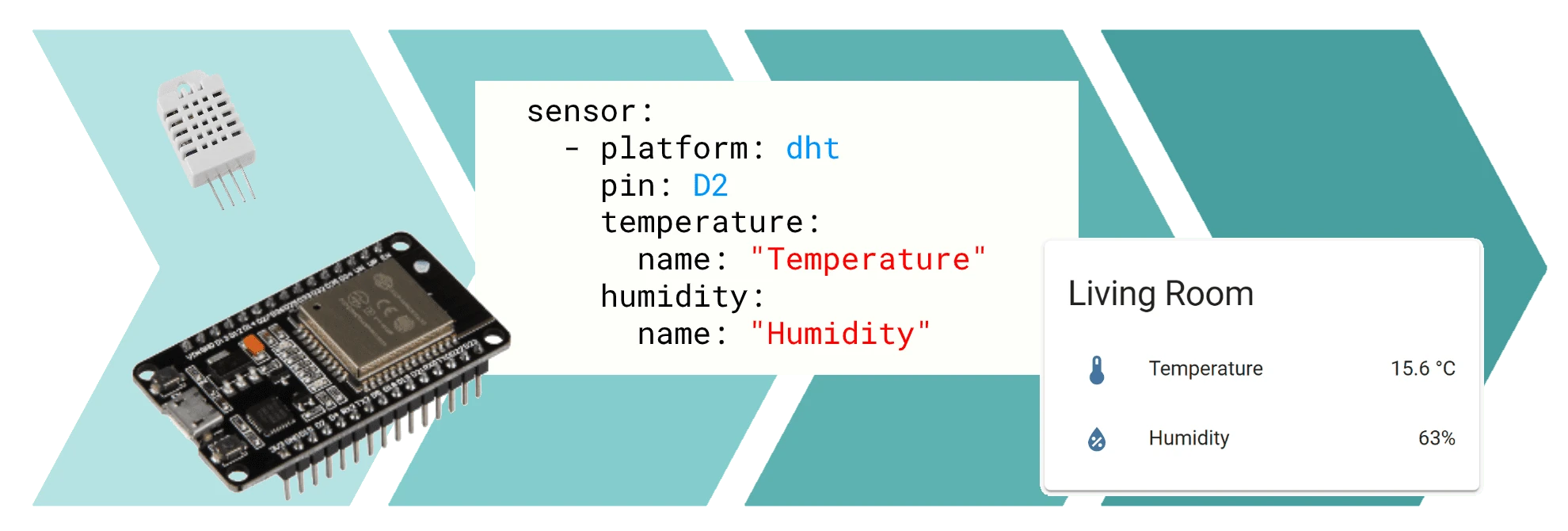
ESPHome is a firmware generator that turns ESP32 / ESP8266 microcontrollers into HA devices: developers declare sensors, switches, lights, and other components in a YAML file, and ESPHome compiles the corresponding firmware and flashes it to the device. After flashing, the device is automatically discovered by HA, and the components declared in YAML appear as entities in the HA interface — no need to write C/C++ code or configure additional HA integrations.
ESPHome consists of two parts:
- Device side: The compiled firmware runs on the ESP32 / ESP8266, communicating with HA over Wi-Fi.
- Build side: Handles creating, editing, and compiling YAML configurations. It can run as an HA app (used in this tutorial), or independently via Docker or command line.