Flash Firmware Flashing and Erasing
This page describes how to use the Flash Download Tool to burn firmware or erase the Flash on the ESP32-H2-Zero.
Test Firmware
Download the merged bin from the example repository as needed:
The flash address for the merged bin is 0x0.
ESP32-H2 Procedure
Erasing Flash will delete the firmware and configuration on the board. Confirm that you do not need to retain existing data before proceeding.
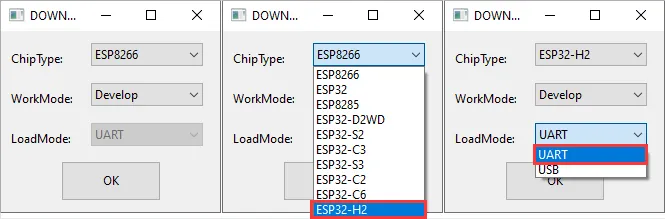
Download and extract the Flash Download Tool, then open the Flash Download Tool. Select ESP32-H2 as the chip type and UART as the download method.
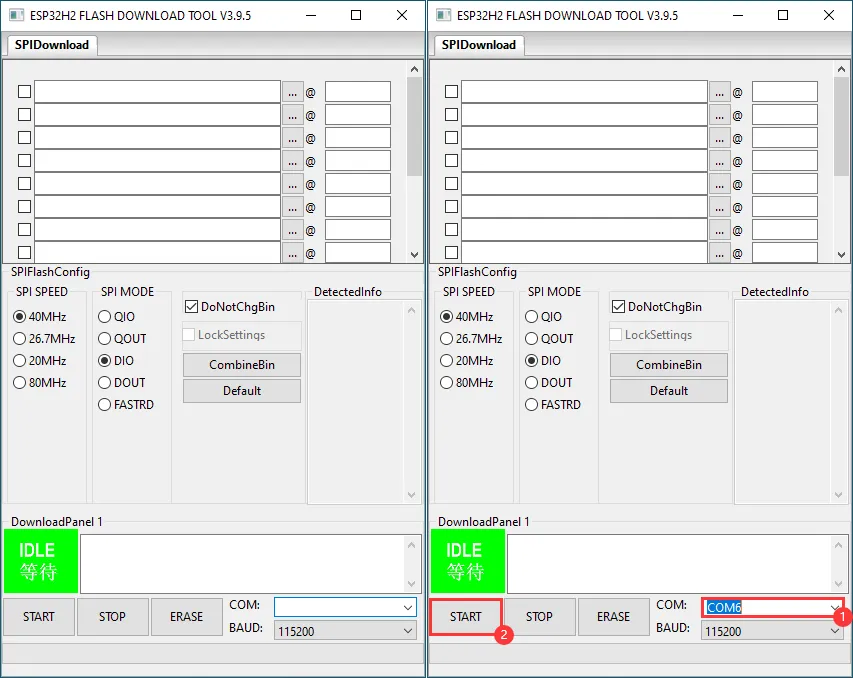
Select the serial port corresponding to your board:
- When flashing the merged bin above, add the file to be burned, set the flash address to
0x0, then click START. - When erasing Flash, do not add any bin file, then click START.
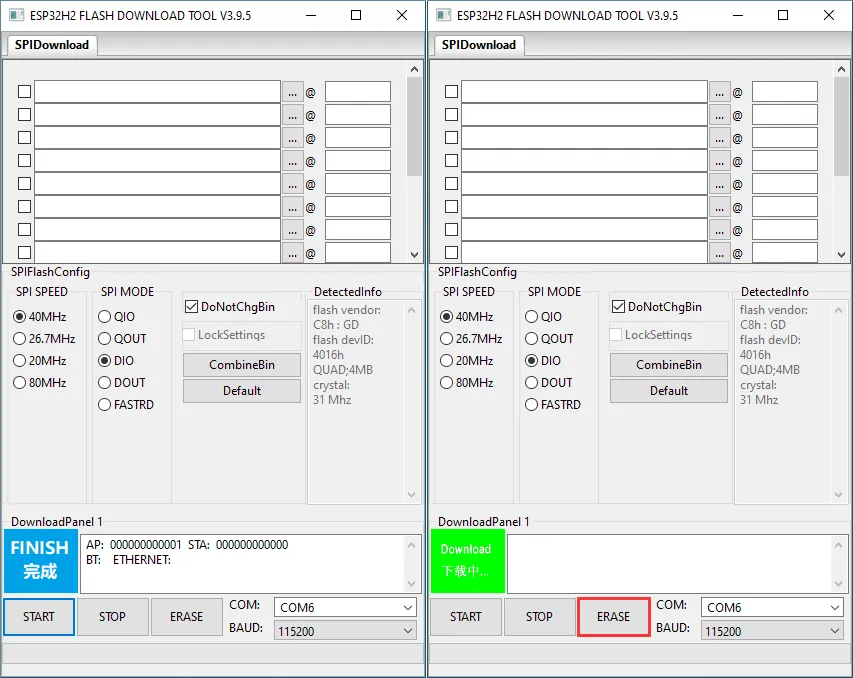
When flashing firmware, wait for the tool to indicate that the burning is complete; when erasing Flash, after the tool connects to the device, click ERASE.
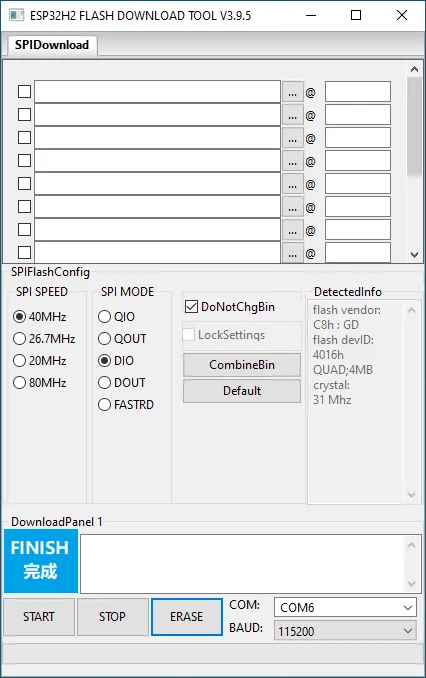
Wait for the tool to indicate that the operation is complete, then press RESET to reset the board.
Press and hold the BOOT button, press and release RESET, then release BOOT to put the board into download mode and retry.