Working with ESP-IDF
This chapter contains the following sections. Please read as needed:
- ESP-IDF Getting Started
- Setting Up Development Environment
- Running Official Espressif Examples
- Erasing Device Flash
ESP-IDF Getting Started
New to ESP32 ESP-IDF development and looking to get started quickly? We have prepared a general Getting Started Tutorial for you.
- Section 1: Environment Setup
- Section 2: Running Examples
- Section 3: Creating a Project
- Section 4: Using Components
- Section 5: Debugging
- Section 6: FreeRTOS
- Section 7: Peripherals
- Section 8: Wi-Fi Programming
- Section 9: BLE Programming
Please Note: This tutorial uses the ESP32-S3-Zero as a teaching example, and all hardware code is based on its pinout. Before you start, it is recommended that you check the pinout of your development board to ensure the pin configuration is correct.
Setting Up Development Environment
The following tutorial is based on the Windows development environment using VS Code.
Please refer to Waveshare ESP-IDF Getting Started - Section 1 Set Up Environment to complete the ESP-IDF development environment configuration.
Running Official Espressif Examples
Please refer to Waveshare ESP-IDF Getting Started - Section 2 Run Example.
Erasing Device Flash
-
Extract the software resource package Flash debugging software
-
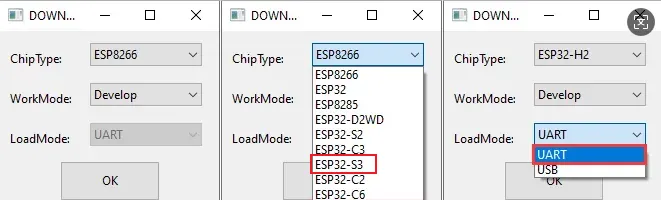
Open the flash_download_tool_3.9.5.exe software, select ESP32-S3 and UART
-
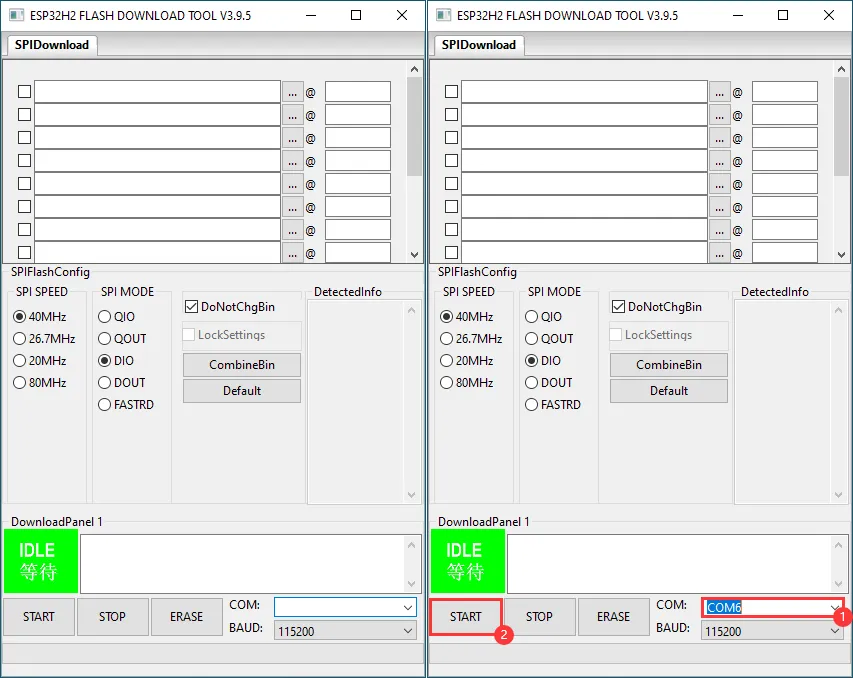
Select the UART port number, click START (do not select any bin file)
-
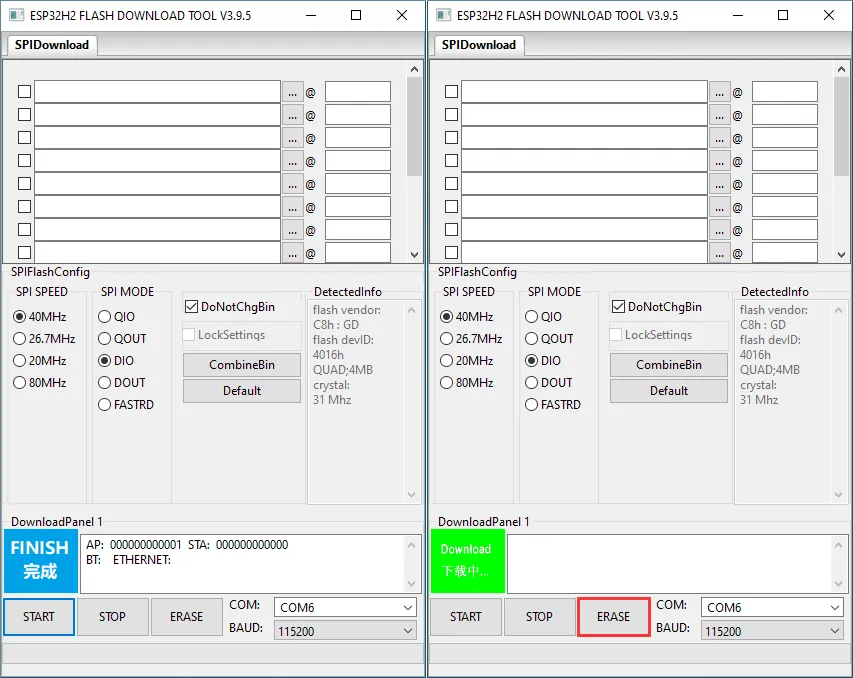
Wait for the flashing to complete, then click Erase
-
Wait for the erasing to complete