ESP32-S3-GEEK
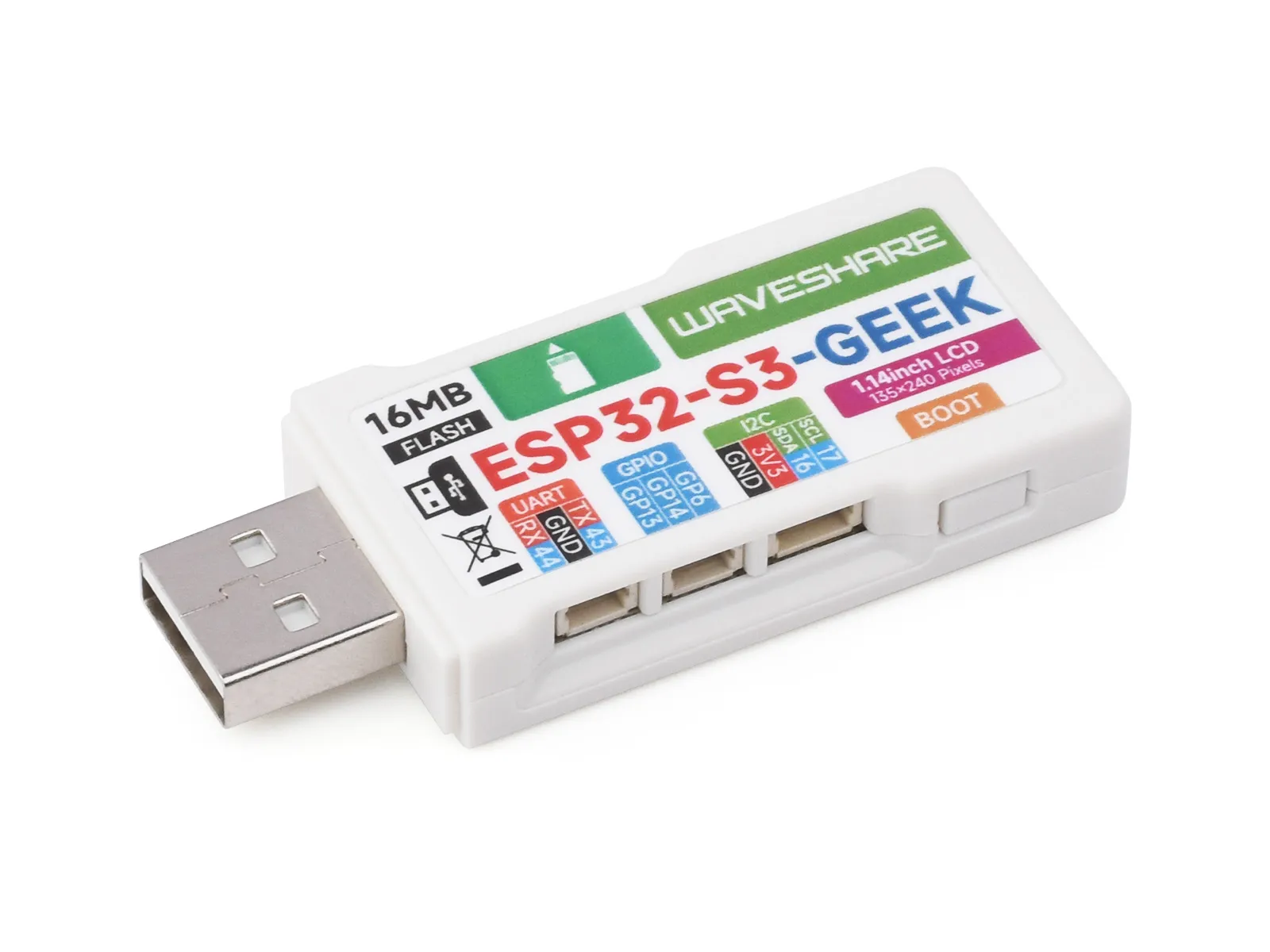
The ESP32-S3-GEEK is a development board designed by Waveshare for geeks. It features an onboard USB-A male port, a 1.14inch LCD screen, a TF card slot, and other peripherals. It supports 2.4 GHz Wi-Fi and BLE 5, integrates 16MB Flash and 2MB PSRAM, and provides I2C, UART, and GPIO interfaces, offering more possibilities for your projects.
| SKU | Product |
|---|---|
| 26405 | ESP32-S3-GEEK |
Features
- Adopts Espressif ESP32-S3R2 as the main chip
- Powered by Xtensa® 32-bit LX7 dual-core processor running at up to 240 MHz
- Built-in 512 KB SRAM, 384KB ROM, 2MB on-chip PSRAM, and onboard 16MB Flash storage
- Onboard 1.14inch 240×135 pixels, 65K colors, IPS LCD display
- Integrated 2.4 GHz Wi-Fi and Bluetooth 5 (LE)
- Wi-Fi supports Infrastructure BSS Station mode, SoftAP mode, and Station + SoftAP mode
- Wi-Fi supports 1T1R mode with data rates up to 150 Mbps
- Bluetooth supports high power mode (20 dBm)
- Bluetooth and Wi-Fi coexist, sharing the same antenna
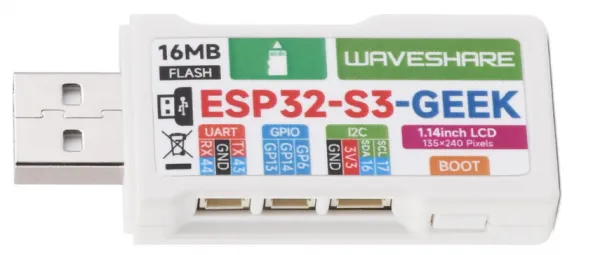
- Onboard 3PIN UART interface for USB-to-UART adapter functionality
- Onboard 3PIN GPIO interface for debugging other modules or ADC acquisition
- Onboard 4PIN I2C interface for testing target boards
- Includes a plastic case and relevant connecting cables
- Provides comprehensive open-source examples and resources, facilitating programming learning and project development
Onboard Resources
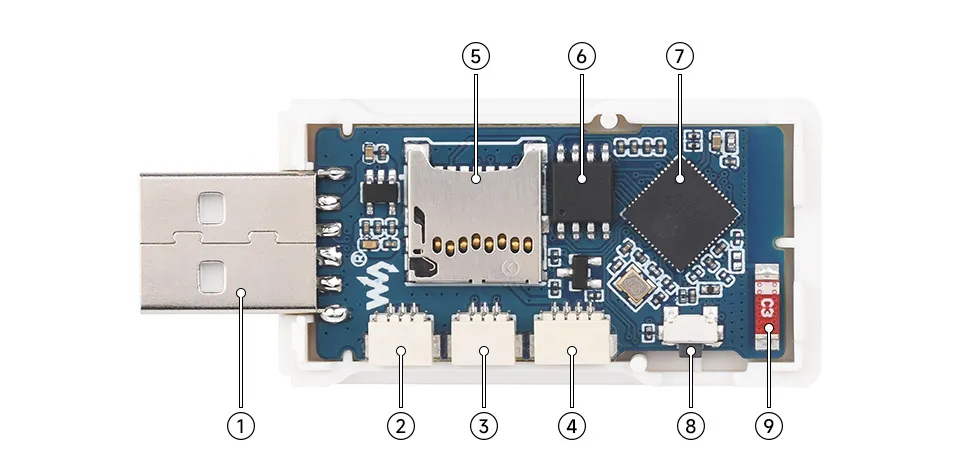
- USB-A Port
- UART Port
- GPIO Header
- I2C Port
- TF Card Slot
- 16MB NOR-Flash
- ESP32-S3
- BOOT button
- Onboard Antenna
LCD Screen Specifications
| Operating Voltage | 3.3V / 5V | Resolution | 240 × 135 pixels |
|---|---|---|---|
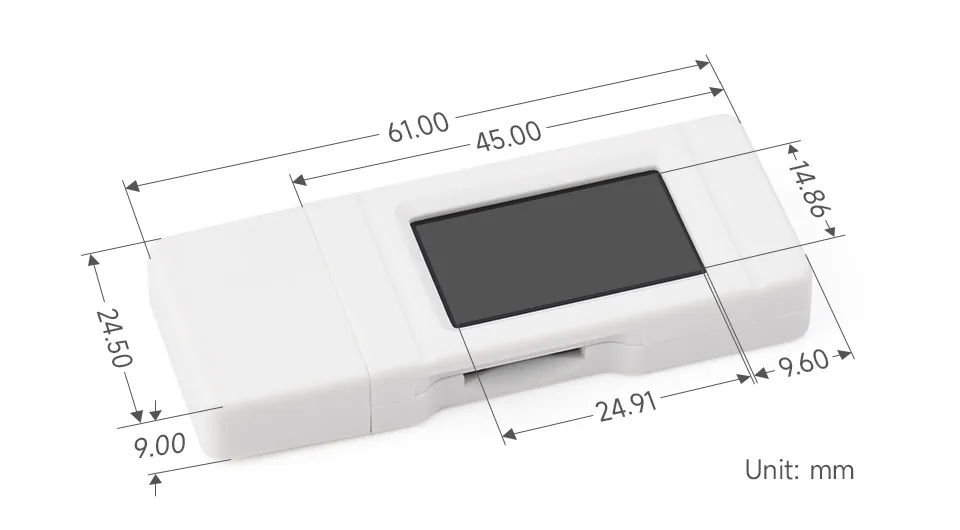
| Communication Interface | 4-wire SPI | Display Size | 24.91 × 14.86 (mm) |
| Display Panel | IPS | Pixel Size | 0.1101 × 0.1035 (mm) |
| Controller IC | ST7789 | Product Size | 61.00 × 24.50 (mm) |
Interface Description
Dimensions
Development Methods
The ESP32-S3-GEEK supports both the Arduino IDE and ESP-IDF development frameworks, offering developers flexible options. You can choose the appropriate development tool based on your project requirements and personal preferences.
Arduino generally offers a gentler learning curve and may be more approachable for beginners and hobbyists. ESP-IDF provides advanced tooling and finer control over system behavior, making it better suited to complex projects and applications with demanding performance requirements.
-
Arduino IDE is a convenient, flexible, and easy-to-use open-source electronics prototyping platform. It requires minimal foundational knowledge, allowing for rapid development after a short learning period. Arduino has a huge global user community, providing a vast amount of open-source code, project examples, and tutorials, as well as a rich library ecosystem that encapsulates complex functions, enabling developers to implement various features rapidly. You can refer to the Working with Arduino to complete the initial setup, and the tutorial also provides related example programs for reference.
-
ESP-IDF, short for Espressif IoT Development Framework, is a professional development framework launched by Espressif Systems for its ESP series of chips. It is based on C language development and includes compilers, debuggers, flashing tools, etc. It supports development via command line or integrated development environments (such as Visual Studio Code with the Espressif IDF plugin), which provides features like code navigation, project management, and debugging. We recommend using VS Code for development. For the specific configuration process, please refer to the Working with ESP-IDF. The tutorial also provides relevant example programs for reference.