ESP32-S3-LCD-1.47B
- ESP32-S3-LCD-1.47B
- ESP32-S3-LCD-1.47B-M
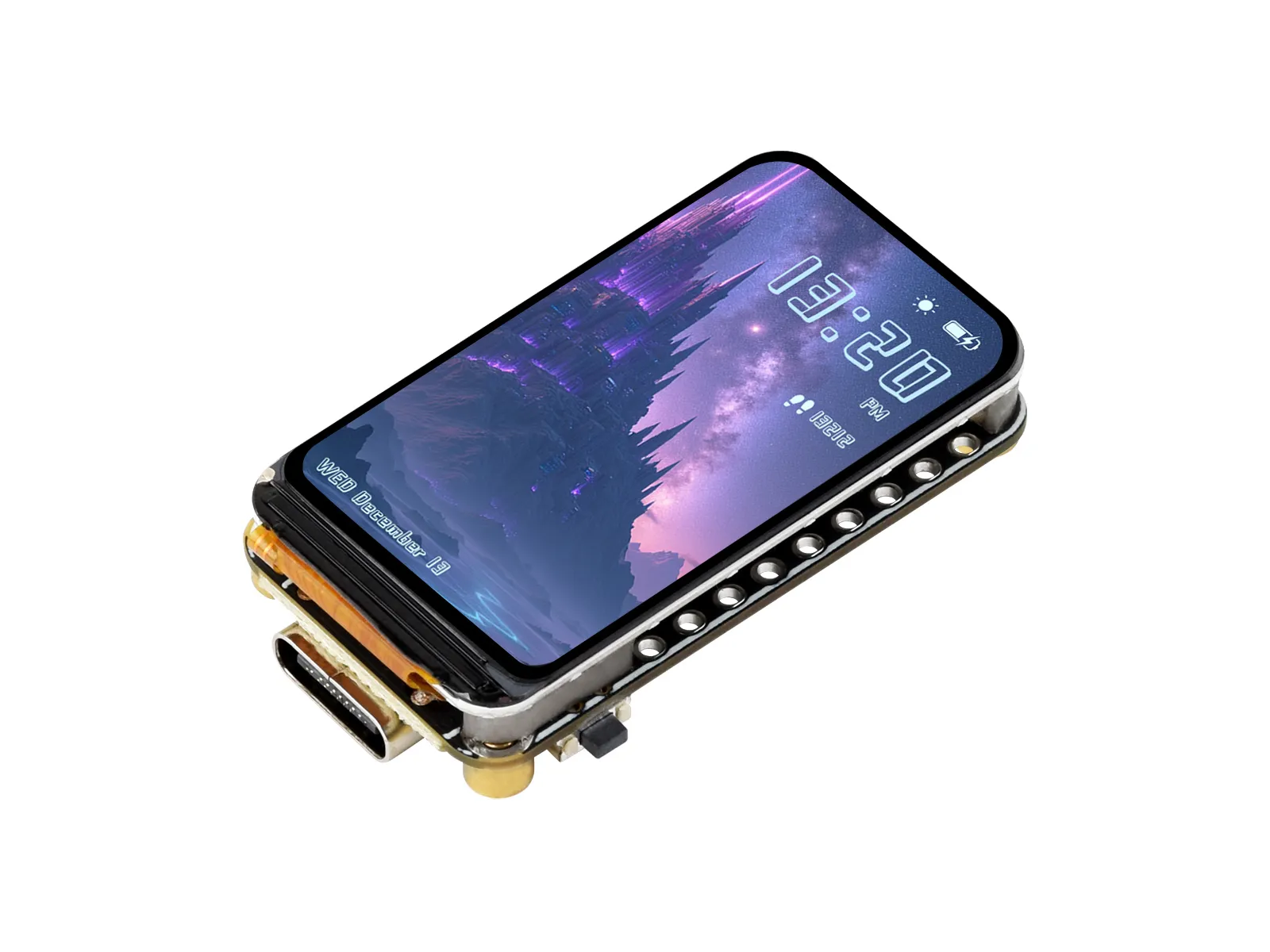
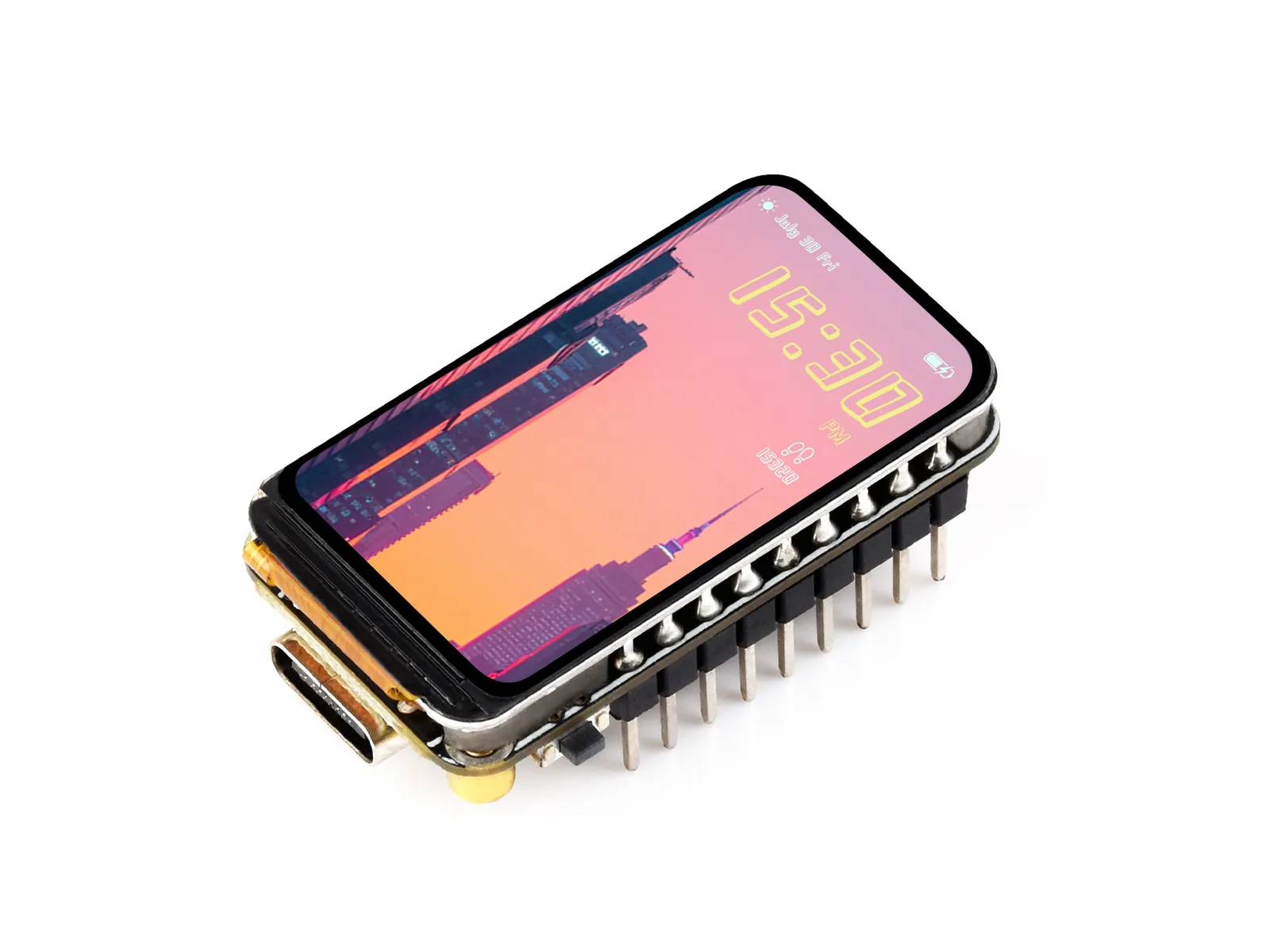
ESP32-S3-LCD-1.47B is a microcontroller development board that supports 2.4GHz WiFi and Bluetooth BLE 5. It integrates large capacity Flash and PSRAM and has onboard 1.47inch LCD screen, can smoothly run GUI programs such as LVGL. Combined with various peripheral interfaces, it is suitable for the quick development of the HMI and other ESP32-S3 applications.
Please note: Do not remove the screen when soldering the pin headers; solder directly with the soldering iron at an angle!!!
If you are looking for:
- Coding with AI tools: Click Ask AI and select an AI tool to ask questions about this page, or choose Copy page to copy its content and paste it into an AI tool for coding assistance.
- Schematics, datasheets, and example code: See Resources
- Arduino development: See Working with Arduino
- ESP-IDF development: See Working with ESP-IDF
- Troubleshooting: See FAQ or contact Technical Support
| SKU | Product |
|---|---|
| 31501 | ESP32-S3-LCD-1.47B |
| 31031 | ESP32-S3-LCD-1.47B-M |
Features
- Equipped with a high-performance Xtensa 32-bit LX7 dual-core processor, up to 240MHz
- Supports 2.4 GHz Wi‑Fi (802.11 b/g/n) and Bluetooth 5 (LE) with an onboard antenna
- Onboard 512 KB SRAM, 384 KB ROM, 8 MB PSRAM, and 16 MB Flash
- Onboard 1.47inch LCD screen, 172×320 resolution, 262K colors
- Adapting most GPIOs, integrates full-speed USB serial port
- Onboard QMI8658 6-axis IMU (3-axis accelerometer, 3-axis gyroscope), capable of detecting device orientation changes, step counting, and other functions
- Onboard RGB color light beads, which together with transparent acrylic interlayer for cool lighting effects
- Onboard TF card slot for external storage of images or files
- Onboard battery charging management module, allowing a battery to be connected to power the device (the connector is located at the pin header position)
- Supports precise control of flexible clock and multiple power modes for low-power applications across various scenarios
Onboard Resources
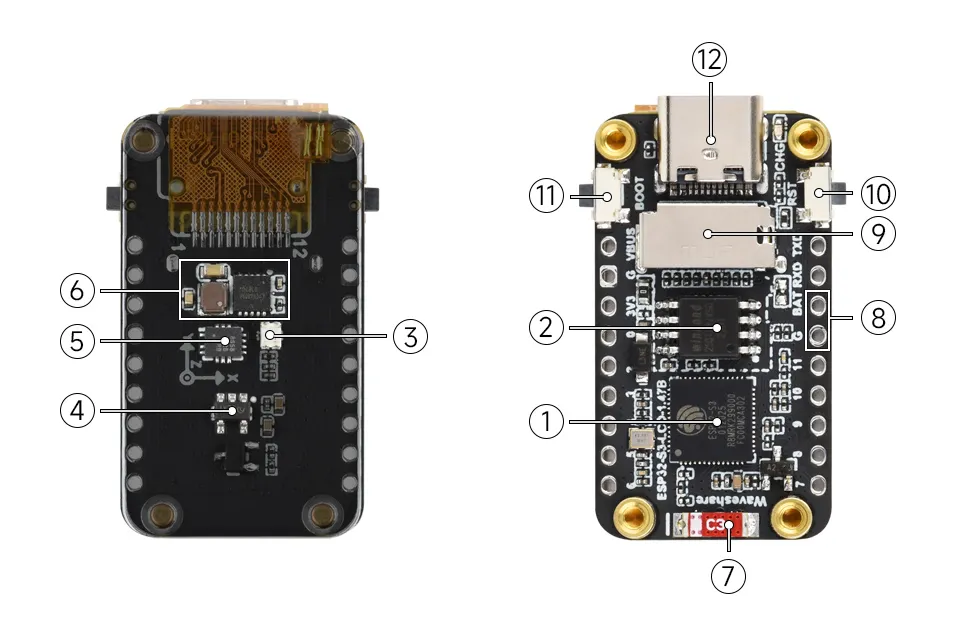
- ESP32-S3R8 Dual-core processor, operating frequency up to 240MHz
- 16MB Flash
- RGB LED Combined with the onboard acrylic, it can achieve cool color changes
- ME6217C33M5G Low dropout LDO, current (Max) 800mA
- QMI8658 Six-axis gyroscope and accelerometer
- Charging management circuit
- Onboard ceramic antenna
- System battery interface Can be used to connect a 3.7V lithium battery, supports charging and discharging
- TF card slot
- RESET button
- BOOT button
- Type-C port Can be used for device power supply, USB communication, and firmware download
Interface Introduction
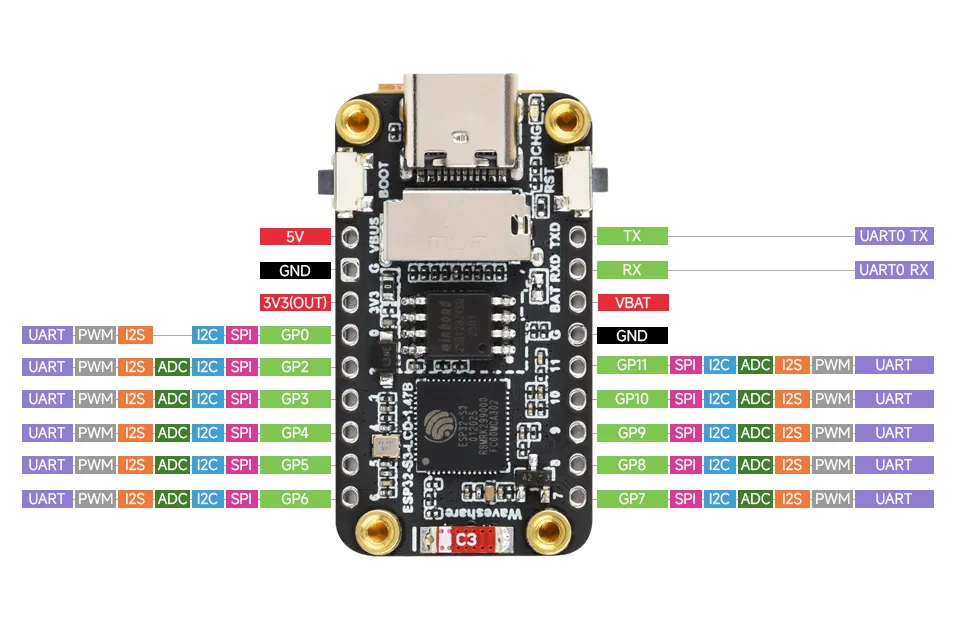
LCD
| LCD Pin | ESP32S3 |
|---|---|
| MOSI | GPIO45 |
| SCLK | GPIO40 |
| LCD_CS | GPIO42 |
| LCD_DC | GPIO41 |
| LCD_RST | GPIO39 |
| LCD_BL | GPIO46 |
RGB LED
| RGB LED | ESP32S3 |
|---|---|
| RGB_Control | GPIO38 |
TF Card
| TF Card | ESP32S3 |
|---|---|
| SD_CMD | GPIO15 |
| SD_SCK | GPIO14 |
| SD_D0 | GPIO16 |
| SD_D1 | GPIO18 |
| SD_D2 | GPIO17 |
| SD_D3 | GPIO21 |
Dimensions
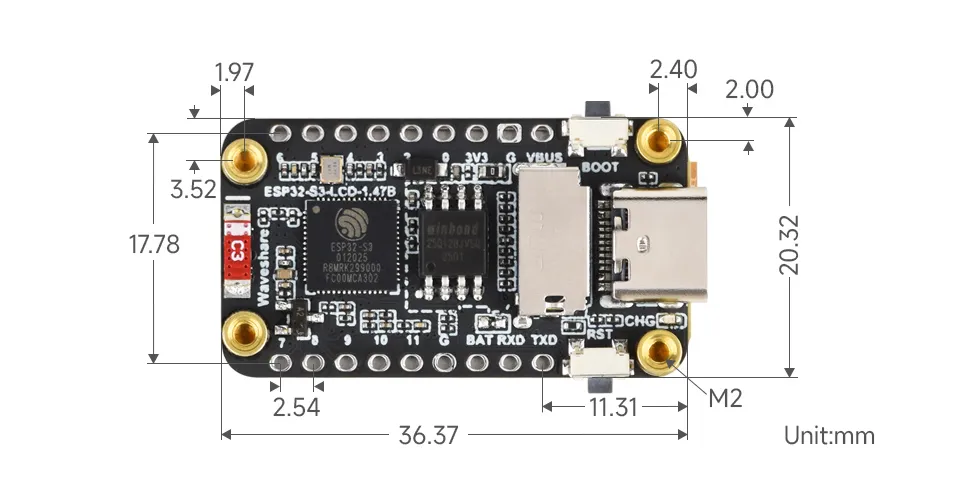
Specifications
| Parameter | Value |
|---|---|
| Interface | USB Type‑C |
| Main Controller | ESP32-S3 |
| Screen Type | TFT |
| Screen Controller | Display: ST7789 |
| Onboard Devices | RGB LED TF card slot QMI8658 six-axis gyroscope and accelerometer Charging management circuit |
Please note: Do not remove the screen when soldering the pin headers; solder directly with the soldering iron at an angle!!!!
Development Methods
The ESP32-S3-LCD-1.47B supports two development frameworks: Arduino IDE and ESP-IDF, offering flexibility for developers. You can choose the appropriate development tool based on project requirements and personal preferences.
Arduino is generally easier to get started with and more beginner‑friendly for hobbyists. ESP‑IDF offers a more complete development toolchain and finer‑grained system control, making it suitable for complex projects or applications with higher performance requirements.
-
Arduino IDE is a convenient, flexible, and easy-to-use open-source electronics prototyping platform. It requires minimal foundational knowledge, allowing for rapid development after a short learning period. Arduino has a huge global user community, providing a vast amount of open-source code, project examples, and tutorials, as well as a rich library ecosystem that encapsulates complex functions, enabling developers to implement various features rapidly. You can refer to the Working with Arduino to complete the initial setup, and the tutorial also provides related example programs for reference.
-
ESP-IDF, short for Espressif IoT Development Framework, is a professional development framework launched by Espressif Systems for its ESP series of chips. It is based on C language development and includes compilers, debuggers, flashing tools, etc. It supports development via command line or integrated development environments (such as Visual Studio Code with the Espressif IDF plugin), which provides features like code navigation, project management, and debugging. We recommend using VS Code for development. For the specific configuration process, please refer to the Working with ESP-IDF. The tutorial also provides relevant example programs for reference.