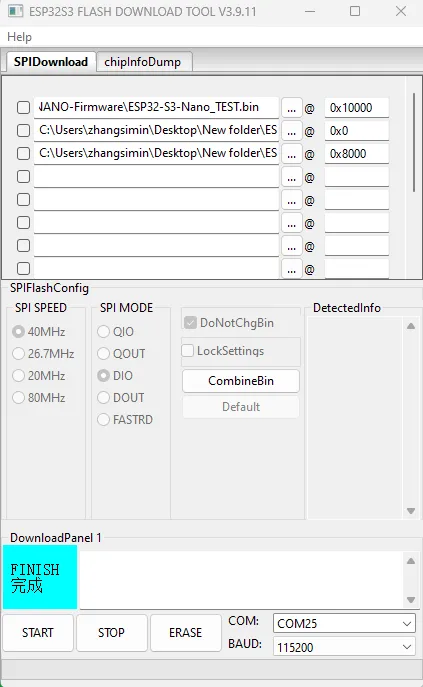
ESP32-S3-Nano Firmware Flashing and Erasing
This product provides test firmware that can be flashed directly to verify whether the onboard devices are functioning properly.
- Firmware download: ESP32-S3-Nano Test Firmware
- Flash addresses:
ESP32-S3-Nano_TEST.bin:0x10000ESP32-S3-Nano_TEST_bootloader.bin:0x0ESP32-S3-Nano_TEST_partitions.bin:0x8000
- Flash Firmware Flashing
- Flash Firmware Erasing
The following steps apply to flashing the firmware provided on this page.
-
Download and extract the official Espressif flashing tool Flash Download Tool (download link)
-
Run Flash Download Tool and select the corresponding options based on the development board's main chip and download interface. The figure below uses ESP32-S3 and USB as an example; actual options are subject to the product's hardware design
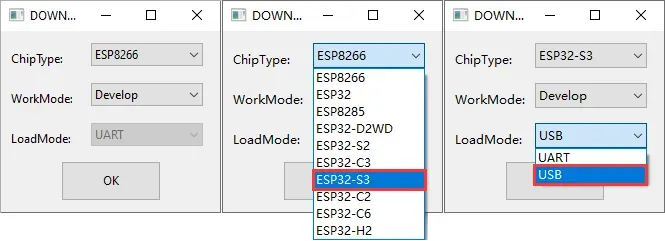
-
Parameter Settings
- Select the COM port corresponding to the development board
- Set BAUD to the maximum 1152000
- Click the "..." button on that row, select the bin file provided by Waveshare, manually enter the flash address given above on this page to its right, and check the checkbox at the far left of that row
- Click START to begin flashing
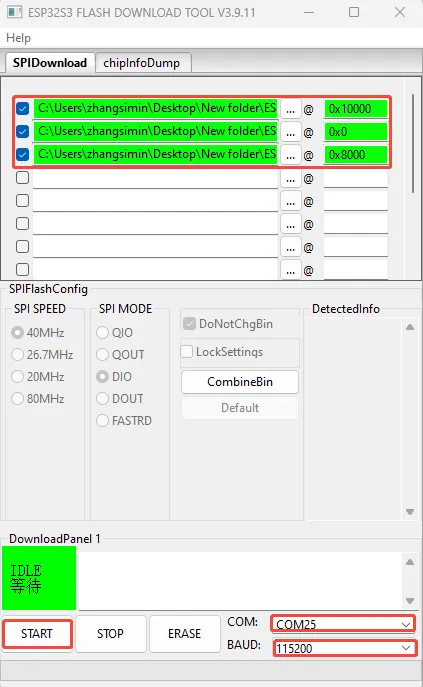
-
Wait for flashing to complete (the flashing process takes some time, please wait patiently)
-
Press the reset button and observe the running behavior
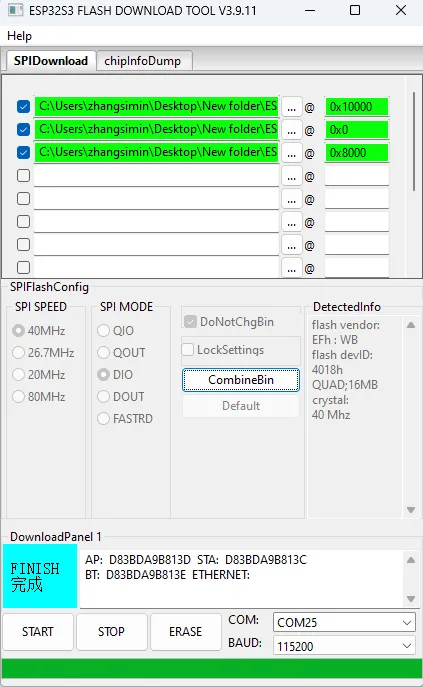
Click ERASE to erase the entire flash. If erasing fails or the device does not respond, short the B1 and GND pins again, then press the RST button and re-flash.
-
Download and extract the official Espressif flashing tool Flash Download Tool (download link)
-
Run Flash Download Tool and select the corresponding options based on the development board's main chip and download interface. The figure below uses ESP32-S3 and USB as an example; actual options are subject to the product's hardware design
-
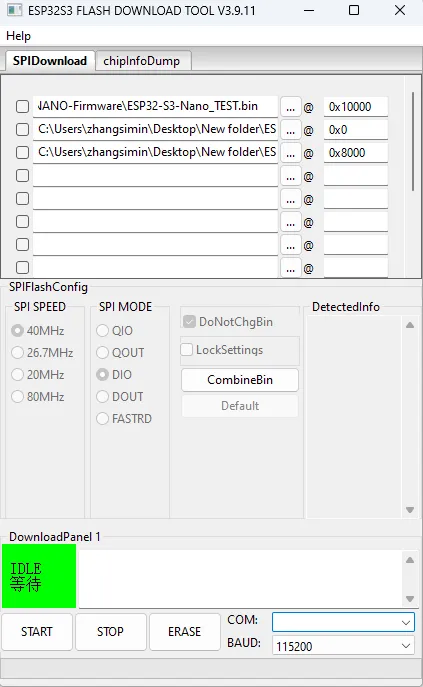
Select the COM port corresponding to the device, do not select any bin file, and click START
-
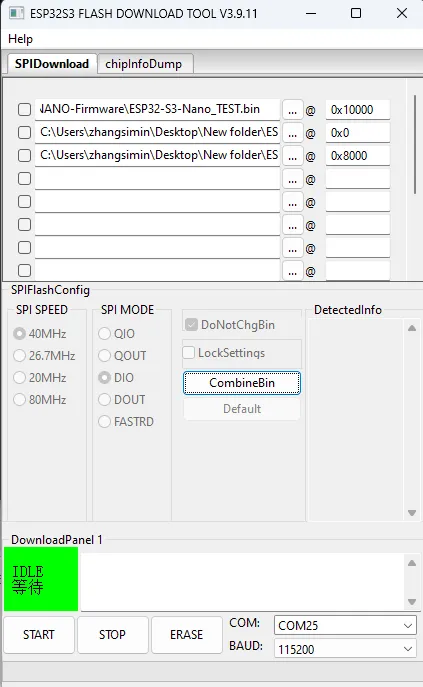
After the above operation is complete, click ERASE to erase
-
Wait for the erasing to complete
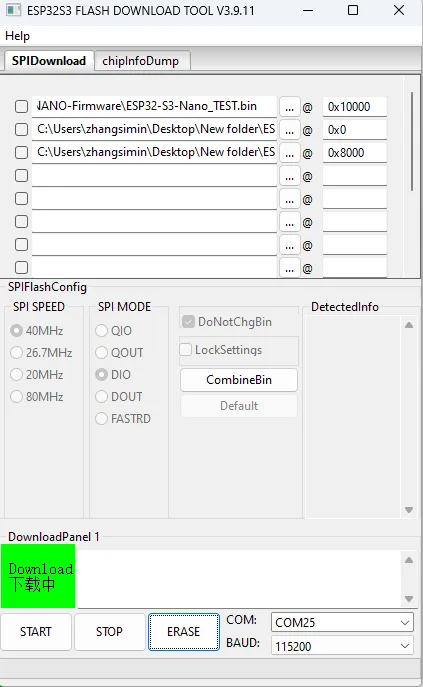
After erasing is complete, the tool displays
FINISH.