Instructions for Use
Electrical Safety and Relay Precautions
- This product must be used by professional electricians or technical personnel. Please take appropriate electrical safety, leakage prevention, and insulation measures during use.
- Before installing, maintaining, or replacing relay equipment, be sure to turn off the power and unplug the connector.
- Do not attempt to disassemble the relay equipment to avoid damage or electric shock.
- Install and place the relay product properly. Do not use it in humid, overheated, flammable, or explosive environments to avoid safety accidents caused by improper installation or use.
1. Load Matching
- Ensure that the rated voltage and current of the relay match the load. Do not overload. Excessive current may cause contact melting, sticking, or even fire.
- For inductive loads (motors, coils, lamps, etc.), the inrush current may be much higher than the rated current. Select a relay with sufficient margin for the rated current.
2. Short Circuit and Overcurrent Protection
- Add a fuse or air switch (circuit breaker) to the relay circuit to prevent load short circuits or accidental overcurrent from burning out the relay.
- Ensure no short circuit in the load circuit during wiring, and use protection components with appropriate current ratings if necessary.
3. Arc and Pull-in Protection
- Arcing occurs at the moment of relay switching, which can easily cause contact wear or welding.
- It is recommended to use RC snubber circuits or varistors and other arc suppression protection for inductive loads.
4. Installation Environment
- Avoid using in humid, high-temperature, flammable, explosive, or dusty environments.
- Mount the relay securely to prevent false operation or damage due to vibration or impact.
5. Power Off Operation
- Before maintenance, wiring, or relay replacement, be sure to disconnect power to ensure personal and equipment safety.
- Latching relays are energized only when changing state and are normally de-energized. Avoid strong vibration or magnetic field interference that could alter the relay state.
6. State Confirmation
- After powering on, confirm or reset the relay state as needed to avoid abnormal operation due to transportation, installation, or external interference.
- Avoid cutting power during latching relay operation to prevent undefined states or contact damage.
7. Regular Inspection
- After long-term use, regularly inspect the relay contacts, terminals, and insulation to ensure normal operation.
- If abnormal heating, odor, or burn marks appear, immediately disconnect power and replace the relay.
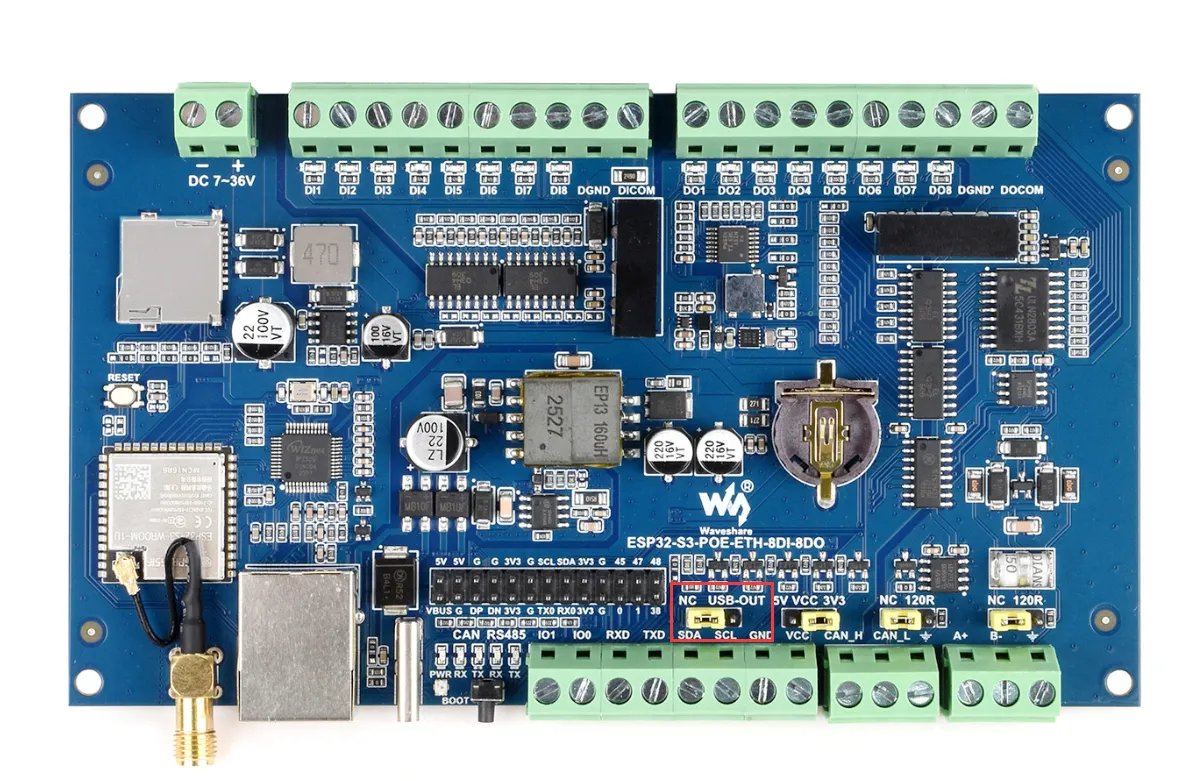
8. Product USB-OTG Jumper
-
This jumper is used for external power supply via Type-C. Please note: do not connect to a computer when switched to USB-OTG!!!
Development Tools
Arduino IDE is a development tool for writing, compiling, and uploading Arduino programs. You can install the libraries required by the project through the Library Manager, or import offline library files.
Required Components
- ESP32-S3-POE-ETH-8DI-8DO x1
- USB cable Type‑A male to Type‑C male x1
- Modbus RTU Relay x1
- USB TO RS232/485 x1
- USB-CAN-A x1
warning
Before operating, it is recommended to browse the table of contents to quickly understand the document structure. To ensure a smooth operation, please read the FAQ carefully to understand potential issues in advance. All materials in the document are provided with hyperlinks for easy download.
Expanding Relay Channels via RS485
- Use Modbus RTU Relay to expand by 8 relay channels.
- The 3 main example files are already compatible with this operation. You need to set
Extension_EnableinWS_imformation.hto 1 (default is 1). - The externally expanded relays can be controlled via Bluetooth.
| Operation Command | Command Function |
|---|---|
| 06 01 | Toggle CH1 relay state of Modbus RTU Relay |
| 06 02 | Toggle CH2 relay state of Modbus RTU Relay |
| 06 03 | Toggle CH3 relay state of Modbus RTU Relay |
| 06 04 | Toggle CH4 relay state of Modbus RTU Relay |
| 06 05 | Toggle CH5 relay state of Modbus RTU Relay |
| 06 06 | Toggle CH6 relay state of Modbus RTU Relay |
| 06 07 | Toggle CH7 relay state of Modbus RTU Relay |
| 06 08 | Toggle CH8 relay state of Modbus RTU Relay |
| 06 09 | Turn on all relays of Modbus RTU Relay |
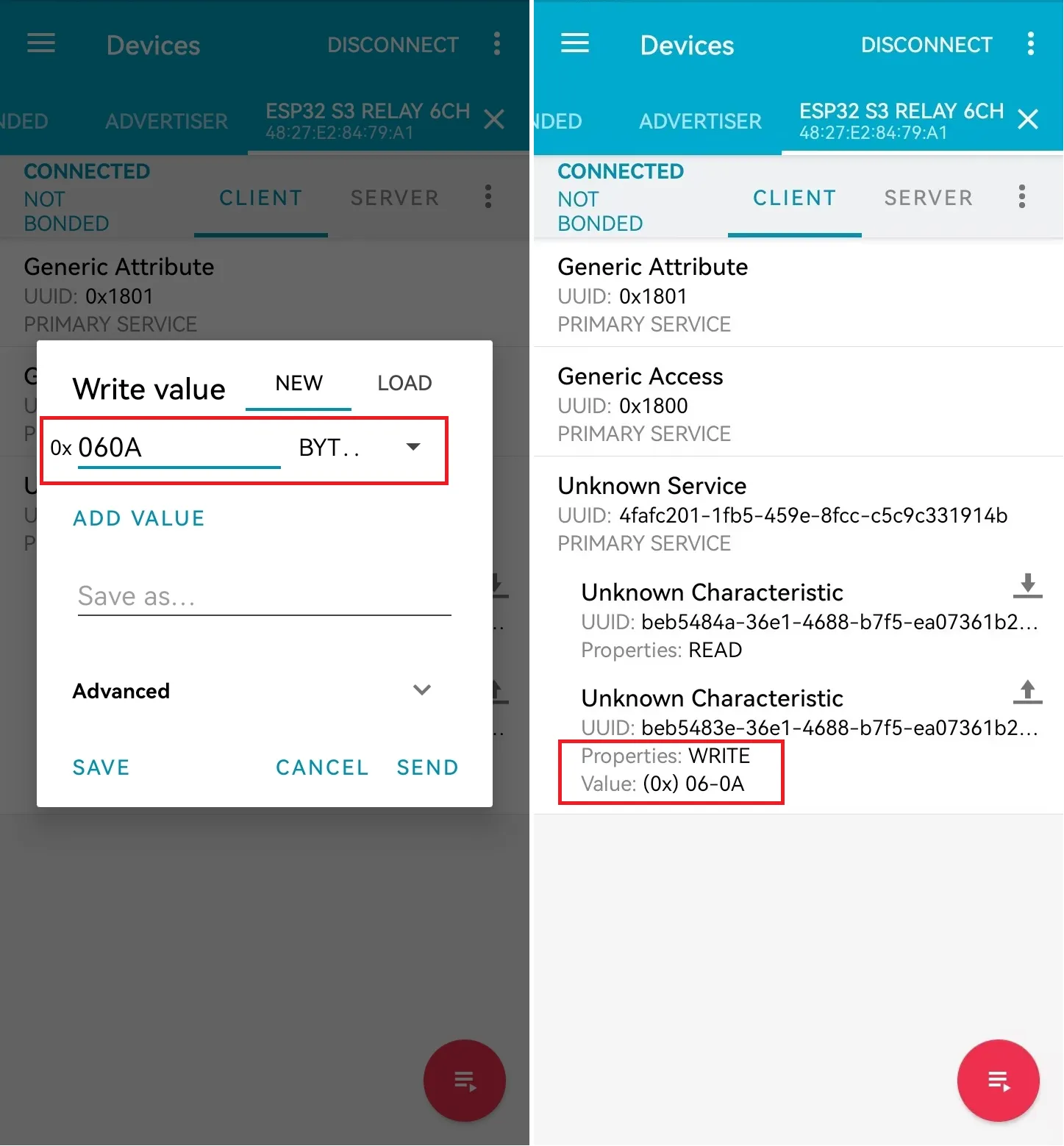
| 06 0A | Turn off all relays of Modbus RTU Relay |
- The Bluetooth relay control commands are characters 1-8, i.e., hexadecimal 0x06 0x01 - 0x38 0x0A.
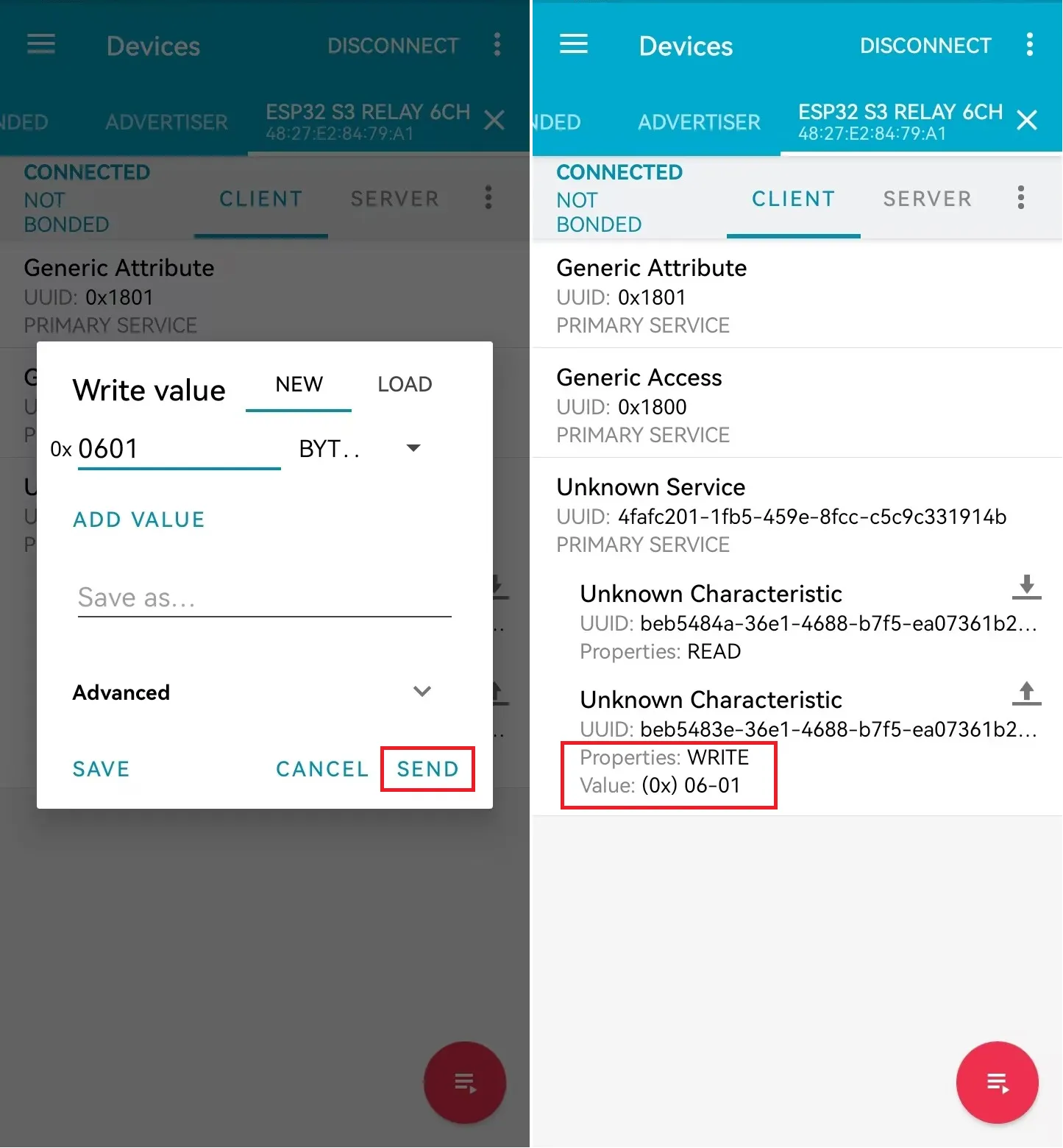
- Click the send button and fill in the data to be transmitted (hexadecimal transmission mode). For example, enter
0x06 0x01.
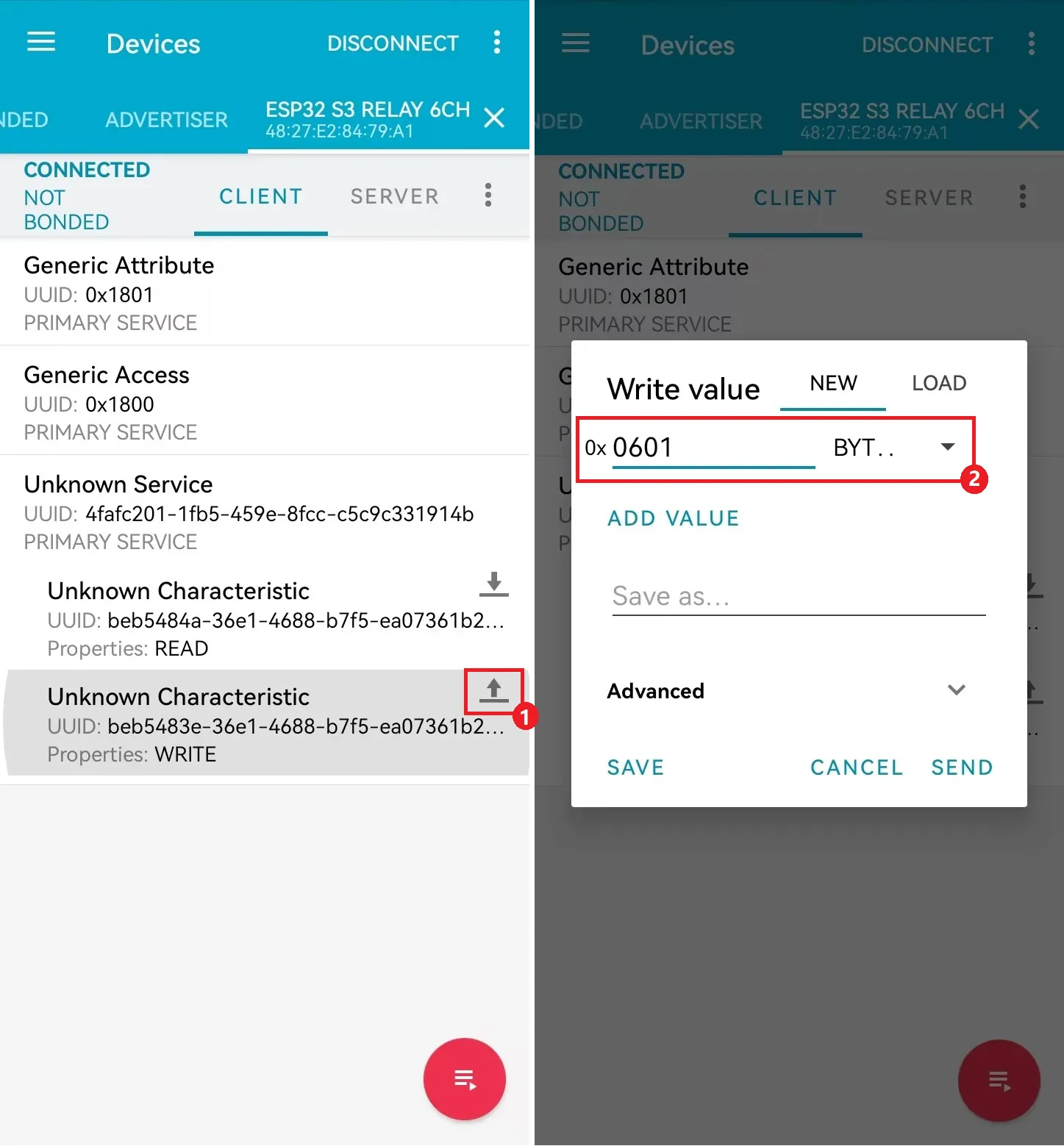
- Sending
0x06 0x01toggles the state of relay CH1.
- Sending
0x06 0x0Aturns off all relays.