Working with Windows
Hardware Connection
Before using the module, in addition to the Type-C USB cable, GNSS antenna, and LTE antenna, you will also need the following items:
- One 4G SIM card (active account with 4G/GPRS data service enabled)
Connection Steps
-
With the power off
- Insert an activated 4G SIM card
- Connect the USB cable to your computer
-
Use the Type-C USB cable
- Connect one end to a USB port on your PC
- Connect the other end to the USB port of the ESP32-S3-A7670E-4G
-
LED status after power-up
- The PWR LED lights up
- Wait approximately 3 to 5 seconds for the module to start
- The NET LED stays on: Module startup is complete
- The module automatically searches for the network; subsequently, the NET LED starts blinking
Device Recognition
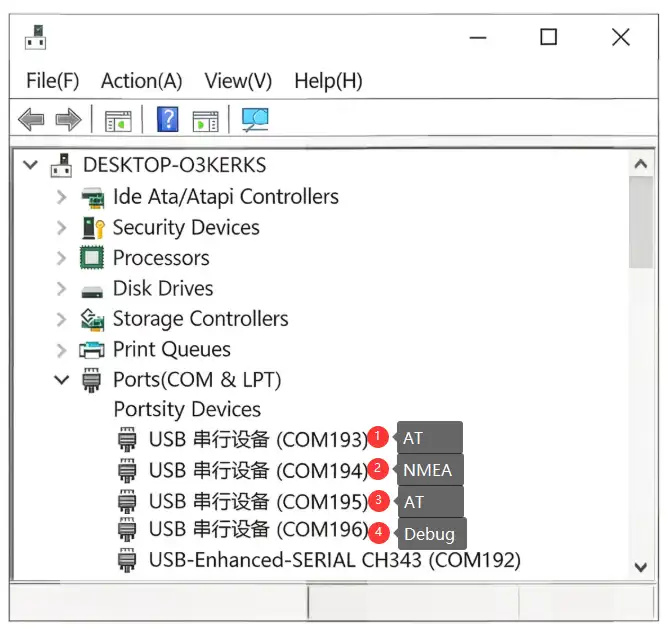
The SIM7670G typically does not require additional driver installation on mainstream Windows systems. After connecting the device via USB, you can see several new COM ports in Device Manager, as shown in the figure below:
Common AT Command Functions for Cat-1 Module
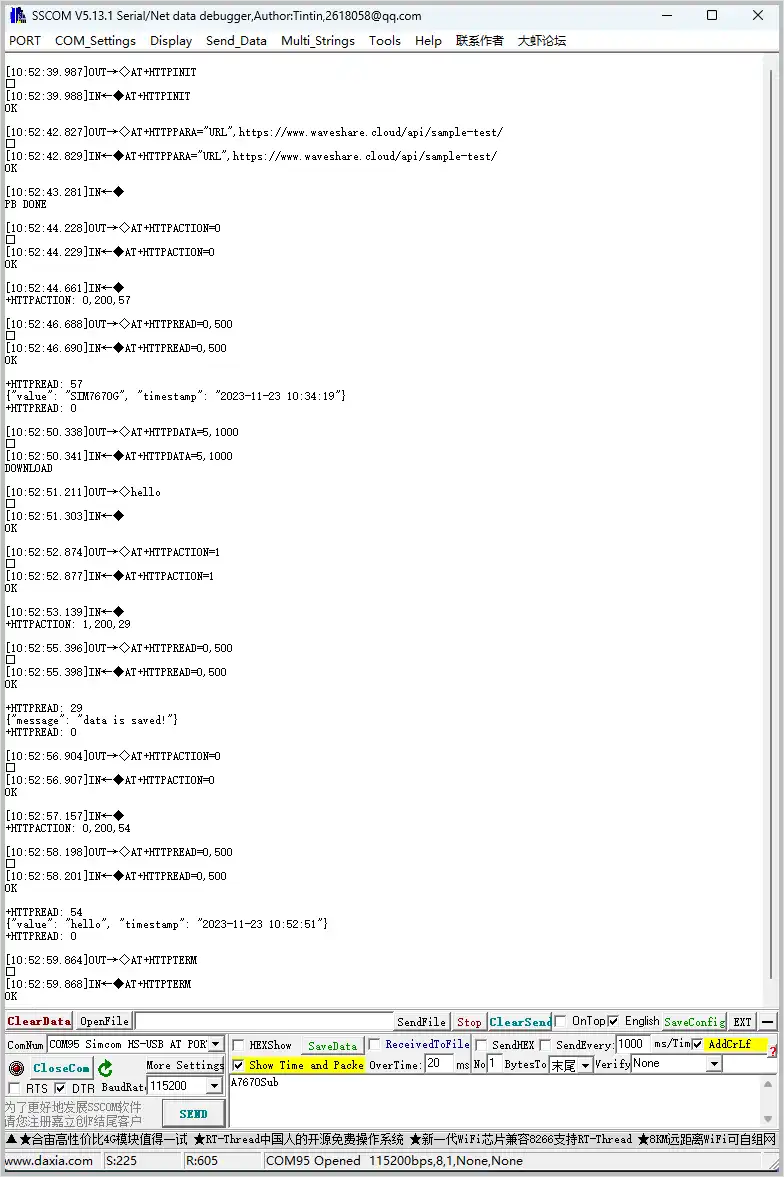
HTTP
| AT Command | Description | Response |
|---|---|---|
| AT+HTTPINIT | Initialize HTTP service | OK |
| AT+HTTPPARA="URL",https://www.waveshare.cloud/api/sample-test/ | Connect to remote server | OK |
| AT+HTTPDATA=5,1000 | Input data | DOWNLOAD Type helloOK |
| AT+HTTPACTION=0 | Start HTTP request 0:GET; 1:POST; 2:HEAD; 3:DELETE; 4:PUT | OK +HTTPACTION: 0,200,54 |
| AT+HTTPTERM | Terminate HTTP service | OK |
| AT+HTTPPARA | Set HTTP parameters | OK |
| AT+HTTPHEAD | Read HTTP response header | OK |
| AT+HTTPREAD | Read HTTP response data | OK |
MQTT
| AT Command | Description | Response |
|---|---|---|
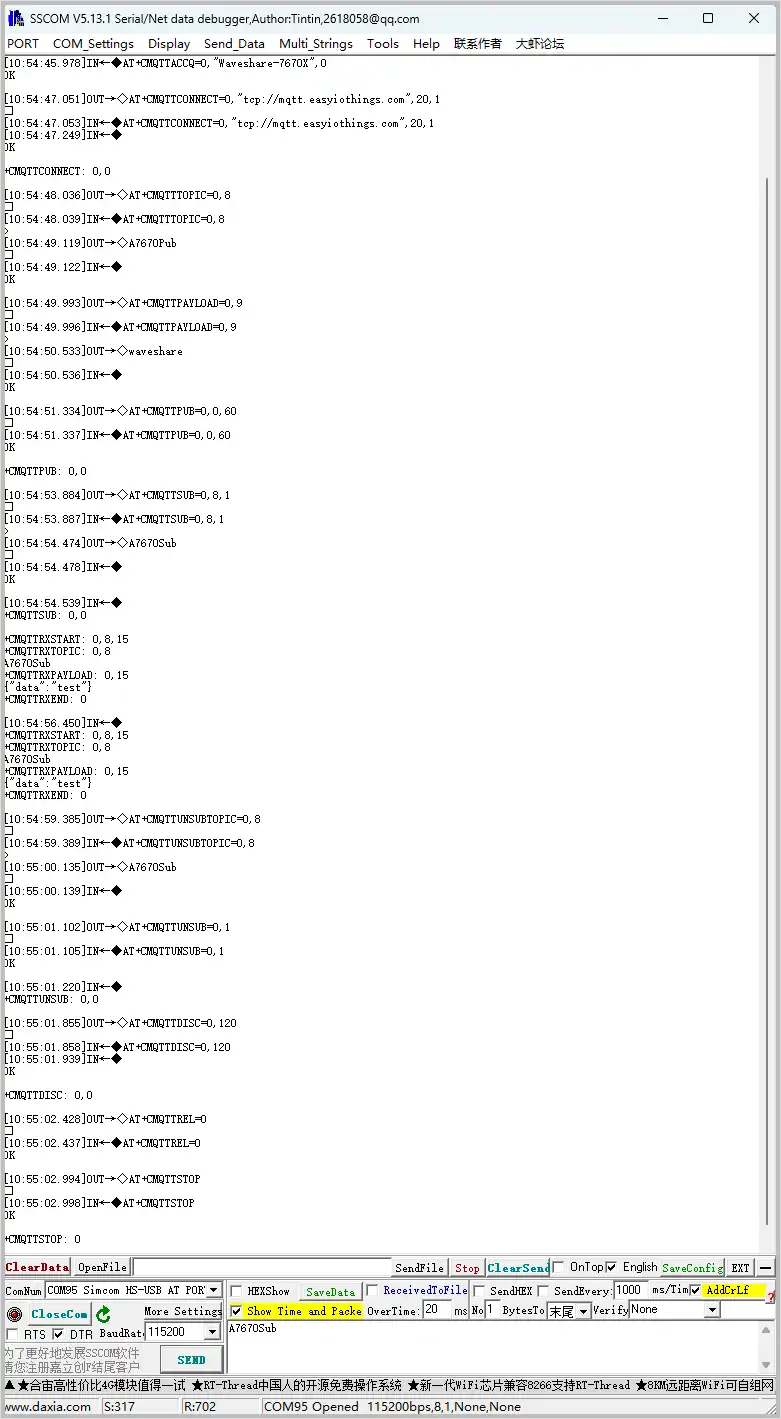
| AT+CMQTTSTART | Start MQTT service | OK |
| AT+CMQTTACCQ=0,"Waveshare-7670X",0 | Request an MQTT client | OK |
| AT+CMQTTCONNECT=0,"tcp://mqtt.easyiothings.com",20,1 | Send MQTT connection request, connect to private MQTT server (MQTTS) | OK |
| AT+CMQTTTOPIC=0,8 | Set the topic for publishing | >A7670Pub OK |
| AT+CMQTTPAYLOAD=0,9 | Set the payload for publishing | OK >waveshare |
| AT+CMQTTPUB=0,0,60 | Publish message | OK +CMQTTPUB: 0,0 |
| AT+CMQTTSUB=0,8,1 | Subscribe to a topic | >A7670Sub OK +CMQTTSUBTOPIC: 0,0 [10:03:39.665] Received←◆ +CMQTTRXSTART: 0,8,15 +CMQTTRXTOPIC: 0,8 A7670Sub +CMQTTRXPAYLOAD: 0,15 {"data":"test"}+CMQTTRXEND: 0 |
| AT+CMQTTSTOP | Stop MQTT service | OK |
| AT+CMQTTREL | Release MQTT client | OK |
| AT+CMQTTUNSUBTOPIC | Release subscribed topic | OK |
| AT+CMQTTUNSUB | Unsubscribe | OK |
GNSS
| AT Command | Description | Response |
|---|---|---|
| AT+CGNSSPWR=1 | Power on GNSS | +CGNSSPWR: READY! |
| AT+CGNSSTST=1 | Enable GNSS data output | OK |
| AT+CGNSSPORTSWITCH=1,0 | Switch NMEA data to USB NMEA output | OK |
| AT+CGNSSPORTSWITCH=0,1 | Switch NMEA data to UART output | OK |
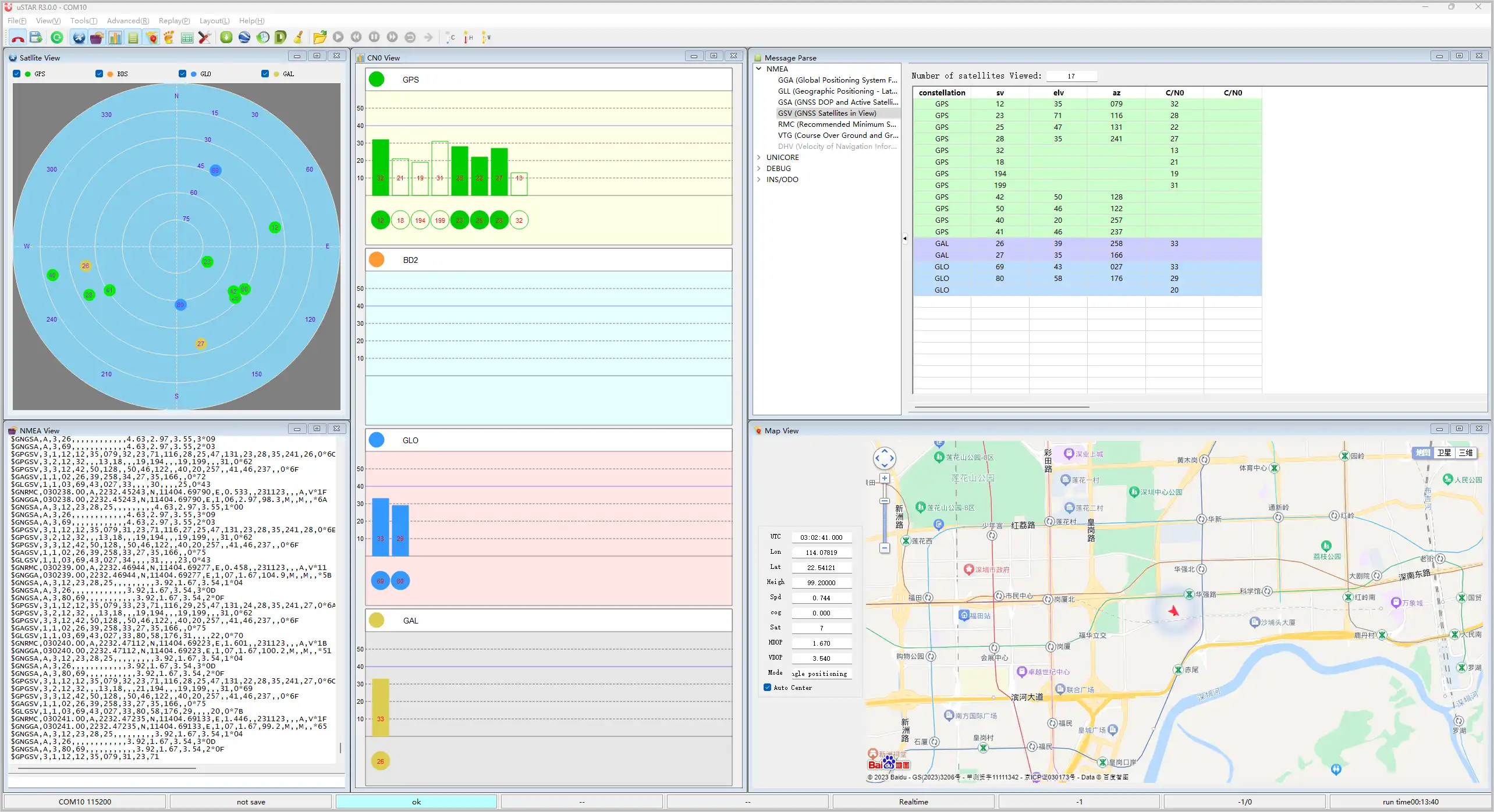
| AT+CGPSINFO | Get current GNSS data | Position information |