ESP32-S3-Tiny
- ESP32-S3-Tiny
- ESP32-S3-Tiny-N8R8
- ESP32-S3-Tiny-Kit
- ESP32-S3-Tiny-N8R8-Kit
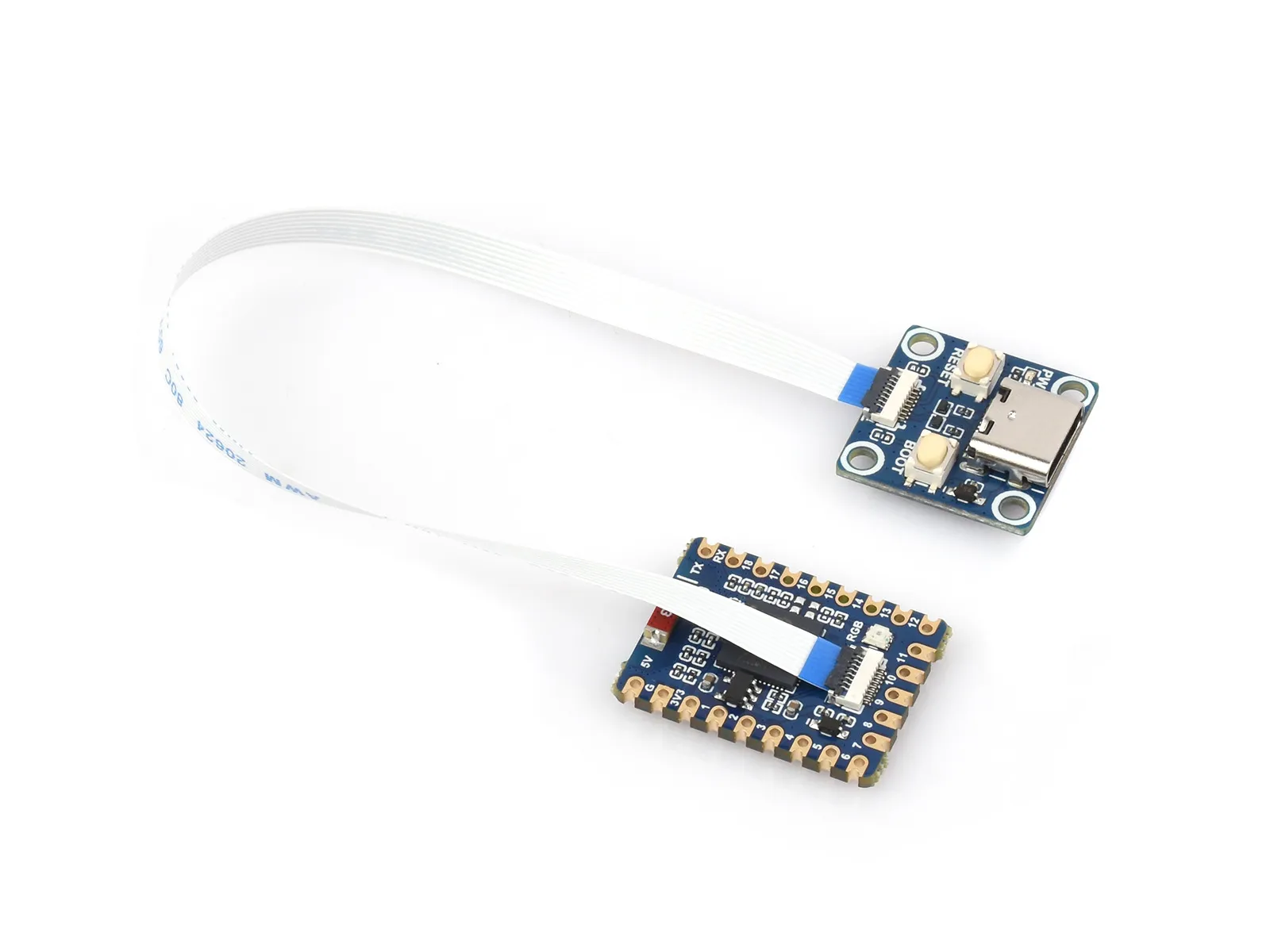
Product Overview
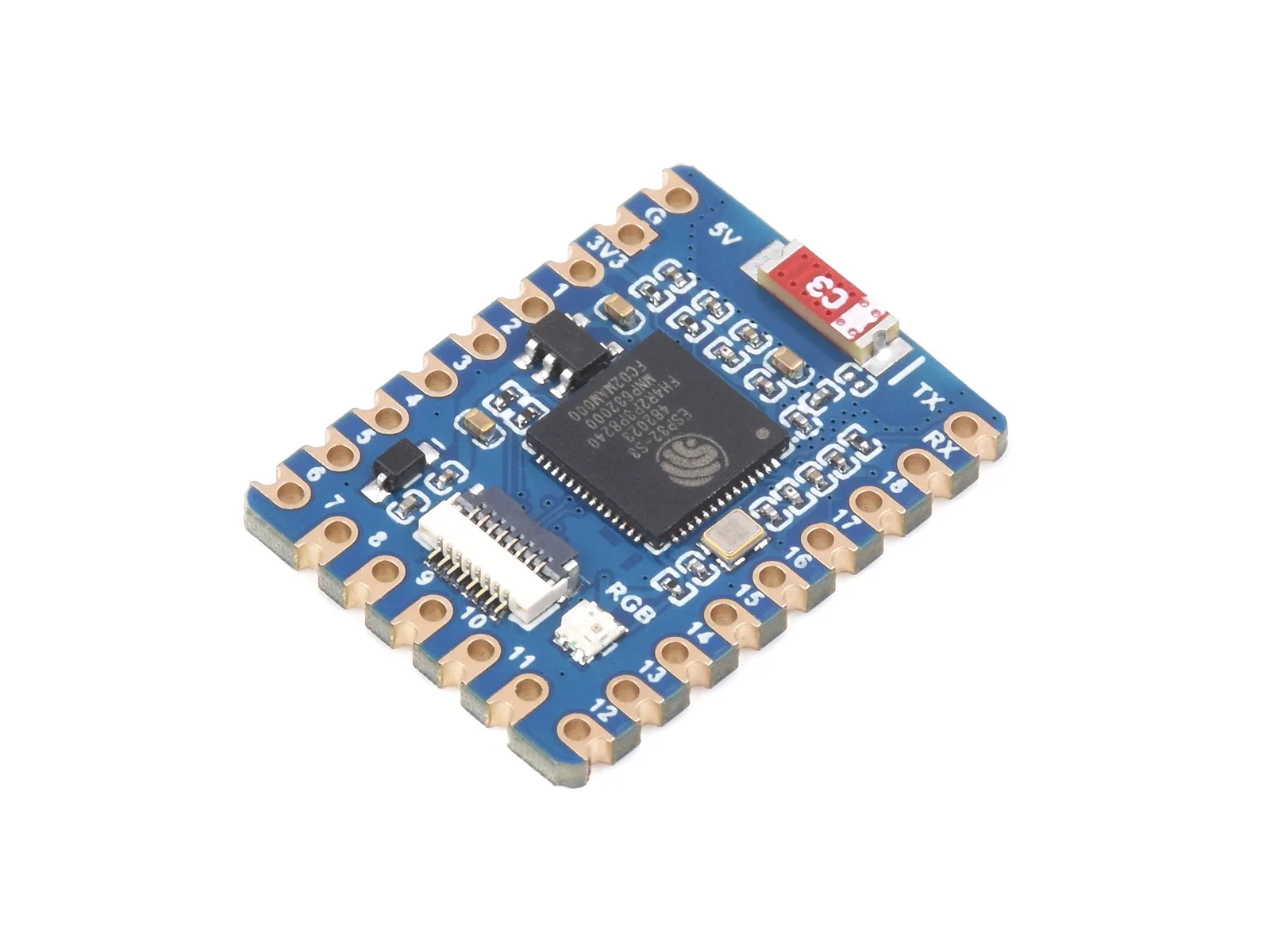
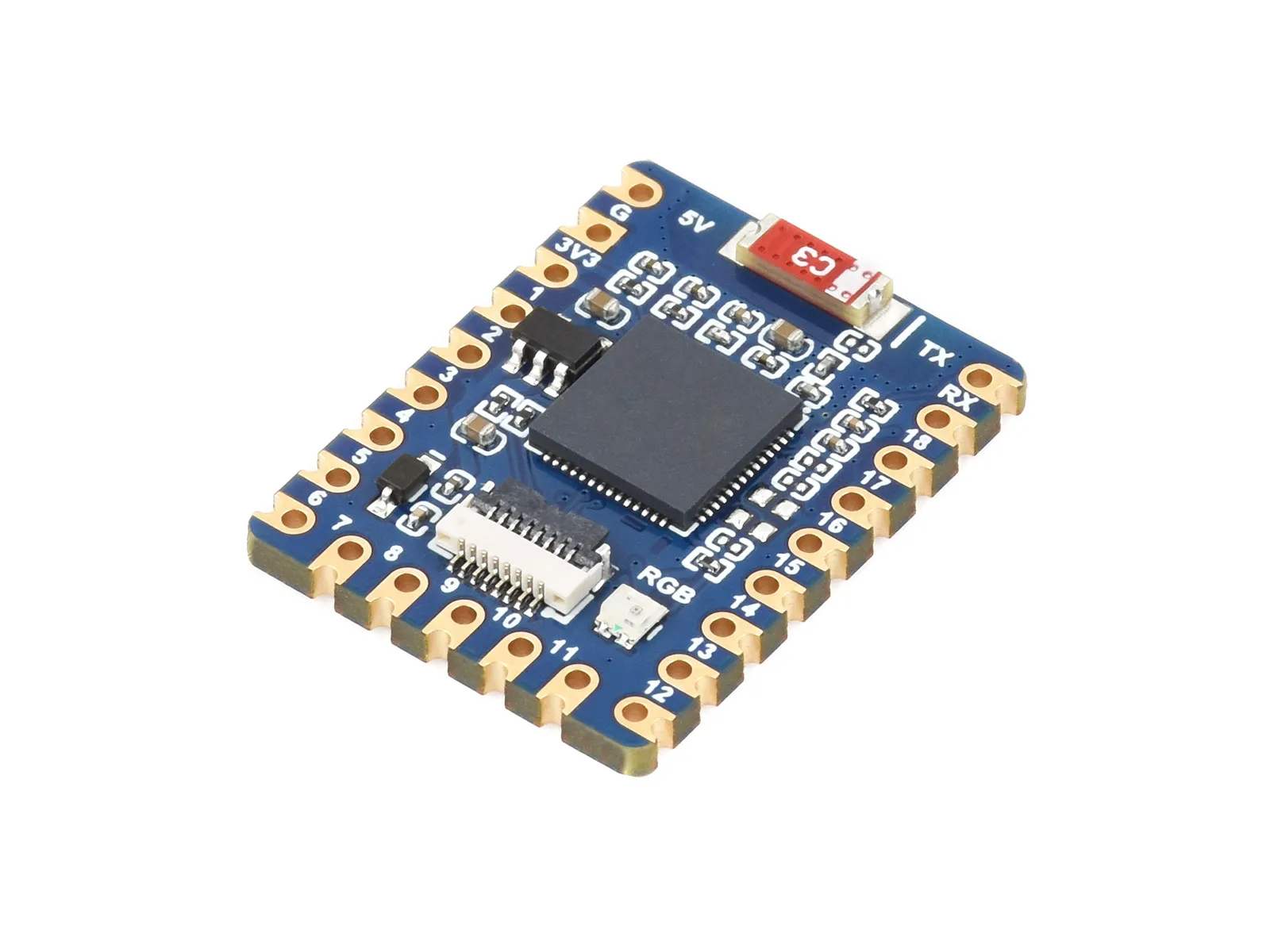
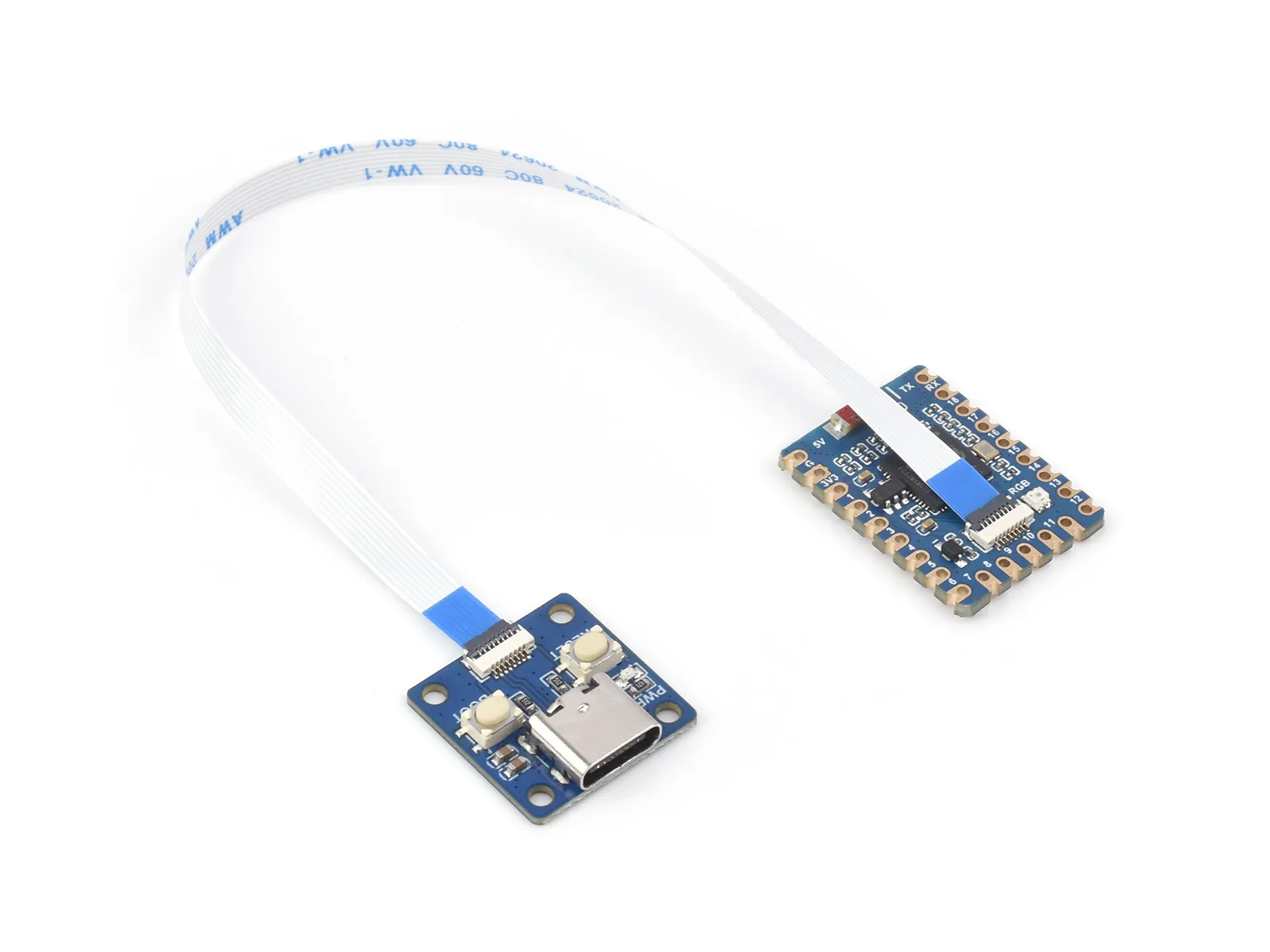
The ESP32-S3-Tiny is a compact microcontroller development board equipped with multiple digital interfaces. The product adopts a split design, separating the USB and button circuits to reduce the overall thickness and size of the PCB board. It brings out 34 GPIOs in an extremely small form factor, making it easier for users to integrate into their projects. The split design, compact size, and very thin profile make this board ideal for projects requiring a small footprint.
Hardware-wise, it is built around the ESP32-S3 chip, which integrates a high-performance Xtensa® 32-bit LX7 dual-core processor, an ultra-low-power coprocessor, Wi-Fi baseband, Bluetooth baseband, RF module, and various peripherals. It can be expanded with a wide range of external devices for greater convenience.
On the software side, you can choose to develop in the ESP-IDF development environment or on the Arduino IDE, making it easy and quick to get started and apply it to products.
If you are looking for:
- Coding with AI tools: Click Ask AI and select an AI tool to ask questions about this page, or choose Copy page to copy its content and paste it into an AI tool for coding assistance.
- Schematics, datasheets, and example code: See Resources
- Arduino development: See Working with Arduino
- ESP-IDF development: See Working with ESP-IDF
- MicroPython development: See Working with MicroPython
- Troubleshooting: See Product FAQ or contact Technical Support
| SKU | Product |
|---|---|
| 27069 | ESP32-S3-Tiny |
| 33914 | ESP32-S3-Tiny-N8R8 |
| 27070 | ESP32-S3-Tiny-Kit |
| 33915 | ESP32-S3-Tiny-N8R8-Kit |
Features
- ESP32-S3 chip with integrated high-performance Xtensa® 32-bit LX7 dual-core processor running at up to 240 MHz
- Integrated 512 KB SRAM, 384 KB ROM, 16 KB RTC SRAM, 2MB PSRAM, and 4MB Flash memory
- Integrated Bluetooth LE and 2.4 GHz Wi-Fi with excellent RF performance
- USB Type-C interface, eliminating concerns about plug orientation
- Rich peripheral interfaces brought out for flexible implementation of various functions
- Supports multiple low-power operating states, allowing adjustment of the balance between communication rate and power consumption for various application scenarios
Resource Interfaces
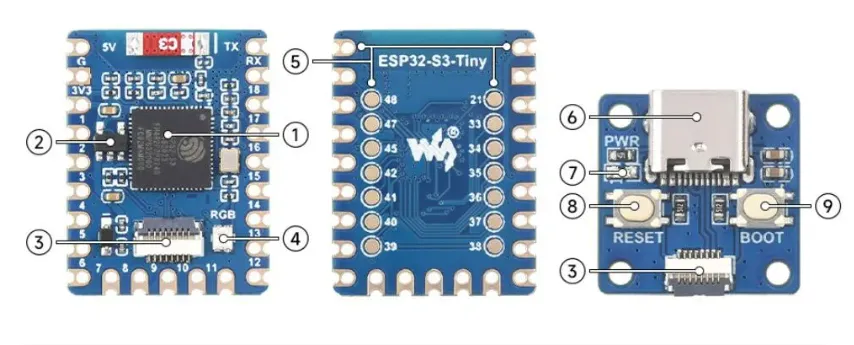
- ESP32-S3 Dual-core processor, operating frequency up to 240MHz
- ME6217C33M5G Low dropout LDO, current (Max) 800mA
- FPC Connector 0.5mm pitch, 8PIN
- WS2812 RGB LED indicator
- GPIO Pins
- USB Type-C Port
- Power Indicator
- RESET Button Reset pin
- BOOT button
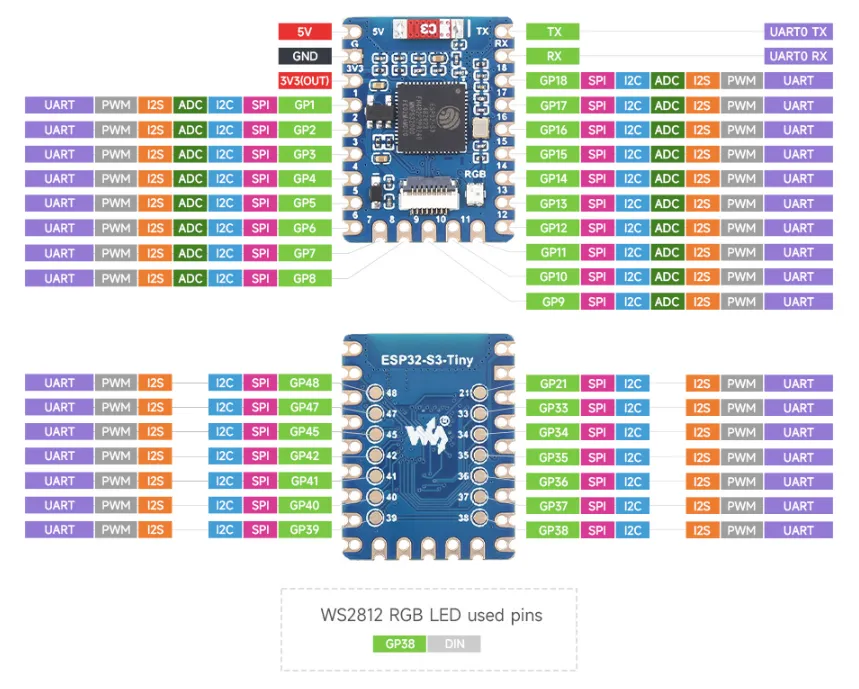
Pinout Definition
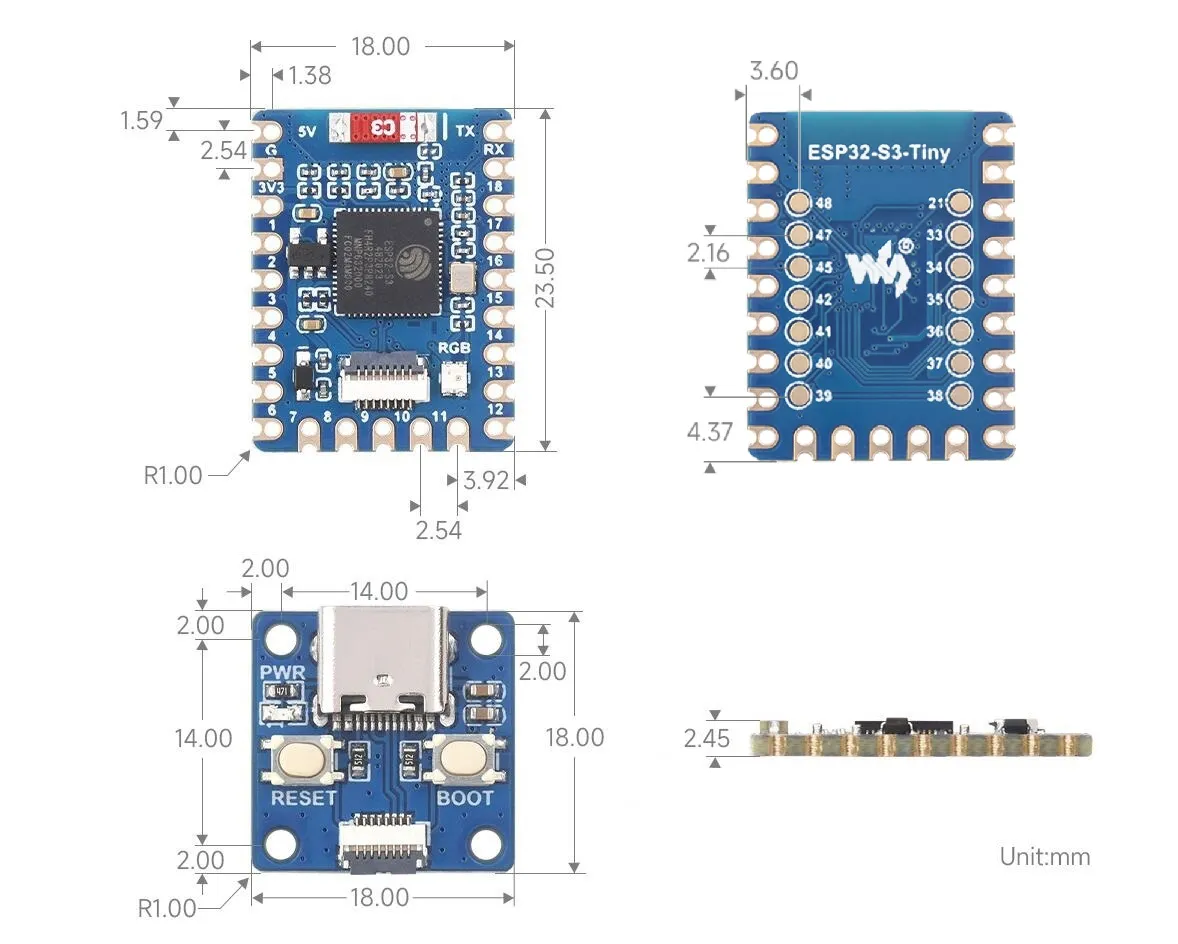
Dimensions
FPC Cable Installation
Please read this entire section and the precautions carefully before installing the FPC cable, otherwise it may cause device damage or short circuits!
- Do not plug or unplug the FPC cable while the device is powered, otherwise a short circuit may occur.
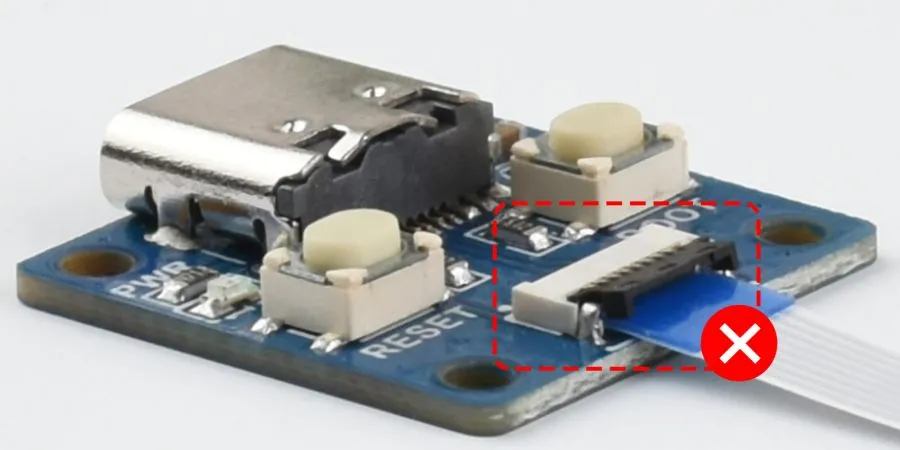
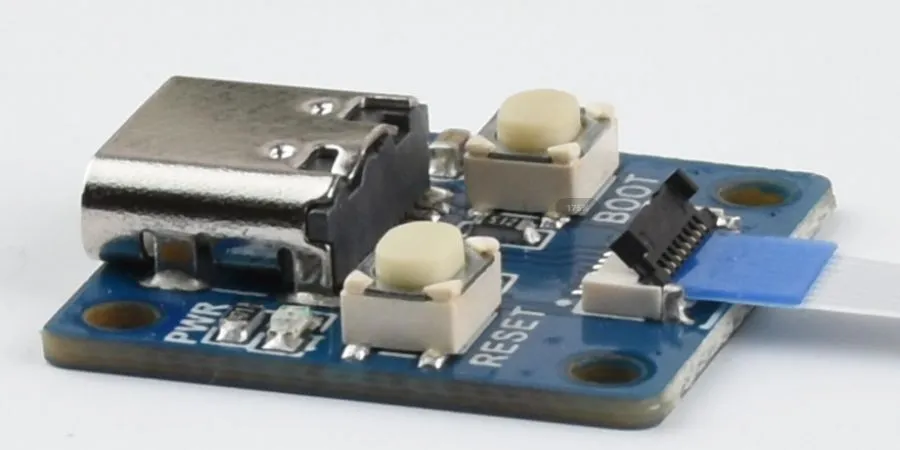
- When installing the FPC cable, make sure it is centered and inserted all the way to the bottom. Incorrect installation may cause connection issues or even a short circuit.
-
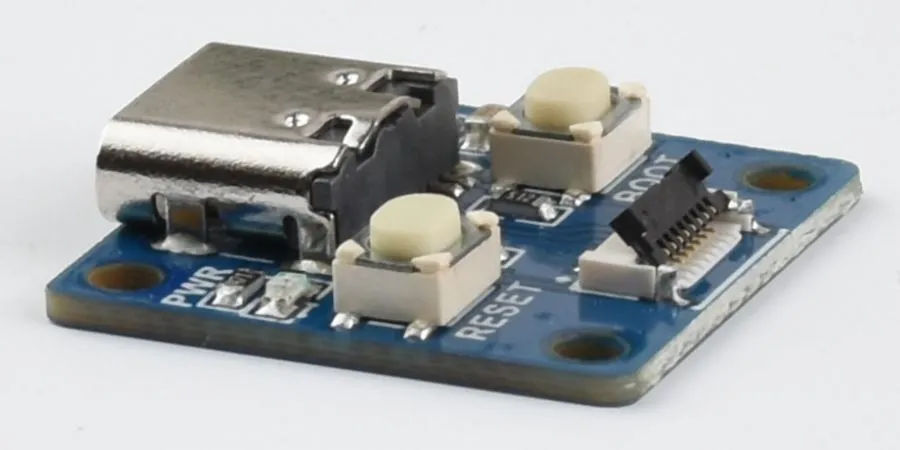
Open the FPC connector flap
-
Install the FPC cable. Make sure to insert the cable exactly in the center.
-
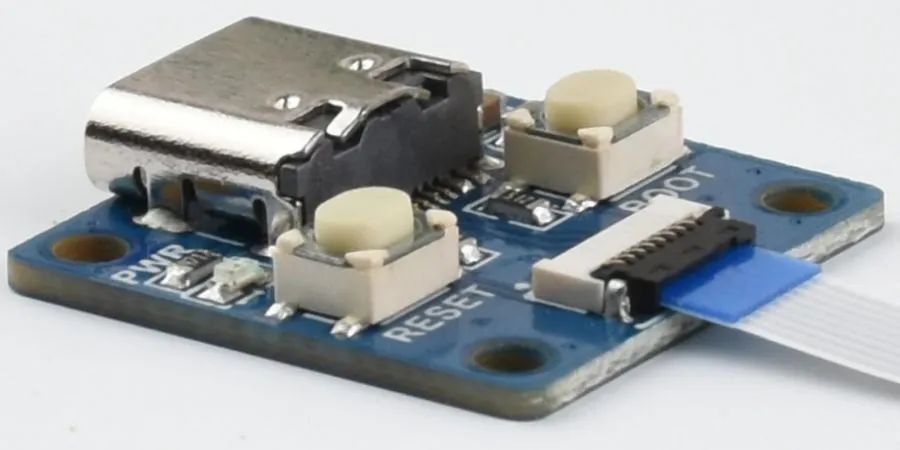
Close the flap. Under normal conditions, the flap can be fully closed.
-
If the cable is not properly seated, the flap will not close correctly. Adjust the cable position and try closing the flap again.