ESP32-S3-Touch-AMOLED-1.8
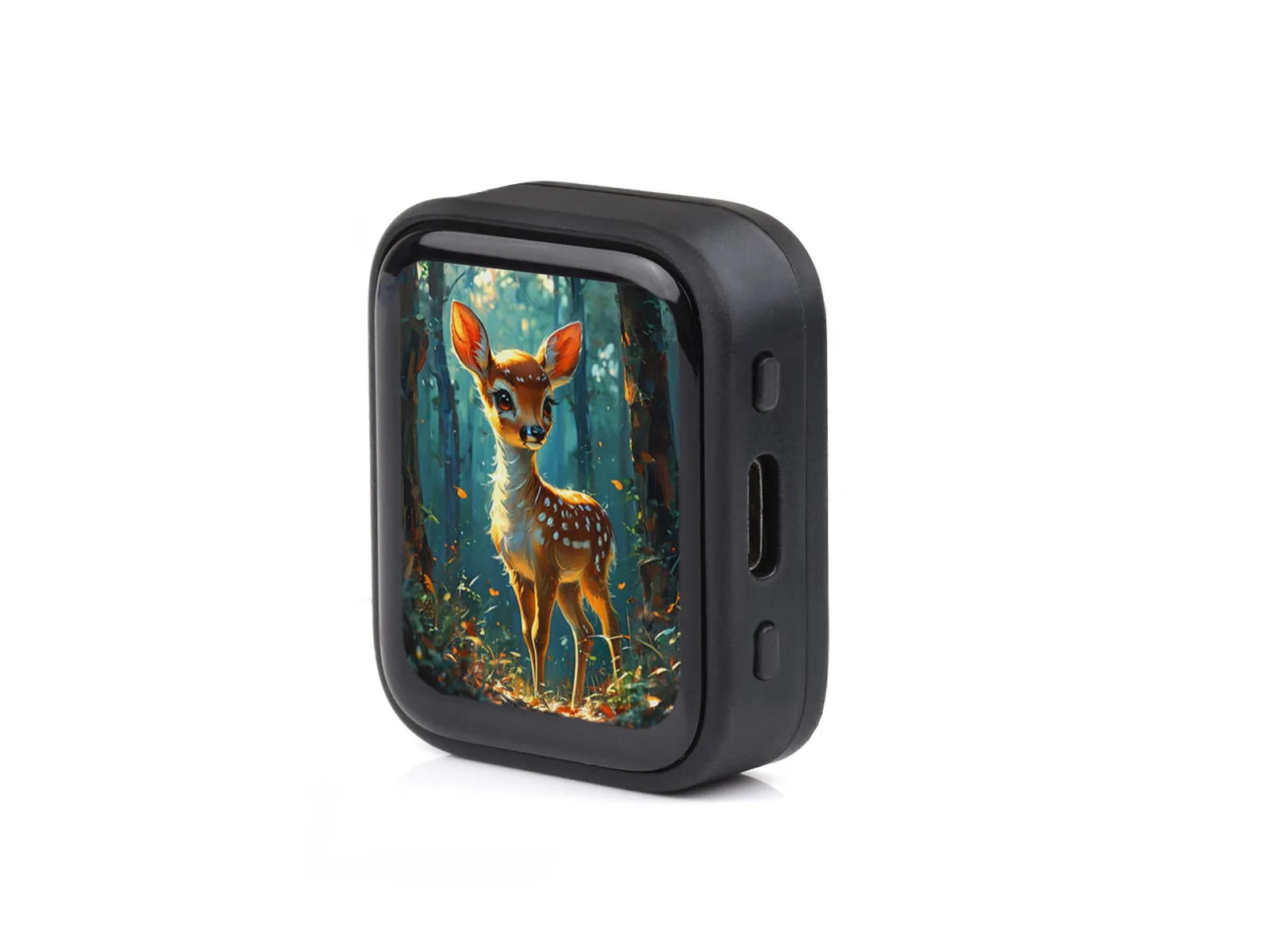
ESP32-S3-Touch-AMOLED-1.8 is a high-performance MCU board designed by Waveshare. Despite its compact size, it features a 1.8inch capacitive touch AMOLED screen, power management chip, 6-axis IMU sensor (3-axis accelerometer and 3-axis gyroscope), RTC, TF slot, microphone, speaker and various other peripherals on board for easy development and embedding into the product.
| SKU | Product |
|---|---|
| 29957 | ESP32-S3-Touch-AMOLED-1.8 |
| 29958 | ESP32-S3-Touch-AMOLED-1.8-EN |
Features
- Equipped with a high-performance Xtensa® 32-bit LX7 dual-core processor clocked at up to 240 MHz
- Supports 2.4 GHz Wi-Fi (802.11 b/g/n) and Bluetooth® 5 (LE) with an onboard antenna
- Built-in 512KB SRAM and 384KB ROM, with stacked 8MB PSRAM and external 16MB Flash
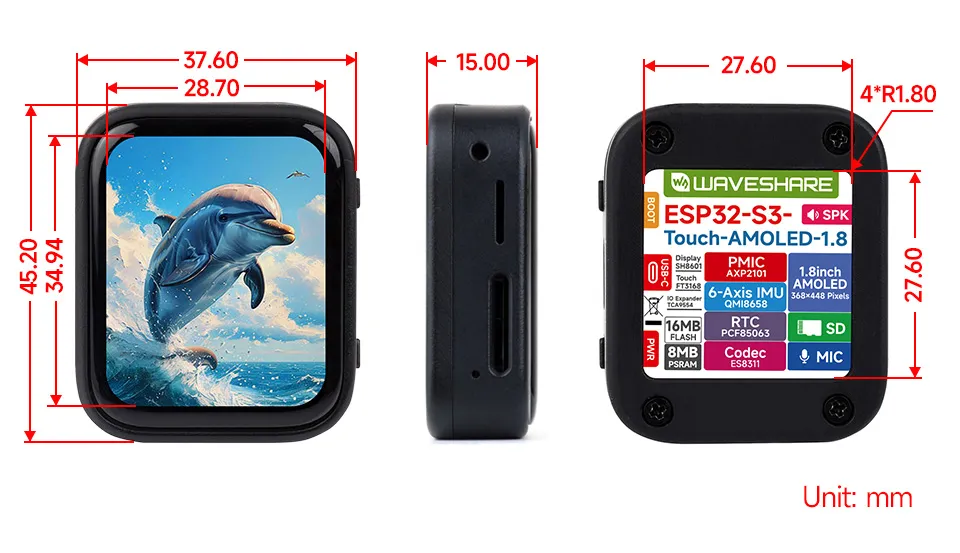
- Onboard 1.8inch capacitive touch AMOLED screen, 368×448 resolution, 16.7M colors, capable of displaying color images clearly
Hardware Description
- Onboard 1.8inch capacitive touch high‑definition AMOLED screen, 368×448 resolution, 16.7M colors, capable of displaying color images clearly
- Built-in SH8601 driver chip and FT3168 capacitive touch controller chip, communicating via QSPI and I2C interfaces respectively, minimizing the use of I/O pins
- Onboard QMI8658 6-axis IMU (3-axis accelerometer, 3-axis gyroscope) for motion posture detection, step counting, etc.
- Onboard PCF85063 RTC chip, powered by Lithium Batt through AXP2101 chip for uninterrupted power supply, with reserved RTC Batt pads for connecting a backup Batt, ensuring RTC function during the replacement of the main battery
- Onboard PWR and BOOT side buttons, configurable for custom function development
- Onboard 3.7V MX1.25 lithium battery charge/discharge interface
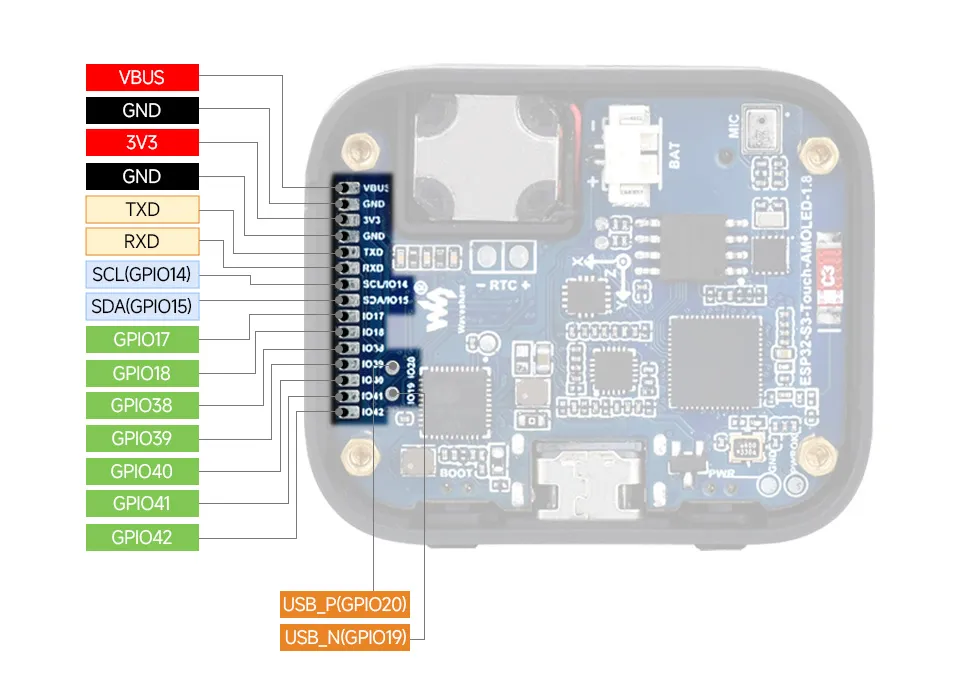
- Exposes 7 GPIO pins, 1 I2C, 1 UART, and 1 USB solder pad for connecting external devices and debugging, allowing flexible peripheral configuration
- Onboard TF card slot for storage expansion, fast data transfer, and flexibility, suitable for data logging and media playback, simplifying circuit design
- Benefits of using AXP2101 include efficient power management, support for multiple output voltages, charging and battery management functions, and optimized battery life
- The AMOLED screen offers higher contrast, wide viewing angles, rich colors, fast response time, thin design, low power consumption, and flexibility
Onboard Resources
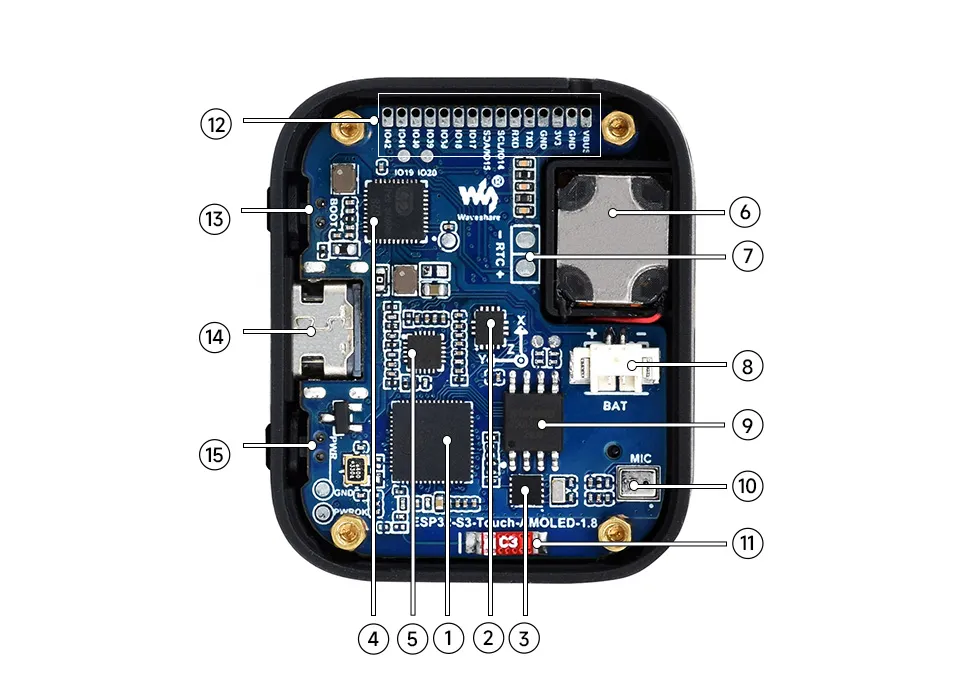
- ESP32-S3R8 WiFi and Bluetooth SoC, 240MHz operating frequency, stacked 8MB PSRAM
- QMI8658 6-axis Inertial Measurement Unit (IMU), integrating a 3-axis accelerometer and 3-axis gyroscope
- PCF85063 RTC real-time clock chip
- AXP2101 Highly integrated power management chip
- ES8311 Audio codec, driving microphone input and speaker output via I²S interface
- Speaker Onboard audio output, driven by ES8311
- Backup Battery Pad Dedicated solder pad that keeps the RTC continuously powered when replacing the main battery, preventing time loss
- MX1.25 Lithium Battery Connector MX1.25 2P connector for connecting a 3.7V lithium battery, supporting both charging and discharging
- 16MB NOR Flash Mounted via SPI interface, available for storing firmware, UI assets, and user data
- Microphone Onboard analog microphone that captures ambient audio, which is converted from analog to digital by the ES8311 and then processed by the ESP32-S3
- Onboard Chip Antenna Supports 2.4 GHz Wi-Fi (802.11 b/g/n) and Bluetooth® 5 (LE)
- Reserved 1mm Pitch GPIO Pads Exposes available IO pins for connecting external expansion modules
- BOOT Button Hold during power-on to enter firmware download mode; can be assigned custom functions at runtime
- Type-C Connector ESP32-S3 USB interface for flashing firmware and log output
- PWR Power Button Controls power on/off, with support for customizable long-press/short-press behavior
Pinout Definition
Dimensions
Screen Description
Touch and its Controller
- This touch screen is composed of tempered glass on the surface and a film layer, offering high strength, hardness, and good light transmission. It uses the FT3168 self‑capacitance touch controller, which supports the standard I2C communication protocol and allows configurable communication rates from 10kHz to 400kHz.
Result Display
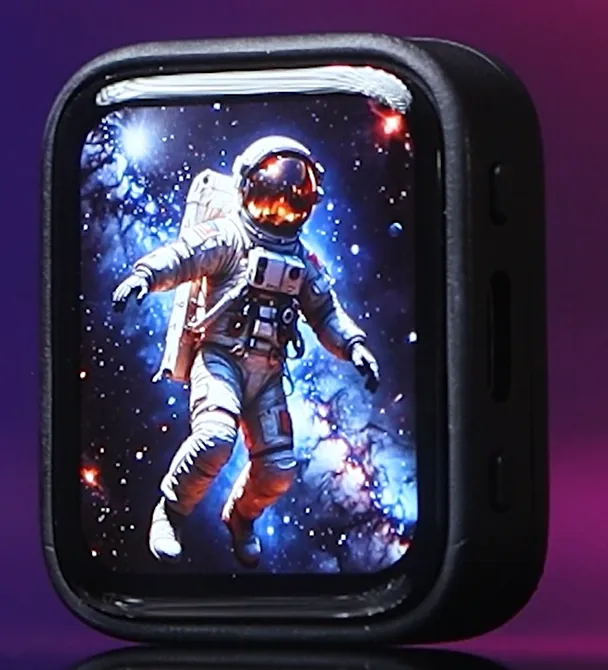 | 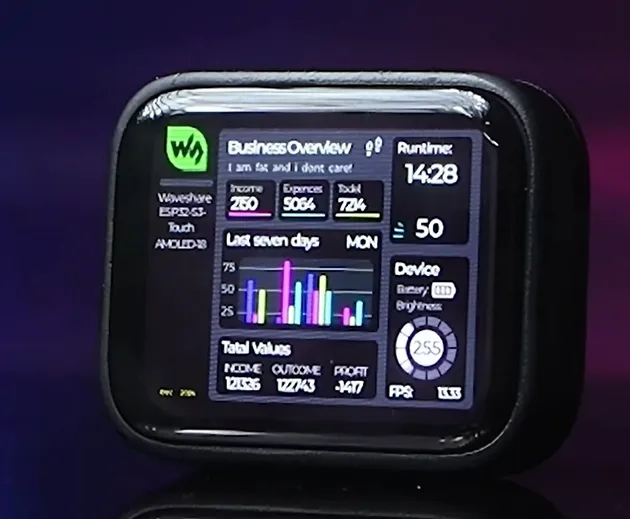 | 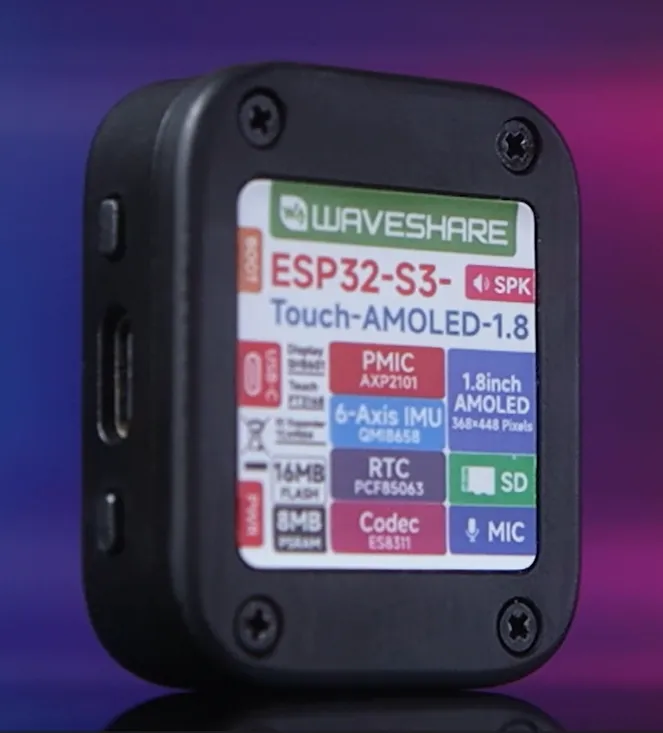 | 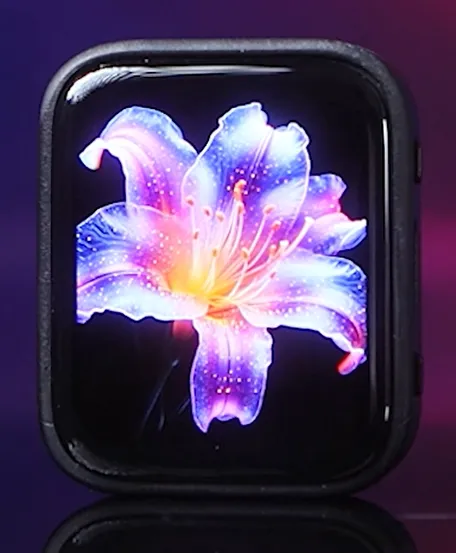 |
|---|
Development Methods
The ESP32-S3-Touch-AMOLED-1.8 supports two development frameworks: Arduino IDE and ESP-IDF, providing flexibility for developers to choose the tool that best fits their project requirements and personal preference.
Both development methods have their own advantages. Developers can choose based on their needs and skill levels. Arduino is simple to learn and quick to start, suitable for beginners and non-professionals. ESP-IDF provides more advanced development tools and stronger control capabilities, suitable for developers with professional backgrounds or higher performance requirements, and is more appropriate for complex project development.
-
Arduino IDE is a convenient, flexible, and easy-to-use open-source electronics prototyping platform. It requires minimal foundational knowledge, allowing for rapid development after a short learning period. Arduino has a huge global user community, providing a vast amount of open-source code, project examples, and tutorials, as well as a rich library ecosystem that encapsulates complex functions, enabling developers to implement various features rapidly. You can refer to the Working with Arduino to complete the initial setup, and the tutorial also provides related demos for reference.
-
ESP-IDF, short for Espressif IoT Development Framework, is a professional development framework launched by Espressif Systems for its ESP series of chips. It is based on C language development and includes compilers, debuggers, flashing tools, etc. It supports development via command line or integrated development environments (such as Visual Studio Code with the Espressif IDF plugin), which provides features like code navigation, project management, and debugging. We recommend using VS Code for development. For the specific configuration process, please refer to the Working with ESP-IDF. The tutorial also provides relevant demos for reference.