Working with Arduino
This chapter contains the following sections. Please read as needed:
Setting Up Development Environment
1. Installation and Configuration
- For setting up the Arduino environment and basic usage, please refer to this R4 link; R3 comes pre-installed by default.
- After setting up the environment, connect the sensor and download the example package.
2. Hardware Configuration
- The IO level of the Arduino development board must be 3.3V. If using a 5V IO level, level conversion is required; otherwise, the sensor may be damaged.
- When using Waveshare R3/R4, set the following jumper caps to 3.3V before use.
| Image | Description |
|---|---|
 | Arduino UNO R3 |
 | Arduino UNO R4 |
 | Arduino UNO R4 WIFI |
Example
Hardware Connection
Refer to the following diagrams for connection
| Image | Description |
|---|---|
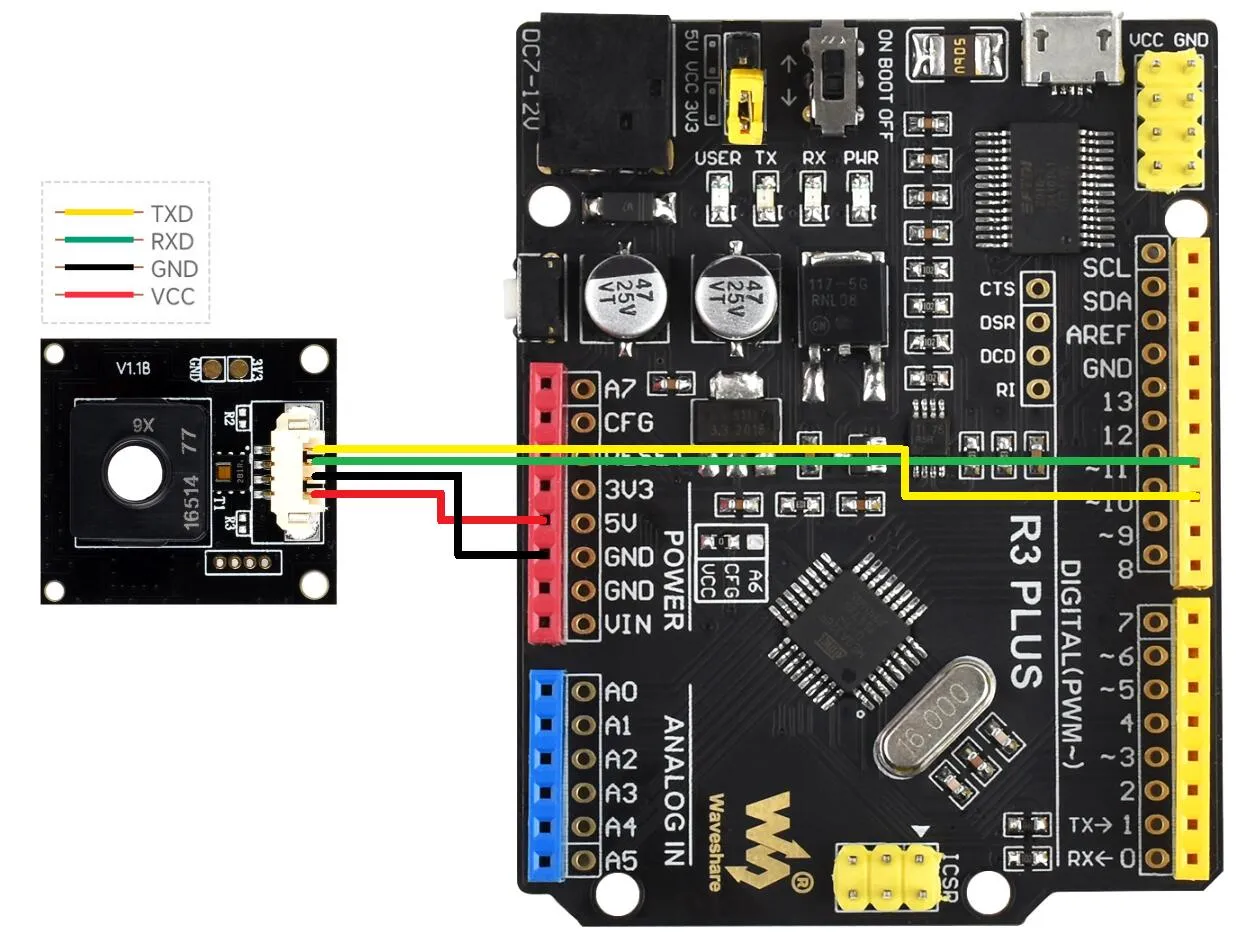 | Arduino UNO R3 |
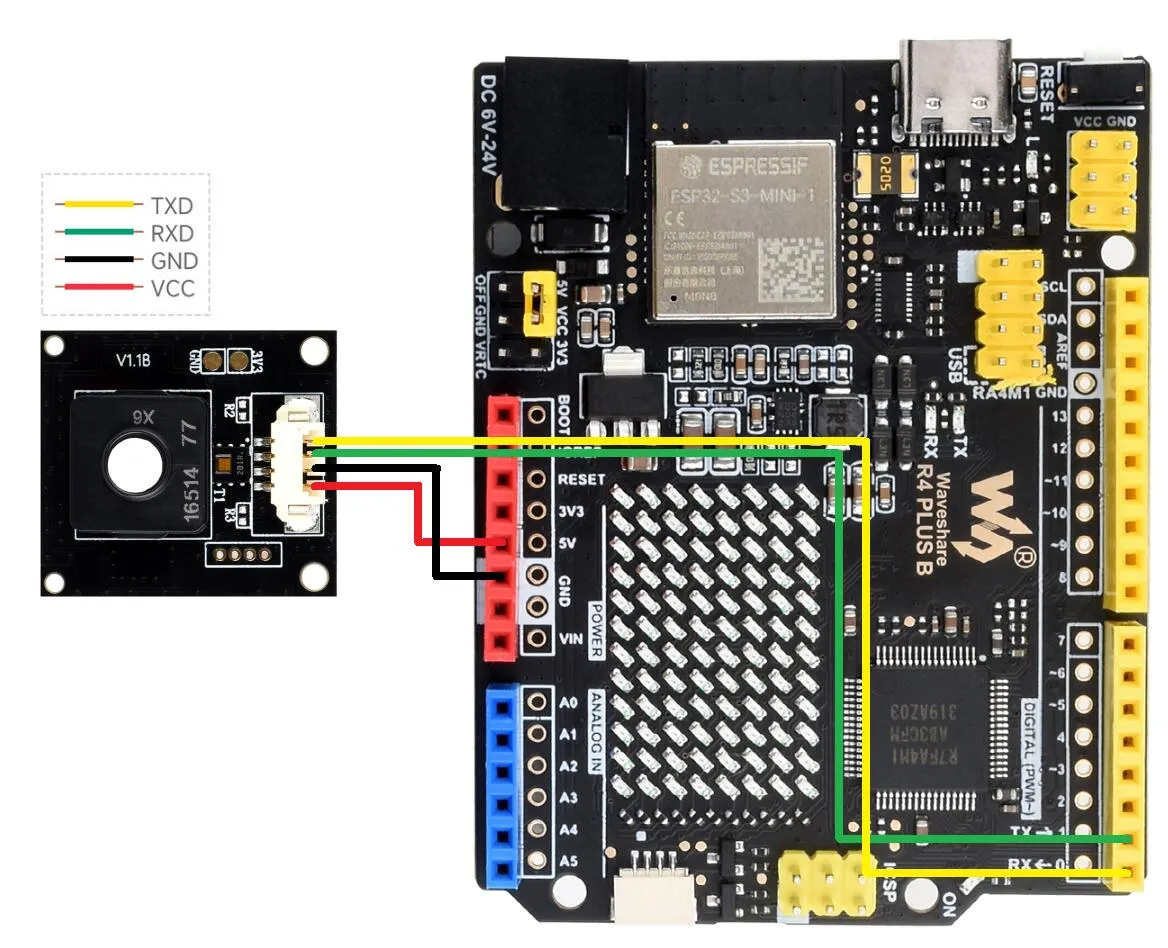 | Arduino UNO R4 |
Runn Program
- Navigate to
Environment-X6-Sensor\examples\arduino\environment_x6_sensor_testand double-click theenvironment_x6_sensor_test.inofile. - Select the development board:
| Image | Description |
|---|---|
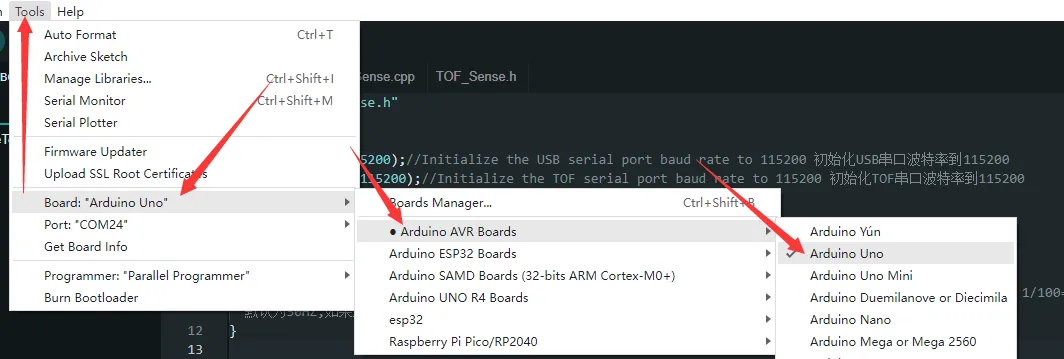 | Arduino UNO R3 |
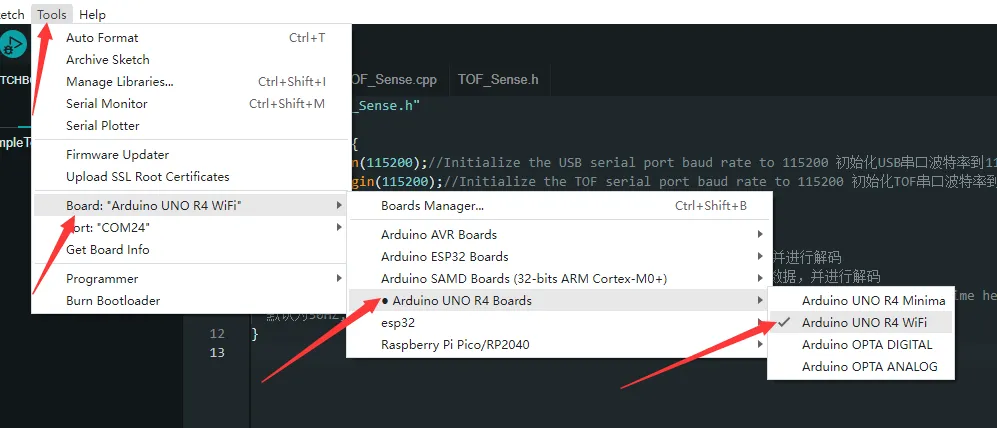 | Arduino UNO R4 |
- Select the port for the development board, then compile and upload.
- After the upload is completed, open the serial port monitor, and the relevant information will be output