Web Usage Guide
First-Time Use
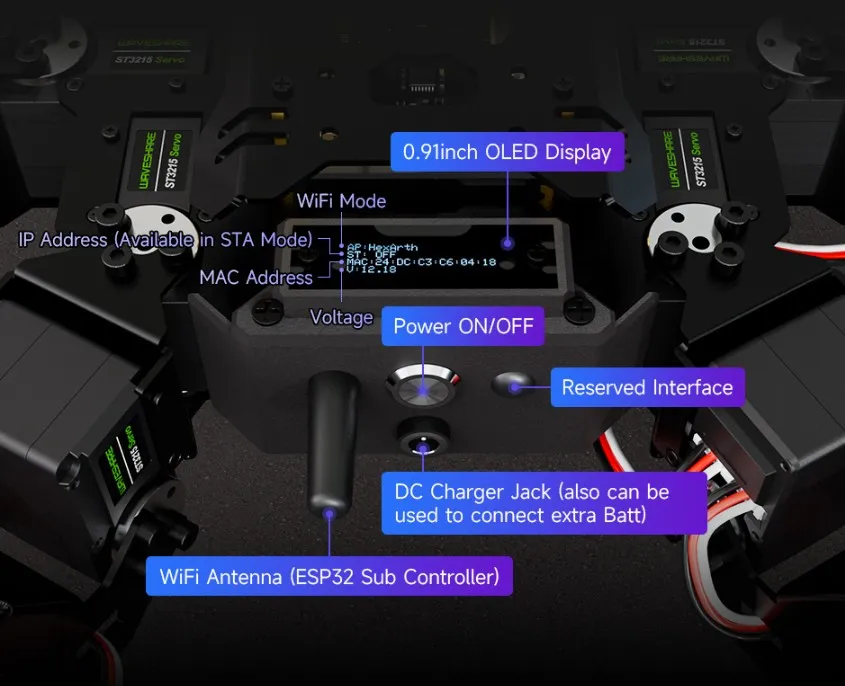
For first-time use, insert the provided 12.6V 2A charger into the robot's power interface. After turning on the power switch, the robot will initialize, and the OLED screen will display a series of initialization information.
-
After power-on, the content displayed on the OLED screen has the following meanings:
- The first line indicates that the Wi-Fi is in AP mode; the robot has created a hotspot named HexArth;
- The second line indicates that STA mode is off. When Wi-Fi is in STA mode, the router will assign an IP address to the robot and display it;
- The third line shows the device's MAC address, which is unique and used for ESP-NOW communication;
- The fourth line, "U", indicates the robot's power supply voltage.
-
After power-on, connect your phone or computer to the robot's Wi-Fi: HexArth, password 12345678. After connecting to the Wi-Fi, open Google Chrome and enter 192.168.4.1 in the address bar to open the web interface.
Web Usage Guide
Control Panel
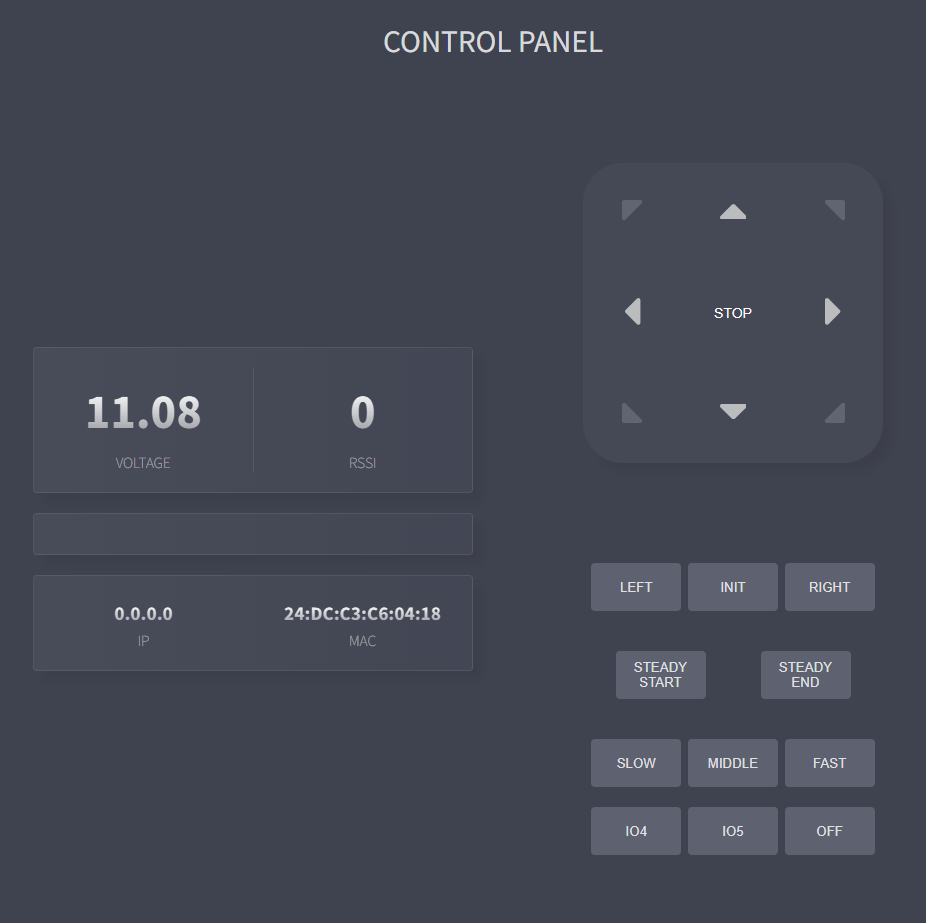
- This web interface displays real-time information such as the robot's voltage (VOLTAGE), Wi-Fi signal strength in STA mode (RSSI), IP address, and MAC address.
- Use the directional buttons to control the robot's movement. The LEFT and RIGHT buttons below the directional buttons control the robot's in-place rotation. INIT initializes the robot. STEADY START/END enables/disables the robot's self-balancing mode (when self-balancing mode is enabled, the robot's motion control buttons are disabled). The SLOW, MIDDLE, and FAST buttons below set the robot's movement speed.
- Other buttons become functional when external expansion modules are connected to the robot. IO4, IO5, and OFF control the LED lights.
Feedback Infomation

- In the FEEDBACK INFORMATION window, you can send JSON commands to the robot. Below the input box are the specific JSON commands.
- The web interface includes a "heartbeat detection" feature. When the web control interface is open, the web application continuously communicates with the robot. If the connection is lost during robot movement, the robot will automatically stop moving within a short time to avoid danger.
- This web application is fully open source. You can change the interface and functions of the web application by modifying
Claws_web_page.hin the open-source example.