FAQ
Q: Where can I download the driver for the device?
A: The device does not require an additional driver. Simply send Modbus commands via the device's RS485 interface to control the output and implement other functions.
Q: Can the slave address be set via DIP switches?
A: There are no DIP switches, but the address can be set using commands.
Q: What should I do if I forget the 485 communication parameters?
A: Please refer to the Modbus series BootLoader instructions to enter boot mode. Then you can select option 3 to read the communication parameters or option 2 to reset the communication parameters.
Q: What should I do if SecureCRT displays garbled text when entering boot mode?
A: Check if the 485 bus is reversed. If it is not reversed, connect a 120 Ω terminating resistor across the A and B lines.
Q: What is the power consumption of the device?
A: With a 12 V power supply, the reference power consumption in standby mode is 1.4 W. Please refer to actual conditions for specific power consumption.
Q: How do I set the pulse width and period?
A: The module supports setting frequency and duty cycle, but not pulse width and period directly. Pulse width and period must be calculated; the relationship is as follows:
Frequency: The number of times the PWM signal repeats per second, in Hz.
Period: The time required to complete one full cycle of the PWM signal, equal to the reciprocal of the frequency.
Pulse Width: The duration of the high level within one period.
Duty Cycle: The proportion of high level time to the entire period, usually expressed as a percentage.
Period (s) = 1 / Frequency

Pulse Width (s) = Duty Cycle (%) / (100 × Frequency)

To convert to microseconds (μs), multiply the result by 1,000,000.
Q: How do I switch between 3.3V and 5V output?
A: Adjustment can be made via the jumper cap inside the module.
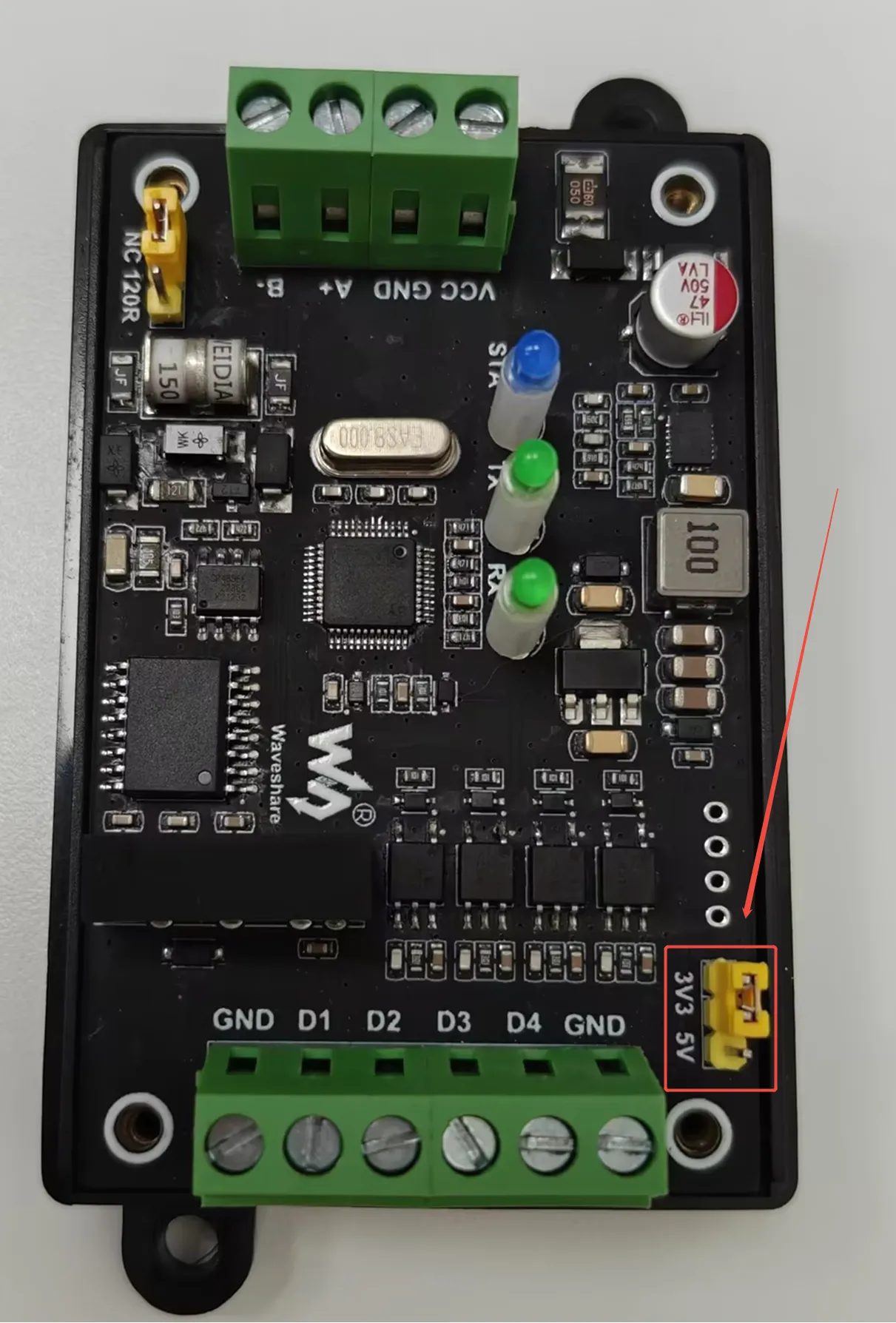
Q: What is the operating temperature range?
A: Verified by testing, the module can operate normally in the temperature range of -40℃ to 85℃.