Software Configuration
info
If you purchased the pre-assembled version (PocketTerm35-Pi4 / Pi5):
It is ready to use out of the box, no additional configuration required
- Default username:
pi - Default password:
raspberry
Method 1: Flash Official Image and Configure
-
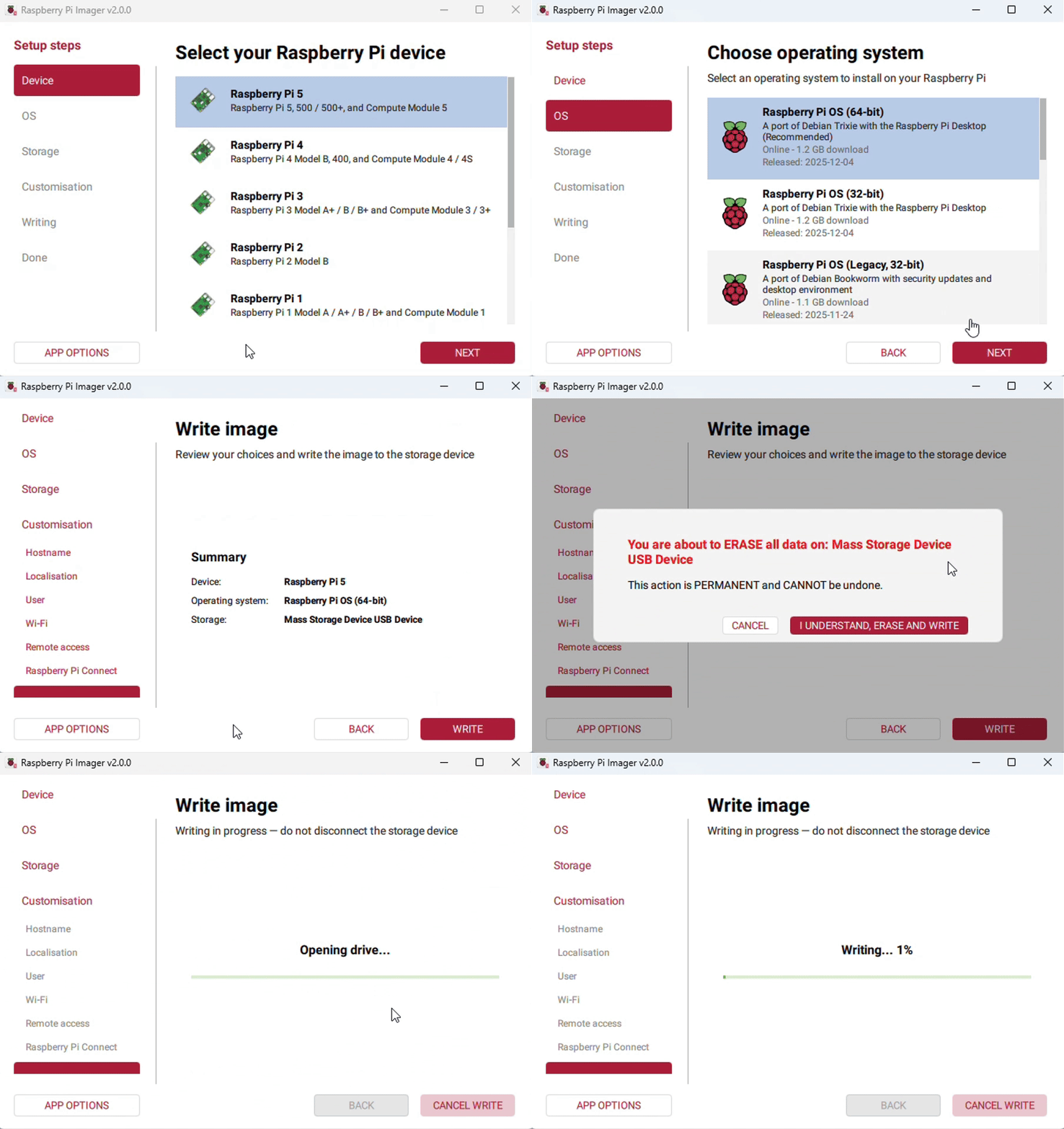
Connect the TF card to the PC, download and use Raspberry Pi Imager to flash the corresponding system image.
-
After flashing, open the config.txt file in the root directory of the TF card and add the following lines at the end of config.txt.
dtparam=i2c_arm=ondtoverlay=waveshare-35dpi-4bdtoverlay=waveshare-35dpi-5bdtoverlay=dwc2,dr_mode=host -
Download the PocketTerm35 DTBO file and unzip it, then copy the extracted .dtbo file to the overlays directory (/boot/overlays/).
-
Save and safely eject the TF card, insert the TF card into the Raspberry Pi, press the power button to start and use the device.
Method 2: Flash Pre-installed Image
- Download the PocketTerm35 pre-installed image: PocketTerm35-Pi4-Pi5 Pre-installed Image.
- Connect the TF card to the PC, and format the TF card using SDFormatter software.
- Open Win32DiskImager software, select the system image prepared in step 1, and click Write to flash the system image.
- After flashing, safely eject the TF card, insert it into the Raspberry Pi, press the power button to start and use the device.