Working with ESP32-S3
This chapter includes the following sections:
Setting Up the Development Environment
1. Installation and Configuration
- For ESP32-S3 environment setup and basic usage, please refer to the following links:
- After setting up the environment, connect the sensor and download the example package.
Example
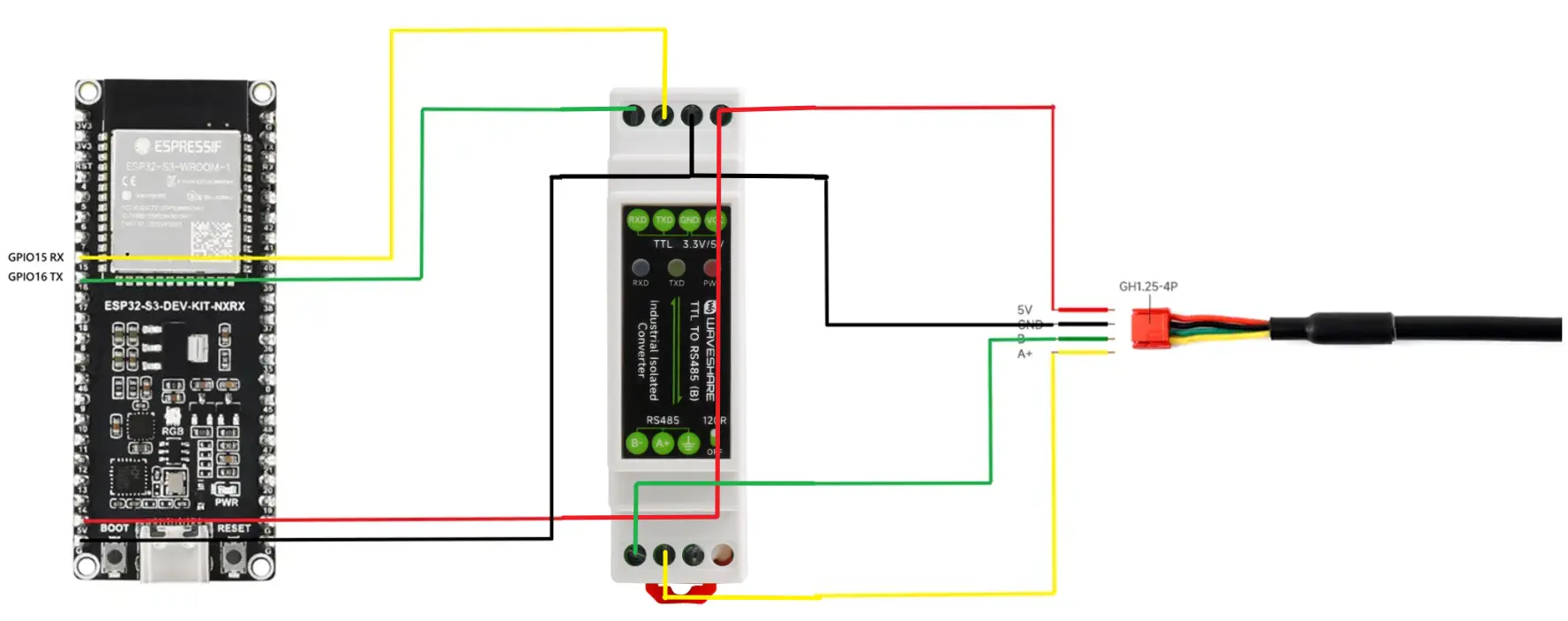
Hardware Connection
Connect as shown in the figure below.
Running the Arduino ESP32 Example
-
Navigate to
TOF-MINIS-Range-Sensor/example/ESP32/esp32s3-arduino_exampleand double-click theesp32s3-arduino_example.inofile. -
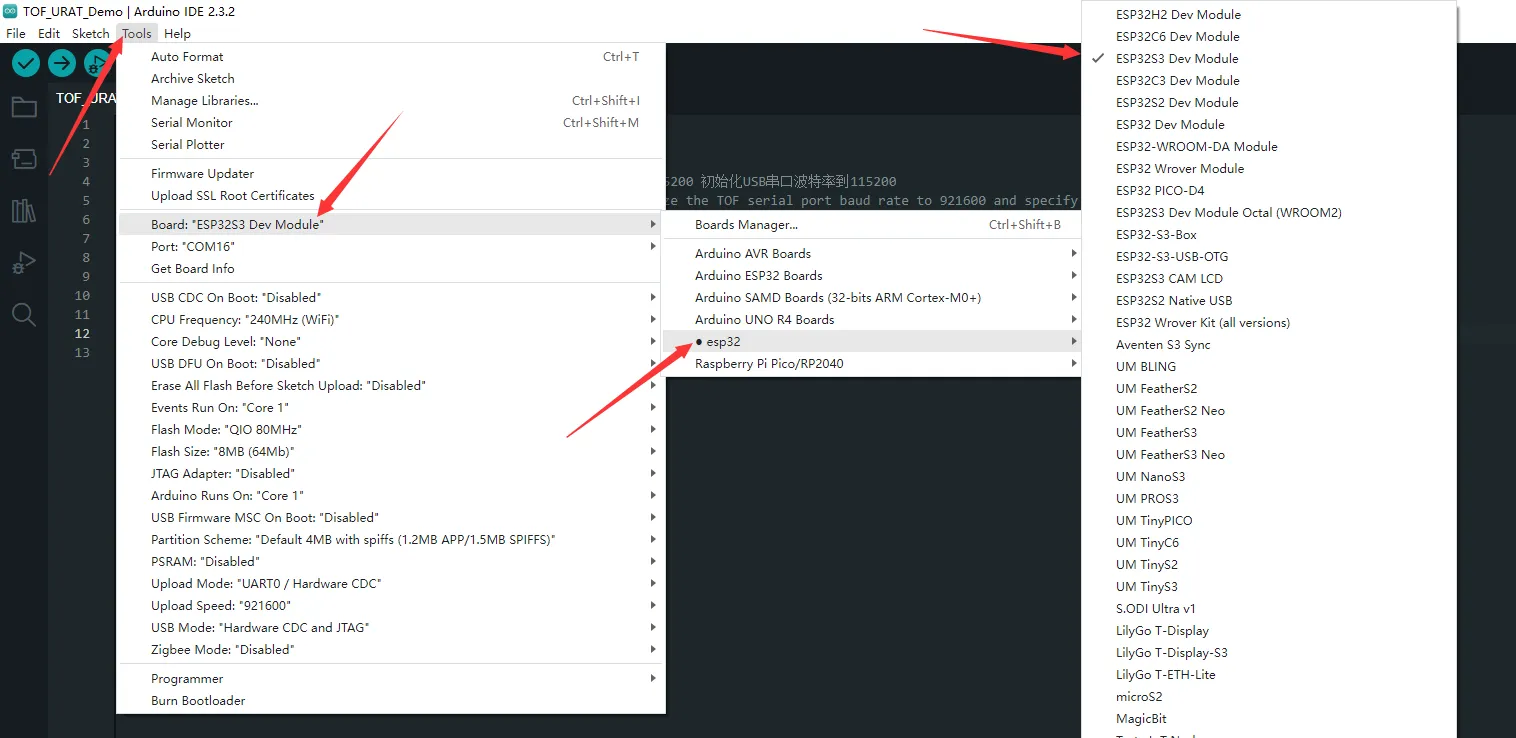
Select the development board:
-
Select the ESP32-S3 port, then compile and upload.
-
After upload is complete, open the Serial Monitor to view the output.
Running the MicroPython Example
-
Navigate to
TOF-MINIS-Range-Sensor/example/ESP32/esp32s3-python_exampleand double-click theesp32s3-python_example.pyfile. -
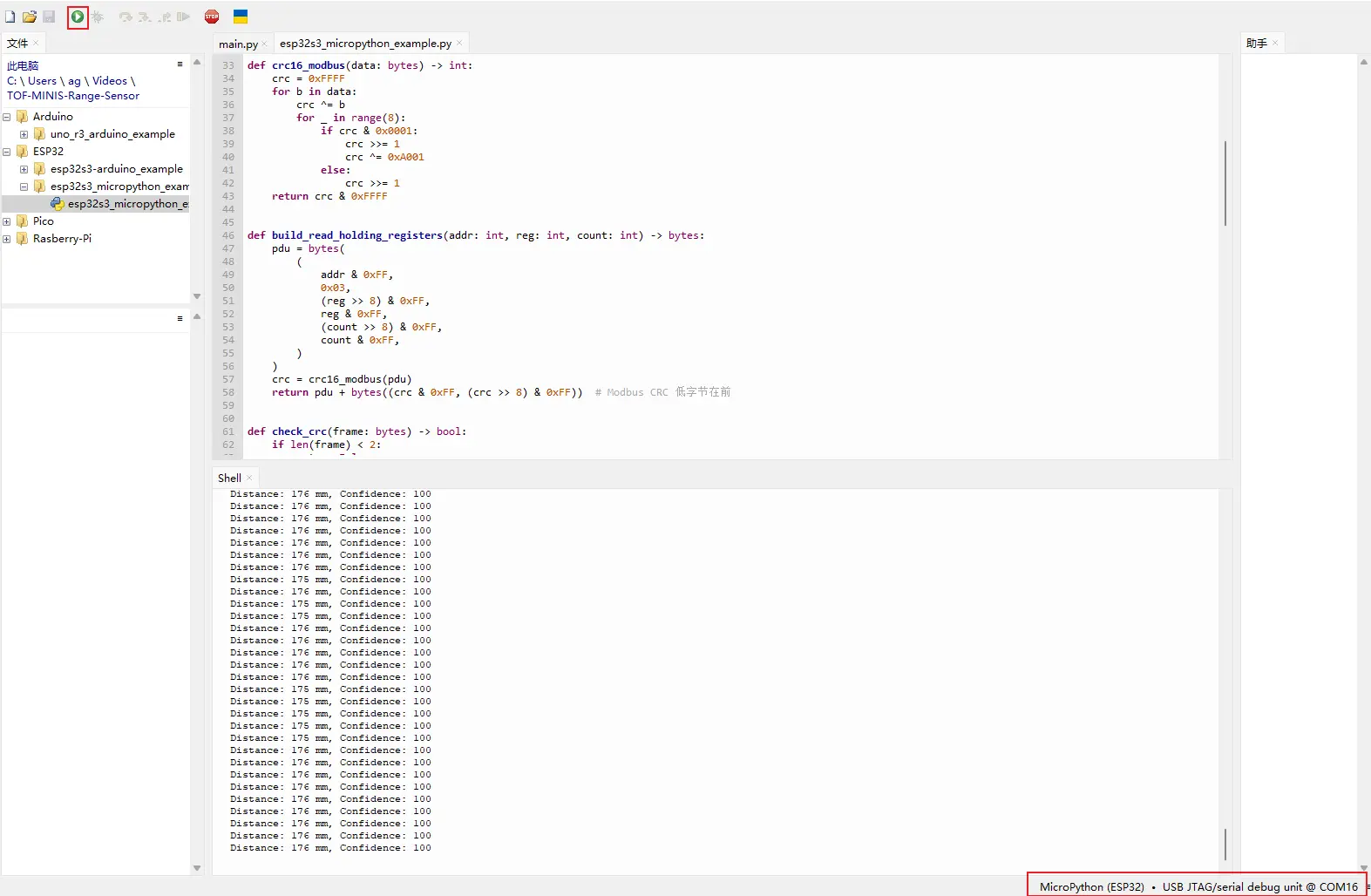
Set the chip model to ESP32 and select the corresponding port:
-
Select the ESP32-S3 port, then run the example.
-
The shell will display the relevant output.