UPS HAT (E)
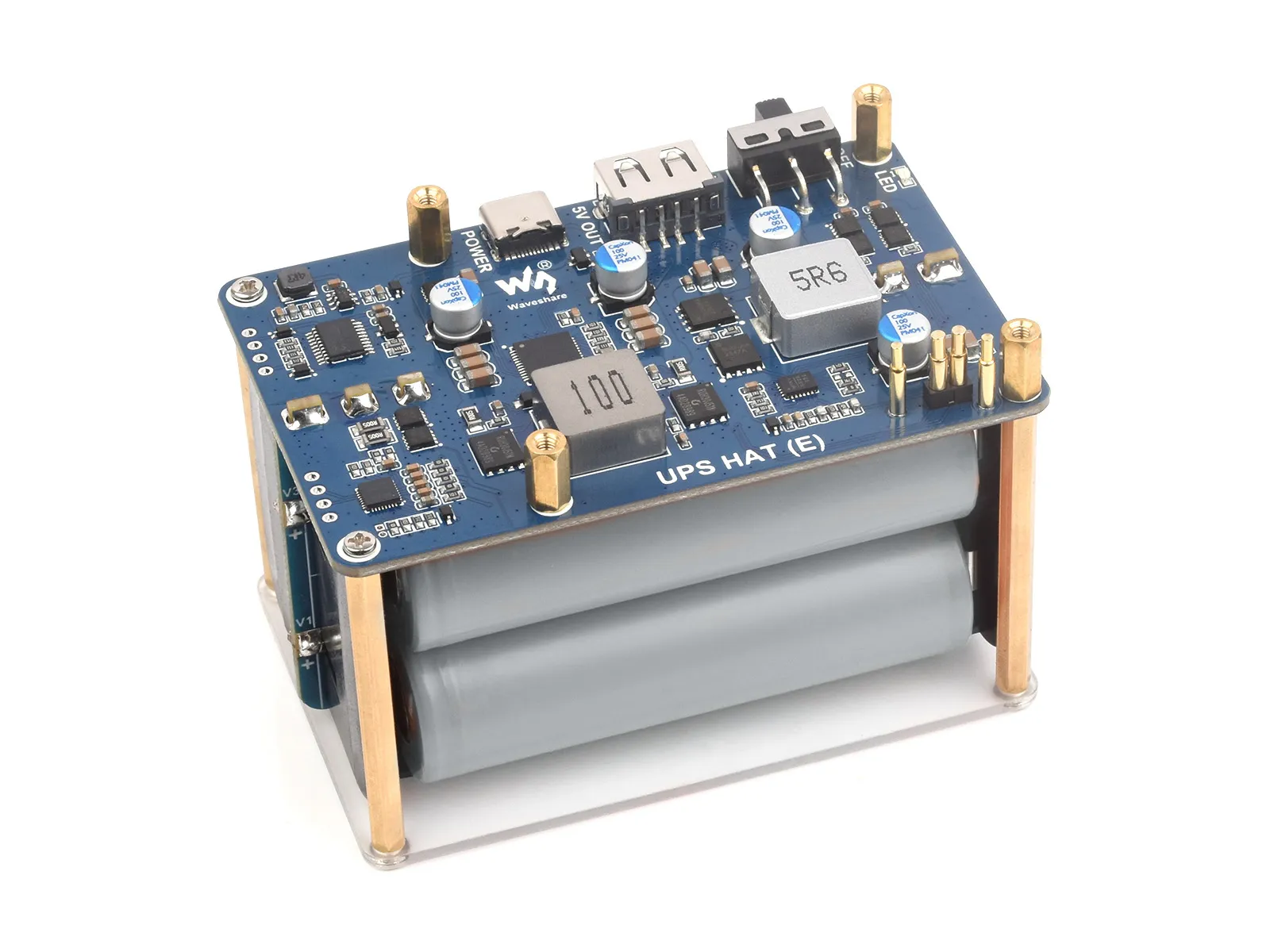
The UPS HAT (E) is an uninterruptible power supply (UPS) module for the Raspberry Pi. It features an onboard switching battery charger with path management, a boost converter, and voltage/current monitoring ICs. It supports simultaneous charging and discharging, provides a stable 5 V output, and allows monitoring of battery voltage, current, power, and other parameters via the I2C interface. It also supports battery level icon display.
| SKU | Product |
|---|---|
| 27966 | UPS HAT (E) (EN) |
Features
- Spring-loaded pogo pin interface design, compatible with Raspberry Pi series boards
- Onboard Type-C bidirectional fast charging port, supporting PD 3.0 and various other charging input/output protocols, with up to 40 W power
- Onboard dedicated battery fuel gauge IC, supporting reading of battery voltage, current, power, remaining capacity, and other parameters
- I2C communication interface for reading Type-C input/output and battery status information, enabling real-time monitoring of module operating status
- Four 21700 lithium batteries (NOT included) in series
- Onboard high-power buck converter for stable 5 V output
- Onboard MCU for management, supporting power-on detection and auto-start functionality
- Supports battery level icon display for easy status monitoring
Specifications
| Parameter | Value |
|---|---|
| Output Voltage | 5V |
| Control Interface | I2C |
| Charging Power | Bidirectional input/output fast charging protocol, up to 40 W |
| Output Power | 5V 6A |
| Battery Type | 21700 rechargeable battery, 3.7V, flat top |
| Capacity | 5000mAh (nominal) |
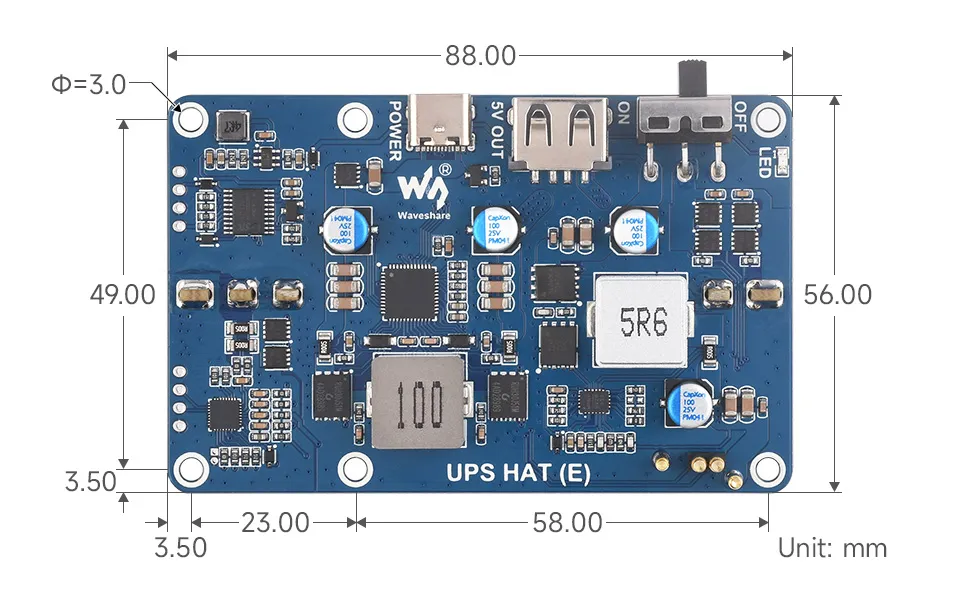
| Product Dimensions | 56mm × 88mm |
| Through-hole Diameter | 3.0mm |
Dimensions
Interface Description
Hardware Description
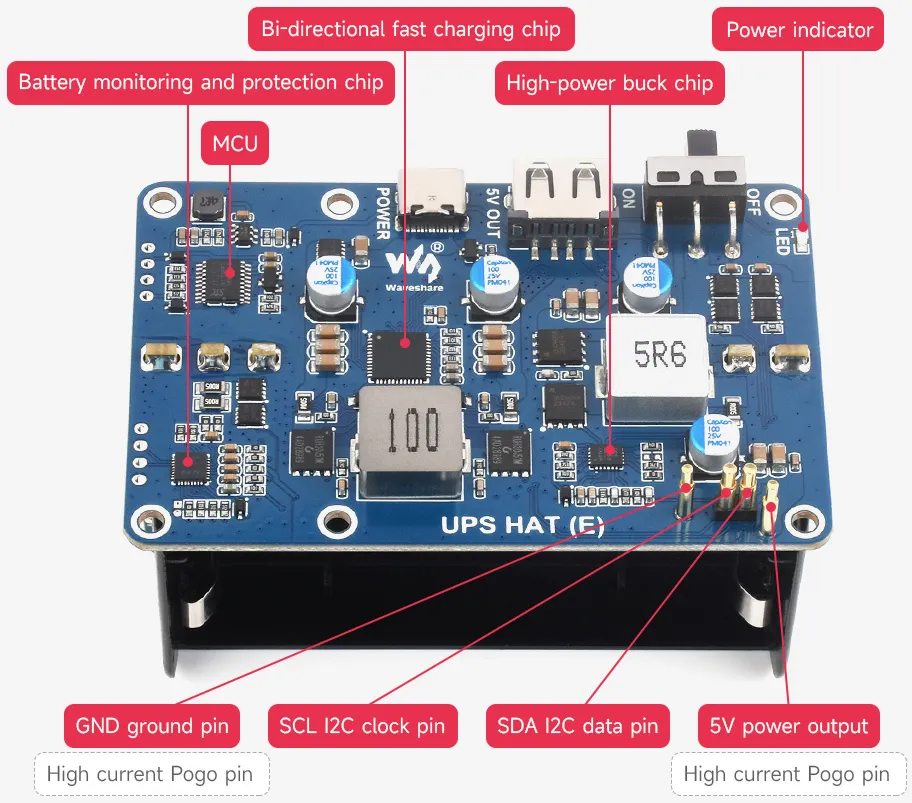
- The USB Type-C port is a bidirectional fast charging port, supporting both charging and output, with a maximum power of 40 W.
- The USB Type-A port is a 5 V output port.
- The LED is a power indicator, which lights up when a charging power source is detected.
- OFF/ON is the power switch silkscreen marking.
caution
- Do not reverse-connect the battery; reverse connection may damage the battery protection IC.
- When installing batteries, follow the order V1-V2-V3-V4. If not installed in order, the reverse-connection warning LED may light up. The Vx markings and battery polarity indications are printed on the PCB next to the battery holders.
- After removing and reinstalling batteries, connect a charger for a few seconds to activate output.
- After replacing batteries, complete several full charge-discharge cycles to allow the chip to automatically calibrate battery parameters for more accurate capacity readings.
- The actual output current can reach up to 10 A; however, due to thermal constraints, it is recommended to keep the current under 6 A under normal use. For higher currents, active cooling should be added.
- Battery capacity may be affected by battery model and temperature variations. For determining whether power is available, voltage readings should be considered the reference.
Lithium Battery Usage Precautions
warning
- Lithium polymer and lithium-ion batteries are highly unstable. Improper charging or use may result in fire, personal injury, and property damage.
- When charging or discharging the battery pack, never reverse the polarity. Do not use inferior or non-standard chargers or charging boards for lithium batteries.
- Do not mix old and new batteries, and avoid using batteries from other brands.
- If purchasing additional lithium battery products, ensure that the battery parameters are compatible with the lithium battery expansion board. It is recommended to choose reputable battery manufacturers and perform aging tests to ensure stable and safe operation.
- Lithium batteries have a limited cycle life. Replace the battery with a new one when it reaches its service life or after two years of use, whichever comes first.
- Store battery products properly, away from flammable and explosive materials and out of reach of children, to avoid safety accidents caused by improper storage.