ESP32-S3-CAM-OVxxxx
- ESP32-S3-CAM-OV5640
- ESP32-S3-CAM-OV3660
- ESP32-S3-CAM-GC2145
- ESP32-S3-CAM-GC0308
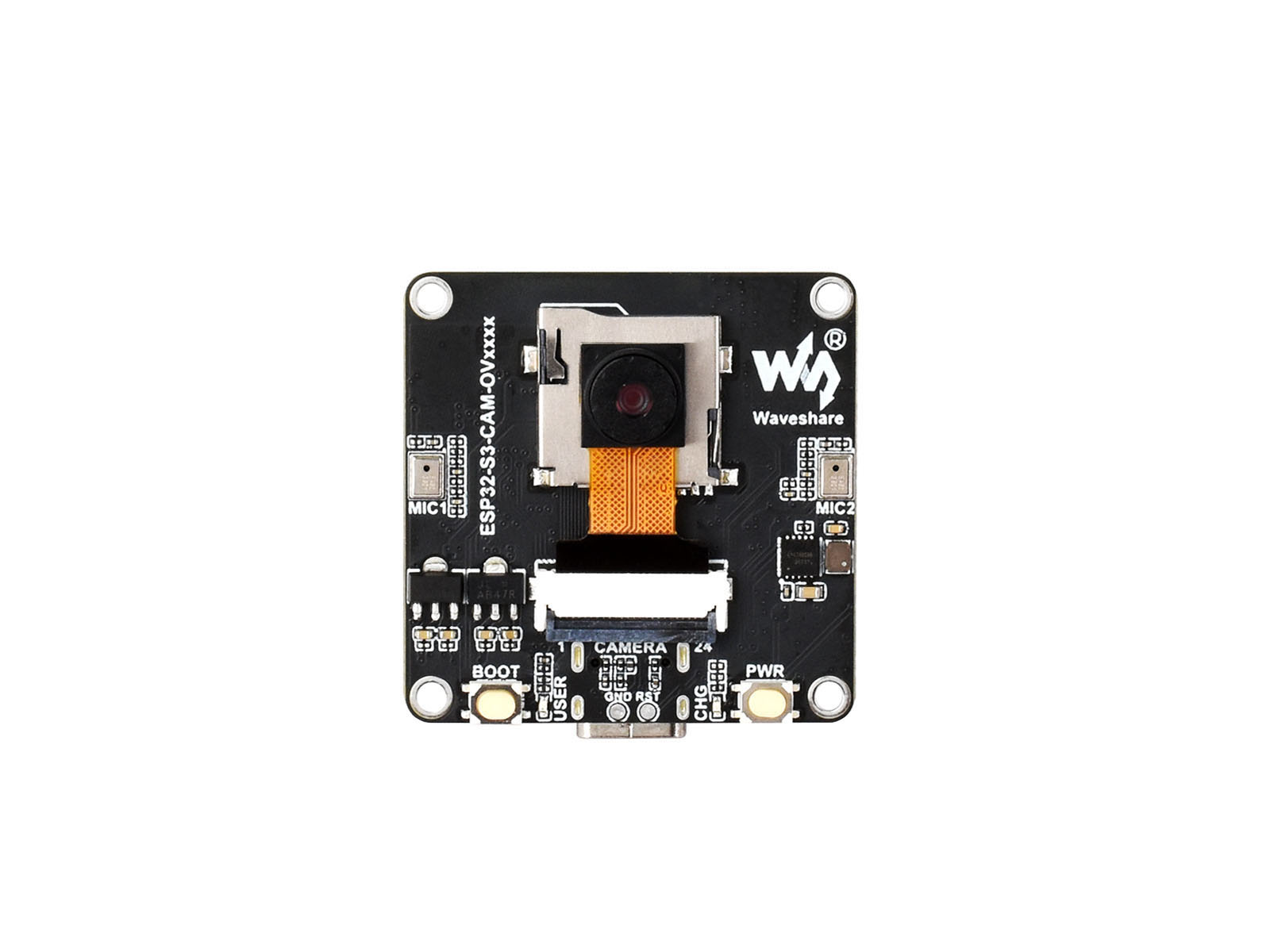
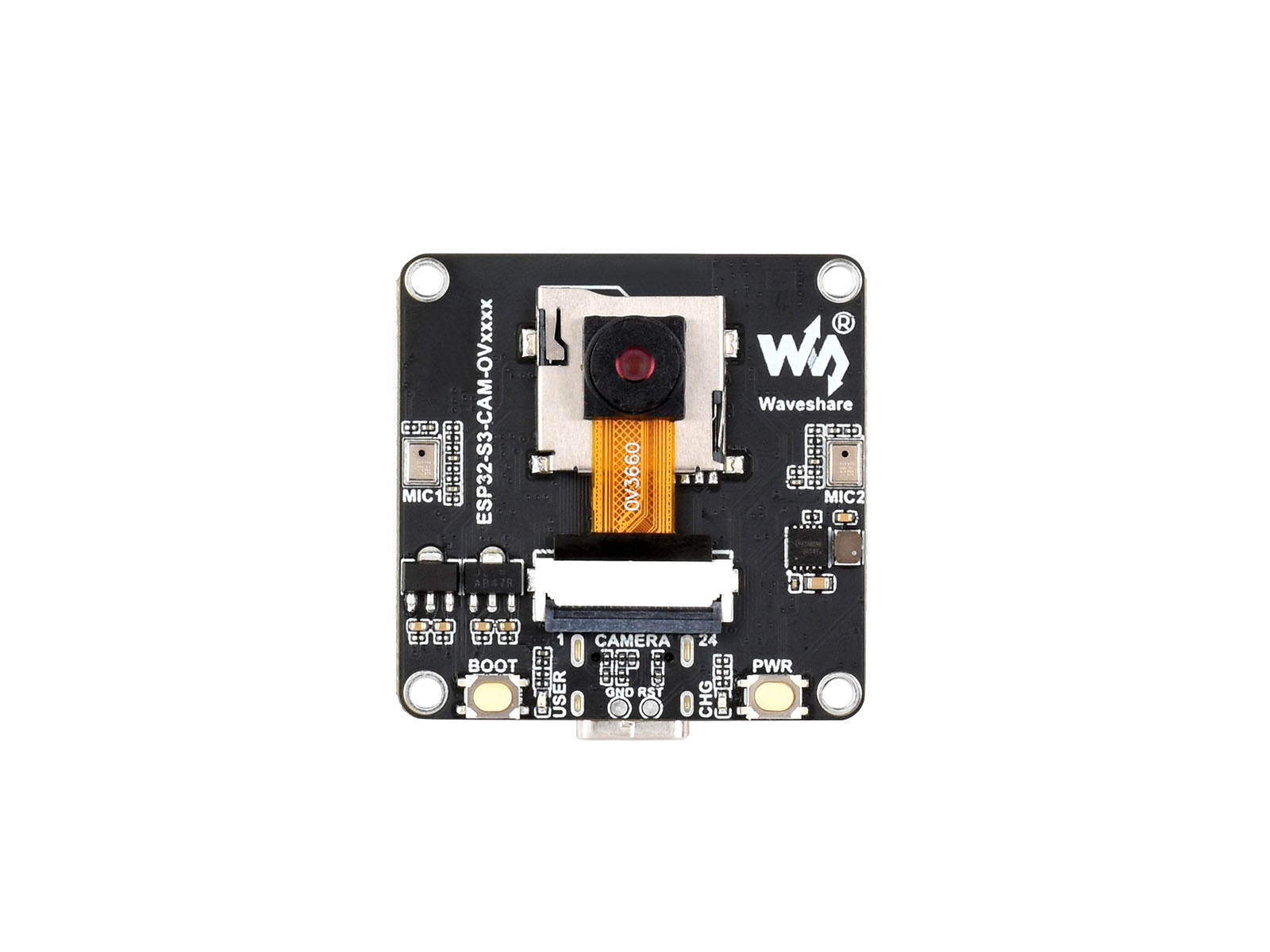
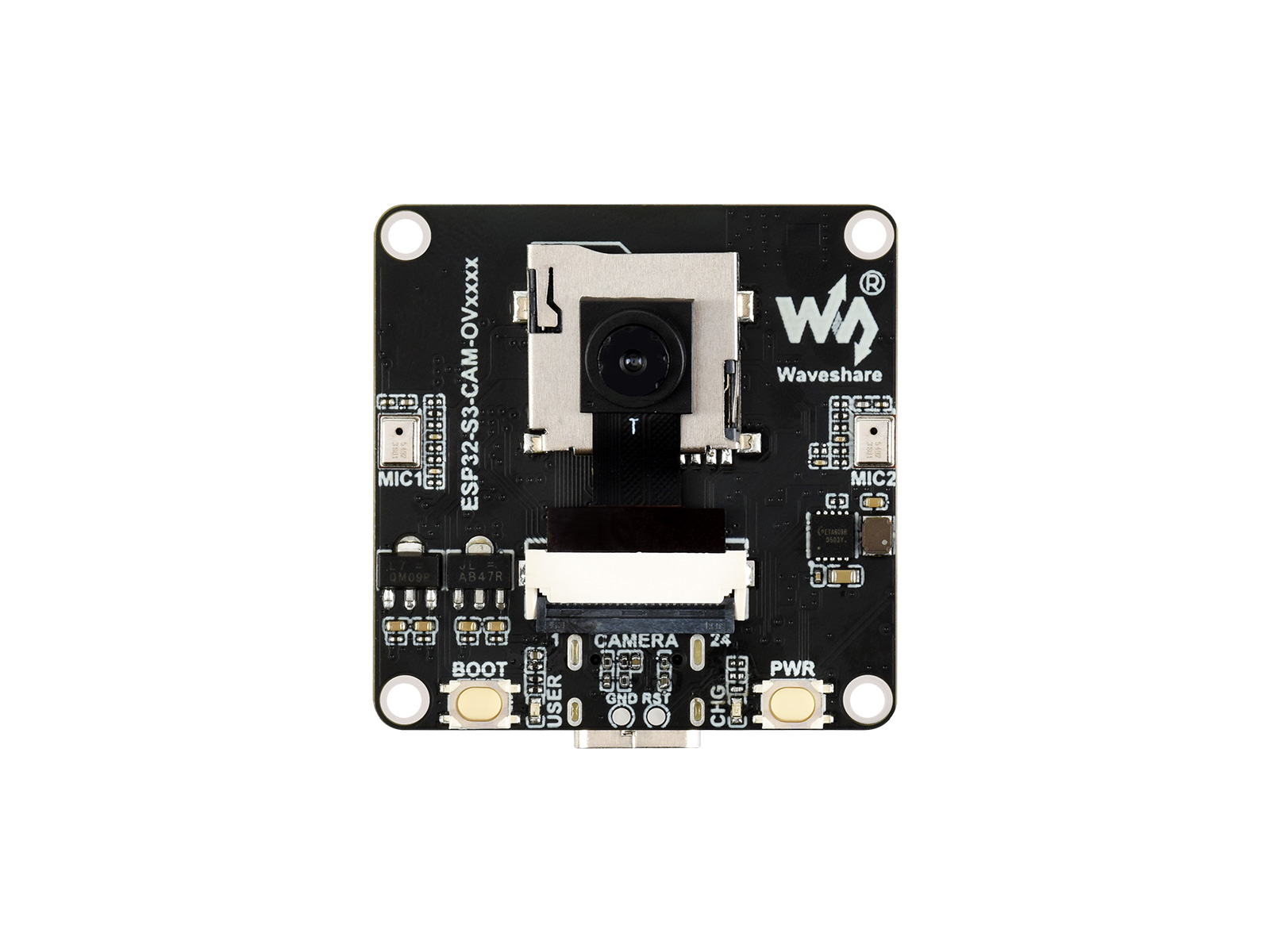

The ESP32-S3-CAM-OVxxxx is a high-performance, highly integrated microcontroller camera development board designed by Waveshare. It features an onboard SPI/QSPI screen interface, a DVP camera interface, a low-power audio codec chip with echo cancellation circuitry, dual microphones, and an external speaker interface, providing robust support for rapid development and product prototyping.
| SKU | Product |
|---|---|
| 33699 | ESP32-S3-CAM-OV5640 |
| 33700 | ESP32-S3-CAM-OV3660 |
| 33701 | ESP32-S3-CAM-GC0308 |
| 33702 | ESP32-S3-CAM-GC2145 |
Features
-
Powered by the ESP32-S3R8 high-performance Xtensa 32-bit LX7 dual-core processor, with a main frequency of up to 240 MHz
-
Supports 2.4GHz Wi-Fi (802.11 b/g/n) and Bluetooth 5 (LE) with an onboard antenna
-
Features 512 KB of internal SRAM and 384 KB of ROM, with 8 MB of stacked PSRAM and an external 16 MB Flash
-
Utilizes a Type-C interface, improving user convenience and device compatibility
-
Onboard 24PIN DVP camera interface, compatible with multiple camera modules
-
Onboard 18PIN screen interface, supporting SPI and QSPI
-
Equipped with a dual-microphone array for audio algorithms such as noise reduction and echo cancellation, suitable for accurate speech recognition and near-field/far-field wake-up applications
-
Onboard PWR and BOOT side buttons, configurable for custom function development
-
Onboard 3.7V GH1.25 lithium battery charge/discharge interface
-
Camera Parameter Comparison
Model Max Resolution Output Interface Output Format Lens Size Focal Length Aperture Field of View OV5640 Camera 2592×1944 DVP RGB565
YUV
YCbCr4221/4inch 4.1mm 2.8 D:68° H:55° V:42° OV3660 Camera 2048×1536 DVP 8/10-bit Raw RGB data
JPEG compression
YUV/YCbCr422
RGB565- 3.2mm 2.4 D:68° GC2145 Camera 1616×1232 DVP RGB565
YCbCr422
8-bit Raw RGB data1/5inch 2.38mm 2.4 D:68° H:60° V:46.8° GC0308 Camera 648×488 DVP Grayscale
YCbCr422
RGB5651/6.5inch 2.5mm 2.4 D:58° H:46° V:35°
Onboard Resources
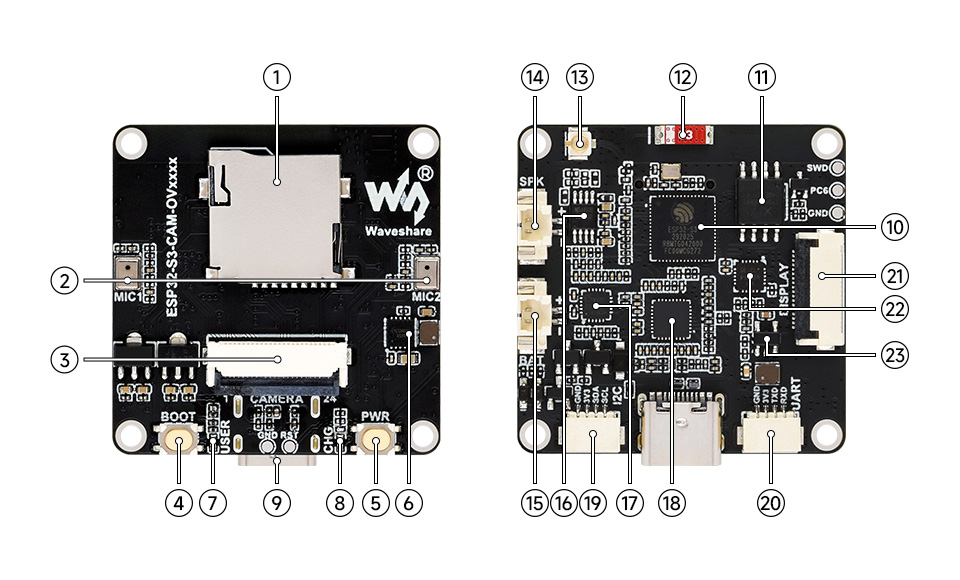
- TF card slot
- Dual-microphone array
- DVP camera interface
- BOOT button
- PWR button
- ETA6098 charging management chip
- USER indicator
- Charging indicator
- Type-C interface
- ESP32-S3R8
- 16MB Flash
- Onboard ceramic antenna
- IPEX 1 connector (Default onboard antenna; can be switched to an external antenna via resoldering an onboard resistor)
- Speaker header (3W 4Ω output power)
- Battery header (GH1.25 2PIN connector for 3.7V Lithium Batt, supports charging and discharging)
- NS4150B amplifier chip
- ES8311
- ES7210
- I2C header
- UART header
- LCD 18PIN interface
- CH32V003F4U6 I/O expander chip
- MP1605 power module
Interface Definition
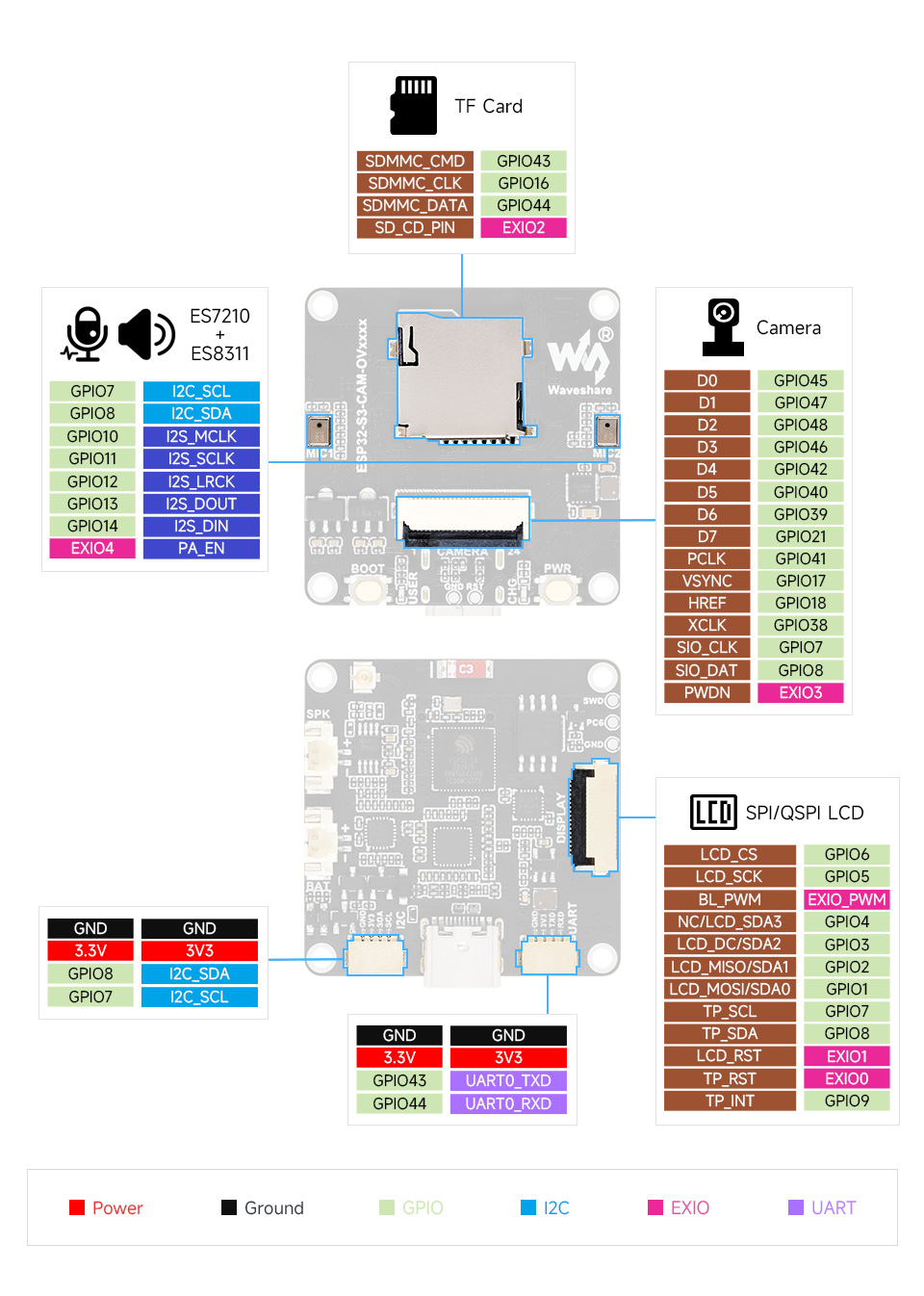
Dimensions
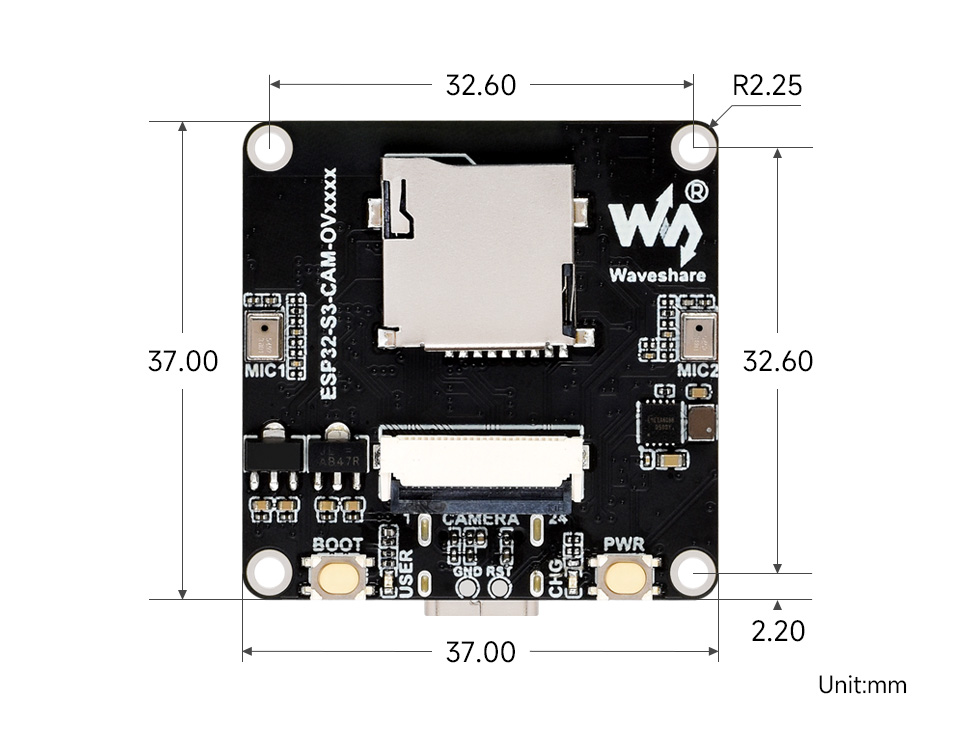
Development Methods
The ESP32-S3-CAM-OVxxxx supports both the Arduino IDE and ESP-IDF development frameworks, offering developers flexible options. You can choose the appropriate development tool based on your project requirements and personal preferences.
Each method has its advantages, and developers can choose based on their needs and skill level. Arduino is simple to learn and easy to get started with, suitable for beginners and non-professionals; ESP-IDF provides more advanced development tools and stronger control capabilities, suitable for developers with professional backgrounds or those with higher performance requirements, and is more suitable for complex project development.
-
Arduino IDE is a convenient, flexible, and easy-to-use open-source electronics prototyping platform. It requires minimal foundational knowledge, allowing for rapid development after a short learning period. Arduino has a vast global community that provides a wealth of open-source code, project examples, tutorials, and rich libraries that encapsulate complex functionalities, enabling developers to implement various features quickly. You can refer to the Working with Arduino to complete the initial setup, and the tutorial also provides related demos for reference.
-
ESP-IDF (Espressif IoT Development Framework) is a professional development framework released by Espressif for its ESP series chips. It is developed based on the C language, including a compiler, debugger, and flashing tool, etc. It supports development via command line or an Integrated Development Environment (such as Visual Studio Code with the Espressif IDF plugin), which provides features like code navigation, project management, and debugging, etc. We recommend using VS Code for development. For the specific configuration process, please refer to the Working with ESP-IDF. The tutorial also provides relevant demos for reference.