Working with Raspberry Pi
This section demonstrates using Raspberry Pi + 2 Q43 modules for testing: one set to Base Station mode, the other set to Rover mode, while also testing the geomagnetic sensor for an electronic compass application. The overall Linux system operations are similar and can also be adapted to common Linux mainboards like Jetson and RDK. It is recommended to test in an open, clear ☀️, outdoor environment with a clear view of the sky: the more open and better the weather ☀️, the more stable and accurate the RTK positioning.
Environment Configuration
-
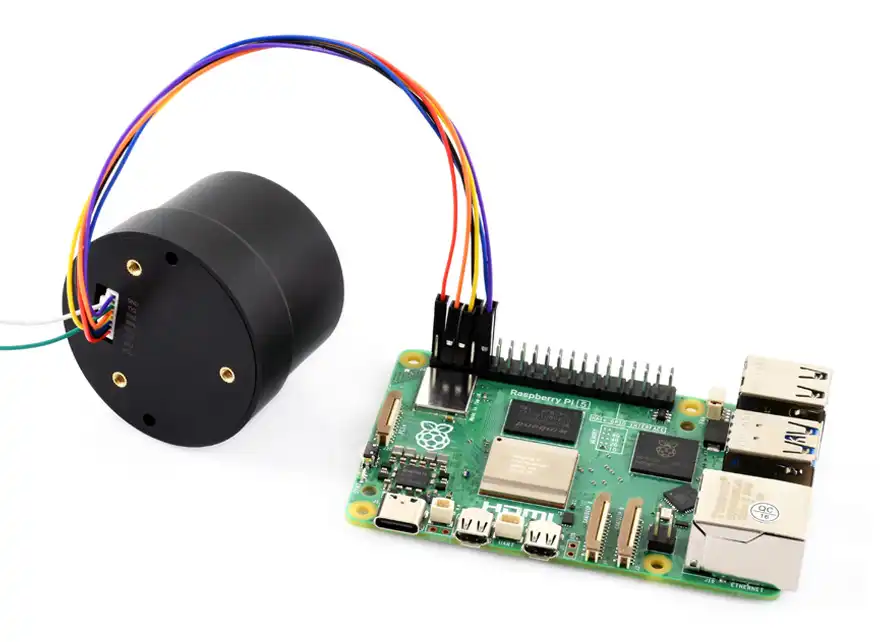
Connect the Q43 module to the Raspberry Pi's UART0 and I2C1 pins using a GH1.25 cable. The UART connects to the RTK positioning module, and I2C connects to the QMC5883P geomagnetic sensor. The hardware connection is shown in the figure below:
-
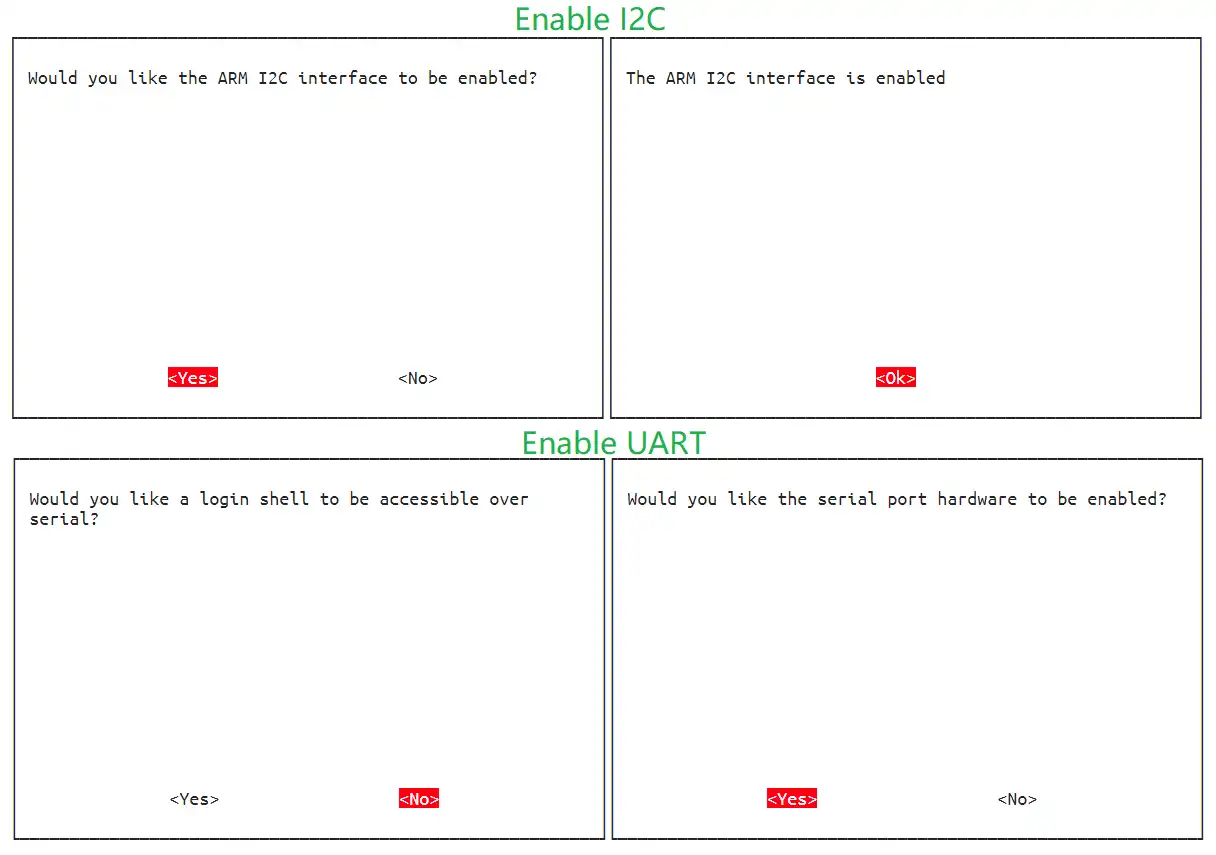
Enable the Raspberry Pi's I2C and UART interfaces: In the UART settings, first select NO to turn off the shell debug serial port, then select YES to open the UART serial port, as shown below:
RTK Base
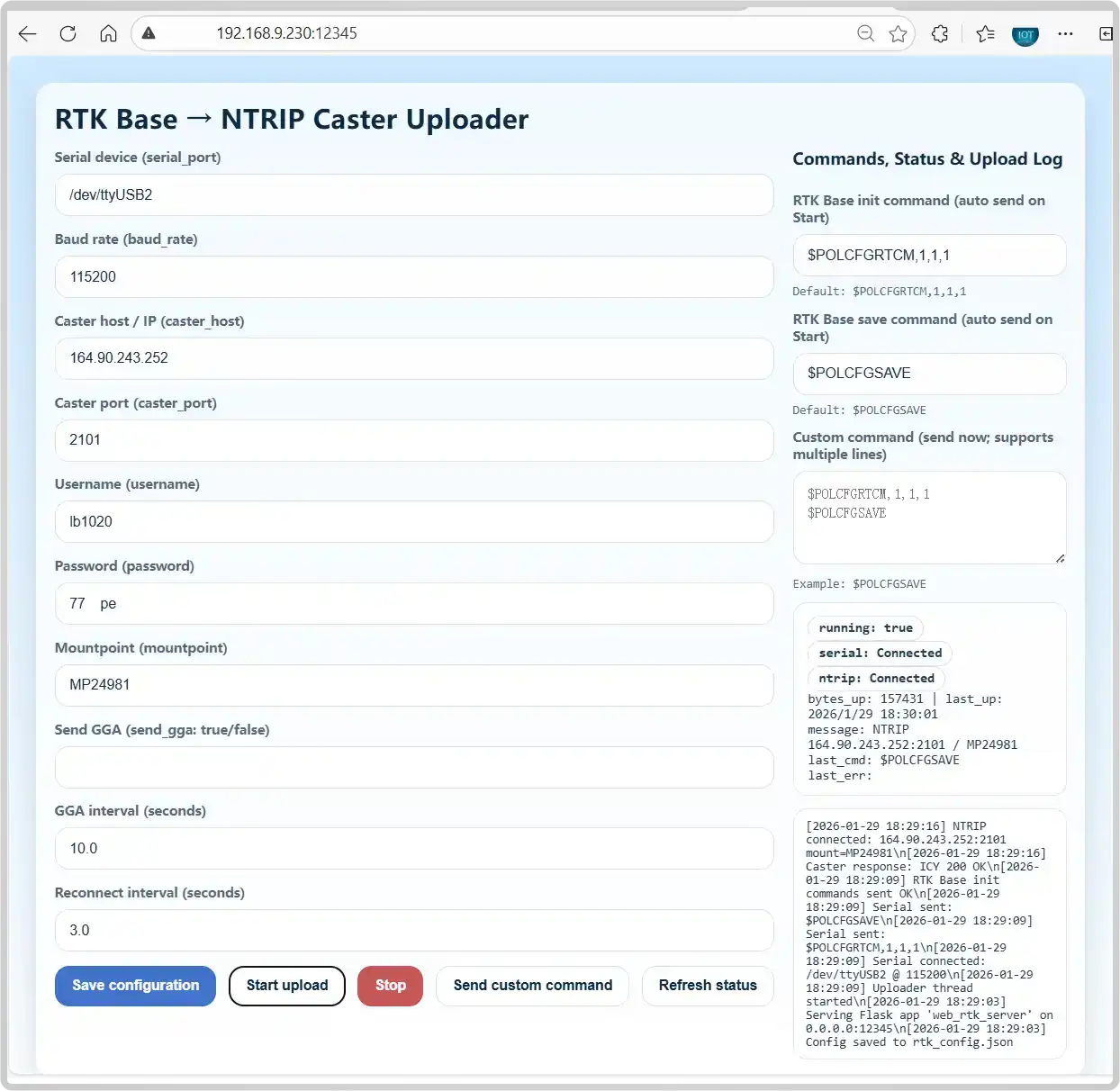
Download and run the Python 3 program in the Raspberry Pi terminal; then enter the IP + port number generated by the program in a browser to open the NTRIP Server web interface. The default configuration is 115200 baud rate, serial port ttyAMA0, and pre-configured parameters for Caster Emlid. You can customize them according to the actual situation:
pip3 install flask pyserial
wget https://files.waveshare.com/wiki/Q43-GNSS-Helical-RTK-Module/Demo/Q43-GNSS-Helical-RTK-Module.zip
sudo unzip Q43-GNSS-Helical-RTK-Module.zip
cd Q43-GNSS-Helical-RTK-Module/Raspberry-Pi/Python
sudo python3 RTK-Base.py
RTK Rover
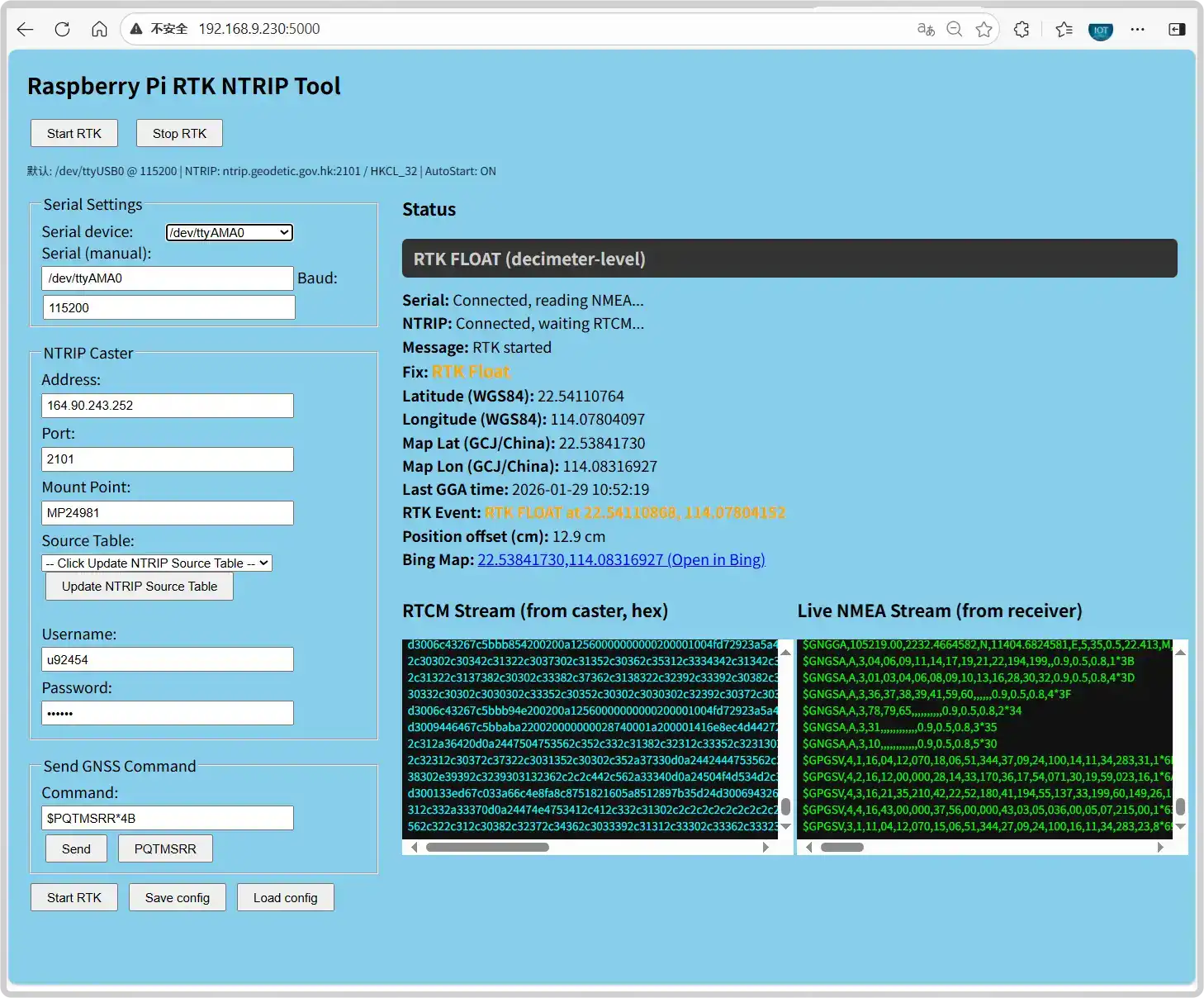
Open a new terminal on the Raspberry Pi and run the Python 3 program; then enter the IP + port number generated by the program in a browser to open the NTRIP Client web interface. Please fill in the parameters according to the actual Caster to achieve RTK precise positioning:
sudo python3 RTK-Rover.py
Electronic Compass
The module has an onboard QMC5883P geomagnetic sensor, which can be driven via I2C to implement an electronic compass application. Run the following programs on the Raspberry Pi:
sudo python3 Compass-QMC5883P.py
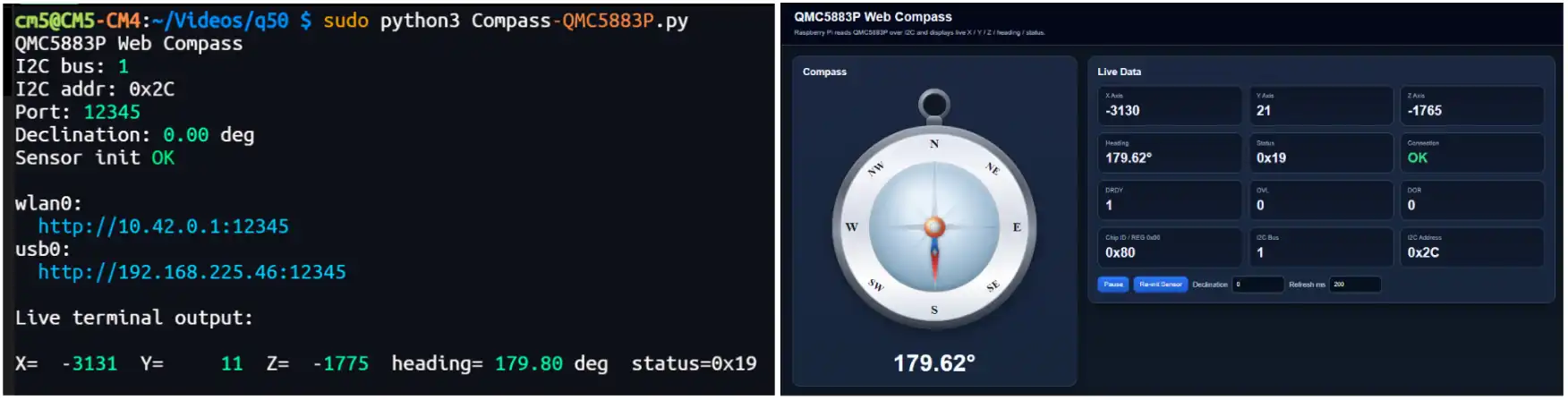
After running the program, you can obtain the environmental magnetic field strength and experience an electronic compass-like functionality: