RP2350-Touch-LCD-1.54
- RP2350-Touch-LCD-1.54
- RP2350-LCD-1.54
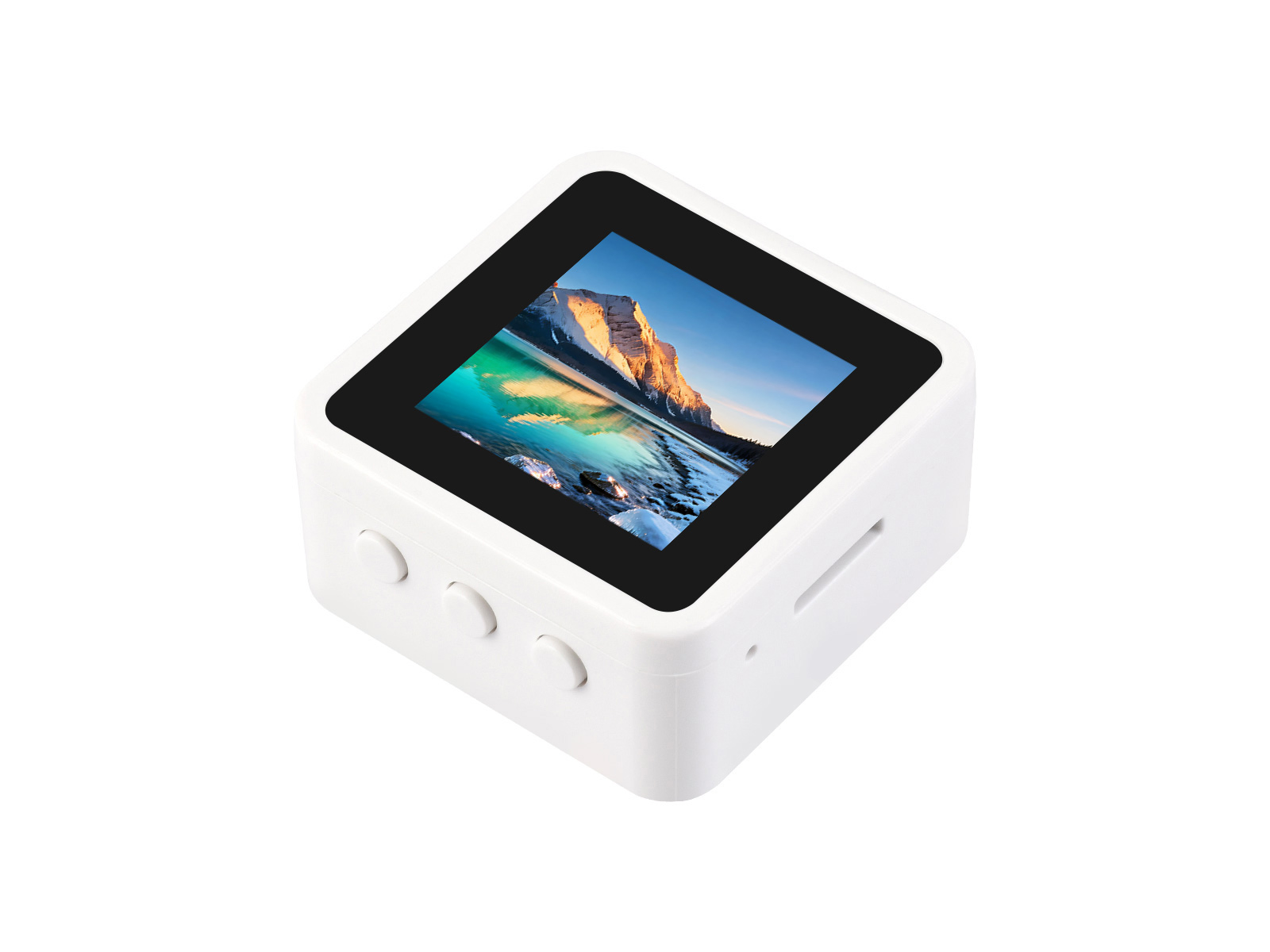
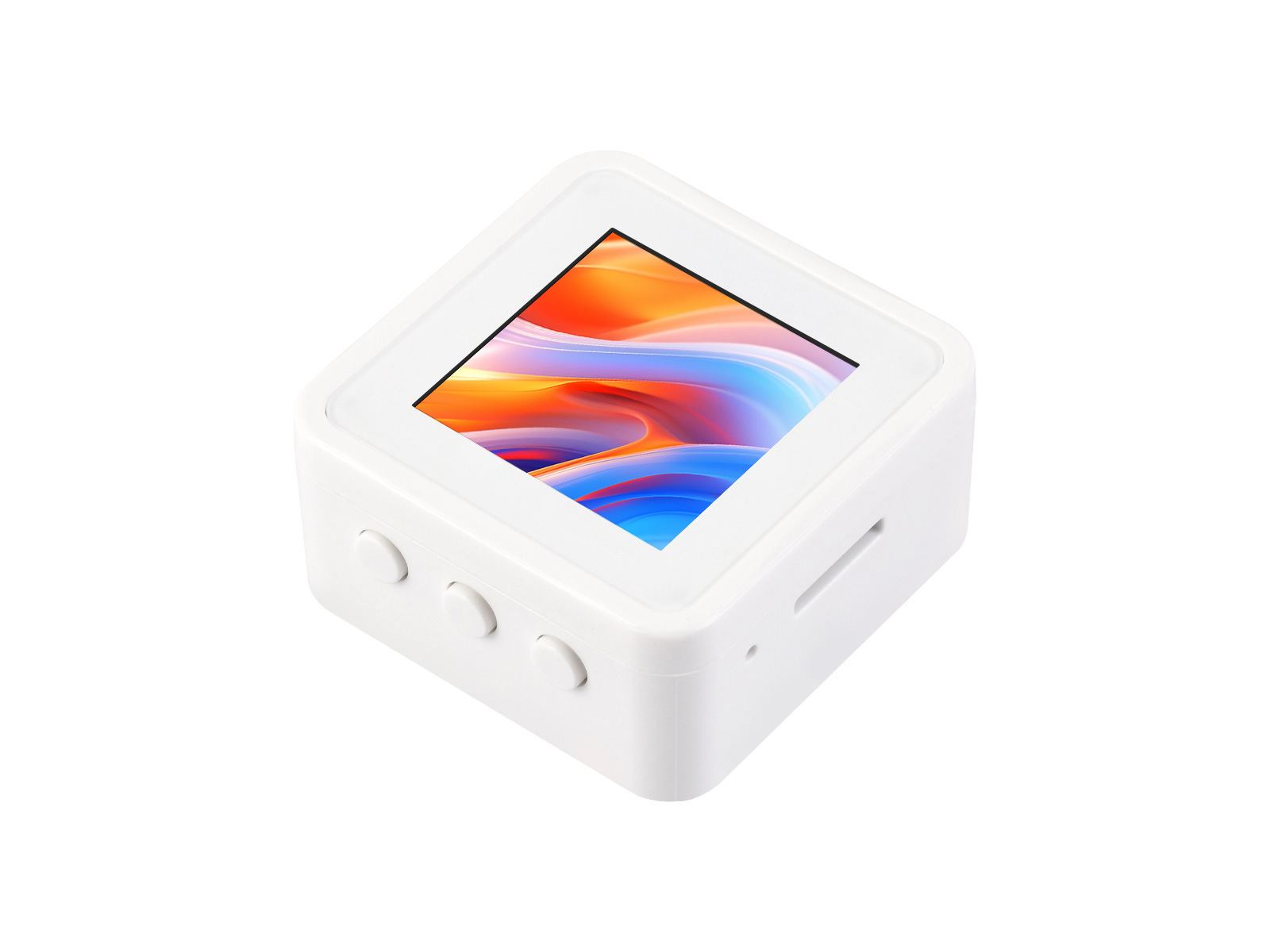
This product is a high-performance, highly integrated microcontroller development board independently designed by Waveshare. It integrates large-capacity Flash, an onboard 1.54inch capacitive HD LCD screen, an IMU, a TF card slot, and other peripherals, combined with multiple communication interfaces, making it easy to develop and integrate into end products.
| SKU | Product |
|---|---|
| 34333 | RP2350-Touch-LCD-1.54 |
| 34332 | RP2350-Touch-LCD-1.54-EN |
| 34335 | RP2350-LCD-1.54 |
| 34334 | RP2350-LCD-1.54-EN |
Features
- Utilizes the RP2350A microcontroller chip designed by Raspberry Pi
- Unique dual-core, dual-architecture, featuring dual-core ARM Cortex-M33 processors and dual-core Hazard3 RISC-V processors, both operating at up to 150MHz, allowing users to flexibly switch between the two architectures
- Built-in 520KB of SRAM and 16MB of on-chip Flash
- Utilizes a Type-C port, eliminating the hassle of plug orientation
- Onboard 1.5inch LCD screen, 240 × 240 resolution, 65K colors
- USB1.1 host and slave device support
- Supports low-power sleep and dormant modes
- Drag-and-drop programming using mass storage over USB
- Exposes 4 multifunctional GPIO pins
- 1 × I2C, 1 × UART, 2 × 12-bit ADC and 2 × controllable PWM channels
- Accurate on-chip clock and timer
- Built-in temperature sensor for real-time chip temperature monitoring
- 12 × programmable I/O (PIO) state machines for custom peripheral support
Onboard Resources
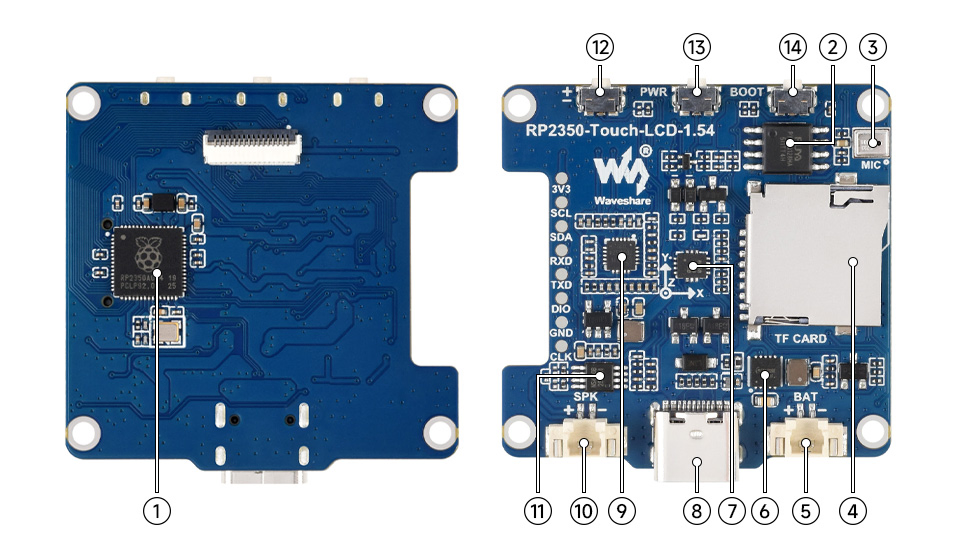
- RP2350A Dual-core, dual-architecture processor, up to 150MHz operating frequency
- 16MB NOR-Flash For storing programs and data
- Microphone For audio capture
- TF Card Slot Supports TF card for expanded storage
- MX1.25 Lithium Battery Interface For connecting a 3.7V lithium battery, supports charging and discharging, peak charging current 300mA
- Battery Charge/Discharge Management Chip For lithium battery management
- QMI8658 6-axis IMU includes a 3-axis gyroscope and a 3-axis accelerometer
- USB Type-C Interface For program download, supports USB 1.1 host and device modes
- ES8311 Low-power audio codec chip
- MX1.25 Speaker Connector For connecting an external speaker
- NS4150B Audio power amplifier chip
- Volume Control Button Short press to increase volume, long press to decrease volume, supports custom button functions
- PWR Button For power control
- BOOT Button Press during reset to enter download mode
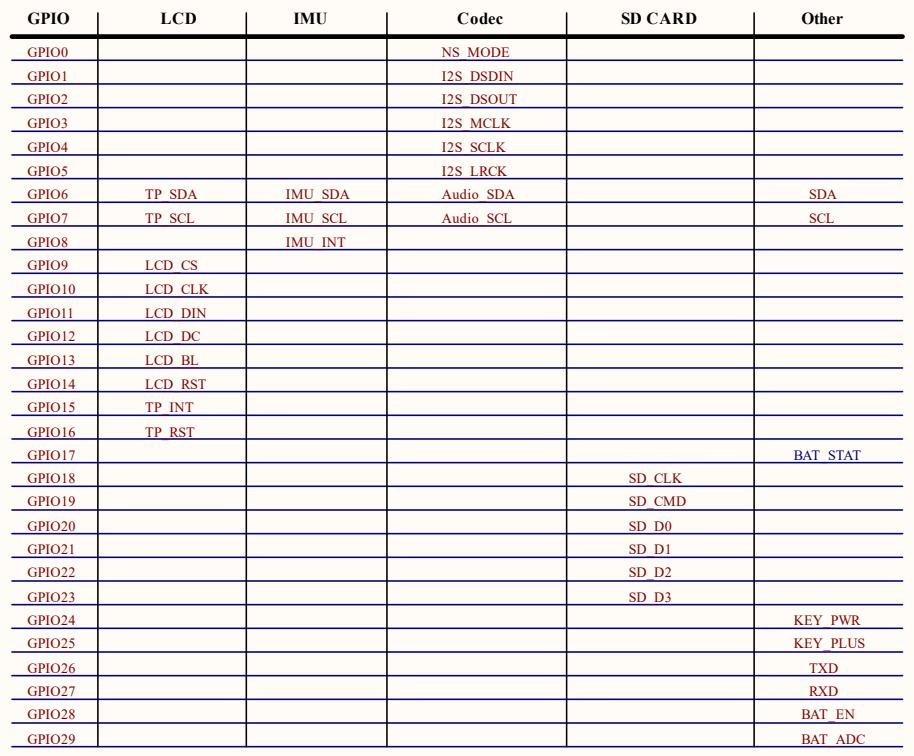
Interface Introduction
Dimensions
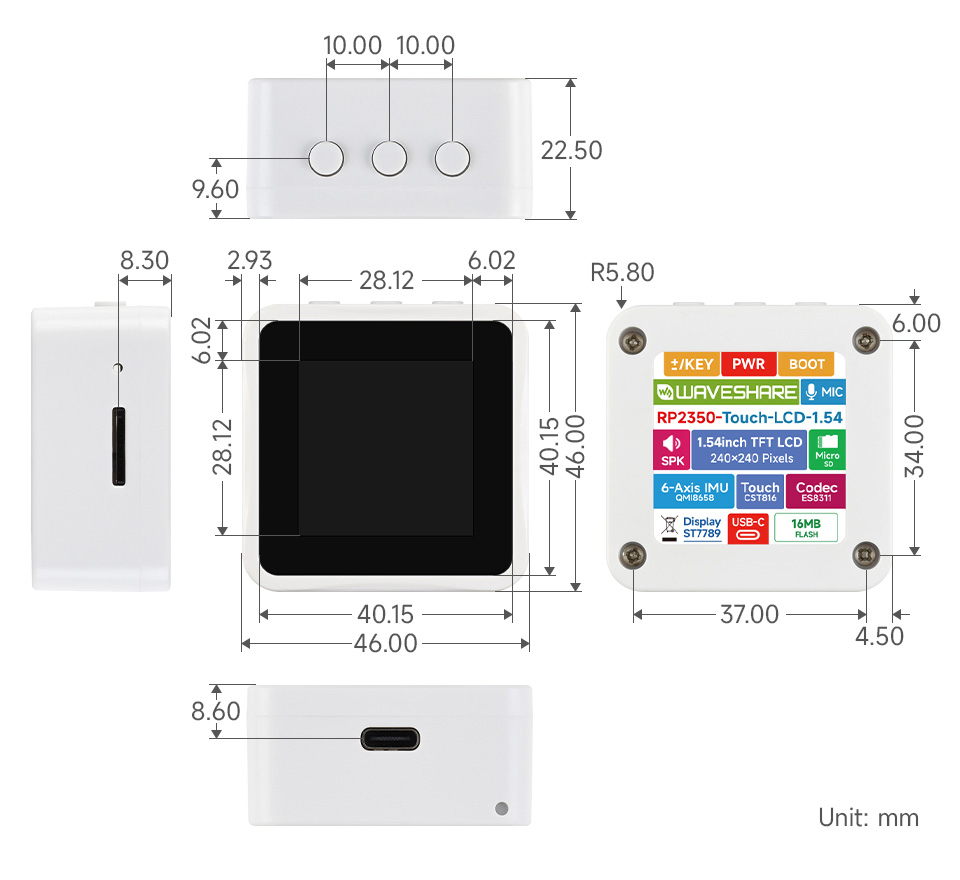
Development Methods
The RP2350-Touch-LCD-1.54 supports three programming languages: MicroPython, C/C++, and Arduino, offering developers flexible choices. You can select the appropriate development tools and programming methods based on project requirements and personal preference:
-
Thonny IDE (Working with MicroPython): Thonny is a lightweight Python Integrated Development Environment designed for beginners and educational scenarios, now widely used for MicroPython / CircuitPython development. Its interface is simple and intuitive, featuring a built-in Python interpreter, support for serial REPL, code flashing, and debugging, with a straightforward setup process. MicroPython is easy to learn and runs without compilation, making it ideal for beginners to quickly start embedded development. You can refer to the Working with MicroPython for initial setup, which provides detailed environment configuration steps and example programs.
-
VS Code + Pico SDK (Working with C/C++): VS Code is a powerful cross-platform code editor. By installing the Pico VSCode extension, a complete C/C++ development environment can be quickly set up. This extension integrates the Pico SDK toolchain, CMake build system, flashing and debugging tools, supports graphical operations, and offers high development efficiency. C/C++ development fully utilizes hardware performance, making it suitable for projects with higher performance requirements and professional developers, and is more applicable for complex embedded applications. You can refer to the Working with C/C++ for initial setup, which provides detailed environment configuration steps and example programs.
-
Arduino IDE (Working with Arduino): The Arduino IDE is a convenient, flexible, and easy-to-use open-source electronics prototyping platform. Arduino boasts a vast global user community, offering a massive library of open-source code, project examples, tutorials, and rich library resources. These libraries encapsulate complex functionalities, allowing developers to implement various features quickly without delving into low-level details. It is well-suited for rapid development and prototype verification, significantly shortening development cycles. You can refer to the Working with Arduino for initial setup, which provides detailed environment configuration steps and example programs.